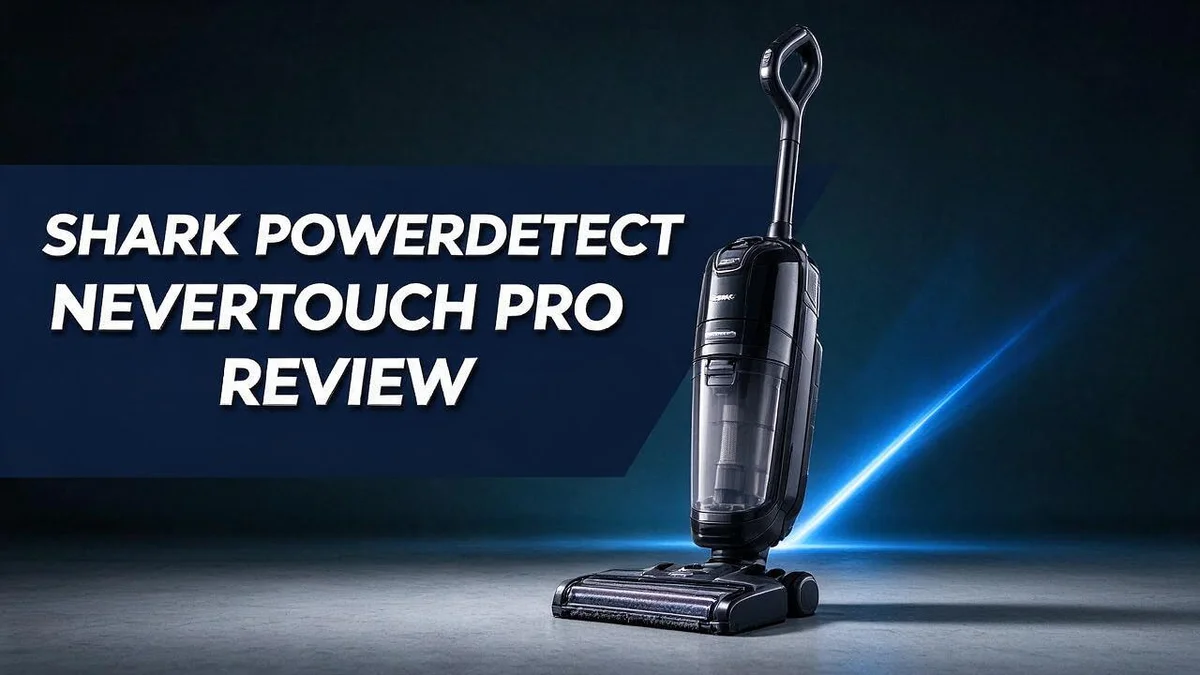
Shark PowerDetect NeverTouch Pro Review: Is It Worth Trying?
Tired of pushing a vacuum across the floor every day? The Shark PowerDetect NeverTouch Pro might be the helper you need. It vacuums and mops in one trip.
Here is what stands out. The base holds up to 60 days of debris. It also refills, washes, and dries its own mop pad. You rarely need to touch the dirt bin.
RTINGS testers in December 2024 praised its debris pickup on bare floors. Edge cleaning also works well along walls.
Still, no machine is perfect. Some owners see wear and tear over time. One Reddit user found it disappointing and switched to a Roborock.
Is this model right for your home? Let’s look closer at how it performs, where it shines, and who should buy it. Keep reading to make a confident choice.
In a Nutshell
-
Mop care happens on its own. The base refills, washes, and dries the mop pad for you. You never need to rinse a dirty pad by hand.
-
Edges get a solid clean on bare floors. Edge cleaning works well on hard surfaces. Homes with mostly bare floors benefit most.
-
Wear can show up over time. RTINGS reviewers noted visible wear and tear. Check the build quality before you commit.
-
Some owners switch brands. One Reddit user found it disappointing and moved to a Roborock. Reading several owner reviews gives you a fuller picture.
-
Strong rivals compete closely. Roborock, Ecovacs, Eufy, and other Shark models offer similar features. Roomba remains the benchmark many shoppers compare against.
-
Best fit for hard floor homes. Busy households with mostly bare floors will likely use this machine the most. Compare a few options before you decide.
Cleaning Performance on Bare Floors

- HEATED MOP-CLEANING NEVERTOUCH PRO BASE: Automatically washes the mop with 185°F water and dries it...
- UP TO A MONTH OF HANDS-FREE CLEANING AND MAINTENANCE: The robot automatically empties debris into...

Last update on 2026-11-22 / Affiliate links / Images from Amazon Product Advertising API
Hard floors are where this robot shines most. Dust, crumbs, and fine grit gather fast on tile, wood, and laminate. The machine tackles these messes with steady passes.
Its route plays a big role in results. The robot covers open areas first. Then it returns to walls and tight spots where dirt tends to hide. Good coverage means fewer missed patches.
Pet owners should pay close attention here. Pet hair can wrap around brushes on any robot. Checking the brushes each week keeps suction strong and results consistent.
Rugs and thresholds can slow it down. Thick rugs may force the robot to work harder. Low thresholds help it move between rooms with less trouble.
Clutter has a big impact on results. Cords, socks, and toys block the path and can stop a run early. A quick floor check before each run helps the robot finish the job.
Daily runs keep dust from piling up. Short, regular cycles keep floors looking fresh between deep cleans.
Sweep big debris first. Large crumbs, pasta pieces, or pet litter can overwhelm any robot. A quick sweep gives the machine a better starting point.
Room shape plays a role too. Long hallways and open spaces usually allow smooth travel. Rooms with many small corners need a closer look.
Think about your home layout before you decide. Open rooms with mostly hard surfaces suit this model well. Homes with many rugs may need extra planning.
Watch how the robot handles mixed flooring. Shifts between hard floors and carpet can change how it moves. Observing a few runs helps you spot trouble spots early.
Expect the best results with steady habits. Clean the filters when needed and check the brushes. Good maintenance keeps dust pickup strong over time.
Overall, bare floors show the strongest results. Simple habits make the biggest difference. Try a few runs and see how your floors respond.
Self-Emptying Base and Debris Capacity
The docking base does much of the heavy lifting. After each cleaning run, the robot returns and empties its own dust bin into the base. You rarely need to touch the debris yourself.
Think of the base as a quiet trash can. It collects debris over many runs, so you only check it now and then. This setup suits busy households that want less daily hands-on work.
Plan the spot before you set it up. Choose a flat wall near an outlet. Leave some open space on each side so the robot can dock with ease. A clear path helps the robot find its way back every time.
Check the bag on a regular schedule. Even with a large capacity, a full bag can reduce suction over time. Look inside every few weeks, especially if your home has lots of dust or fine dirt.
Watch for long hair. Long hair from pets or people can gather in the base faster than expected. Pull out any tangles that wrap around the opening so the emptying process stays smooth.
Clean the robot bin too. The base does not reach the filters or the small bin on the robot itself. Give those parts a quick rinse or tap out the dust every so often. This keeps the robot working at its best.
Plan runs around noise. The base makes a loud sound while it empties. Schedule cleaning times when no one is sleeping or working from home. Many owners find that late morning or early afternoon works well.
Keep spare bags on hand. Replacement bags help you avoid gaps in service. Store a spare in a dry cabinet so you can swap one in quickly when the bag fills up.
Consider who benefits most. People with allergies often appreciate that they never have to empty a bin by hand. Dust stays sealed inside the base, which means fewer particles float into the air during cleanup.
Mopping, Mop Pad Washing, and Drying
Mopping works best on hard floors. The mop pad glides over tile, wood, and vinyl with light moisture. Carpets should stay off the mopping plan.
Keep the mop pad clean for the best shine. A dirty pad can spread grime instead of lifting it. Rinse or replace it on a regular schedule.
The wash and dry cycle does most of the work. You still need to check the pad now and then. Look for hair, lint, or dried food stuck in the fibers.
Remove fine dust before the mop starts. Vacuuming first keeps the pad from turning dust into mud. A cleaner pass leaves floors more even.
Drying matters for fresh floors. Damp pads can smell if they sit too long. Place the base in a dry spot with good airflow. Good air movement helps the pad dry fully.
Fill the clean water tank with plain water for daily runs. Skip harsh cleaners unless the maker approves them. Strong chemicals can damage floor finishes and sensors.
Streaks often show up when the water tank runs low or the pad is worn. Check both before you blame the robot. Fresh pads and proper water levels help.
Rugs and mats need extra care. Soaked rugs can stay damp and grow odors. Check whether the app lets you block mopping in those areas.
Spot clean sticky messes by hand. Spilled juice or pet accidents can smear across the floor. A quick wipe first keeps the robot from spreading them.
A simple routine keeps results steady. Vacuum first, then mop. Empty the water tank, check the pad, and let the base handle drying. Consistent habits give the best shine over time.
Pad changes are easy to forget. Set a reminder to inspect the pad every few weeks. Worn pads cannot hold water well.
Mopping adds a light refresh between deep cleans. It does not replace a full scrub on heavy stains. Plan extra time for those spots.
Top 3 Alternatives
iRobot Roomba j7+

- CLEANS WHEN & WHERE YOU WANT– Only iRobot brings you Imprint Smart Mapping allowing you to control...
- DOESN'T GET HUNG UP; JUST GETS IT DONE; - A full suite of advanced sensors allow this robot to...
Last update on 2026-11-22 / Affiliate links / Images from Amazon Product Advertising API
The iRobot Roomba j7+ is a smart pick for busy homes.
It uses camera sensors to spot and avoid pet waste, cords, and socks. That keeps your floors clear and your robot safe.
Its suction works well on carpets and hard floors alike. The dock empties the dirt bin for you, so you rarely touch dust.
You can schedule cleaning from your phone while you are away. Many owners say the app setup is quick and easy. It suits people who want a clean home with very little effort.
Eufy Clean X9 Pro

Last update on 2026-11-22 / Affiliate links / Images from Amazon Product Advertising API
The Eufy Clean X9 Pro offers strong suction and a station that empties itself.
It maps your rooms, so it cleans in neat, organized lines. The station can hold dirt for weeks, which saves you time on chores.
Its mop function handles light spills and sticky spots on hard floors. You can set zones the robot should skip, such as a play area or a pet bowl.
The app also shows your cleaning history, so you always know what was done. It works well for families with kids and shedding pets.
Roborock Q7 Max

Last update on 2026-11-22 / Affiliate links / Images from Amazon Product Advertising API
The Roborock Q7 Max brings powerful cleaning and smart mapping together.
Its lifting mop system raises the pads when it crosses rugs, which keeps carpets dry. Laser sensors build a clear map of each floor.
The app lets you choose rooms and plan clean routes at set times. The base station can wash its mop pads and refill water for you.
It fits people who want a deep clean with less work from them.
Build Quality and Long-Term Wear
Build quality matters more than many shoppers expect. A robot bumps into walls, furniture, and door frames every day. Its body and parts take a lot of hits.
Research from RTINGS points to visible wear and tear over time. Scratches and scuffs can appear on the outer shell. These marks often do not change cleaning results, but they show that daily use takes a toll.
Side brushes usually wear down first. Check them every few weeks. Replace them when the bristles bend or fray.
The main brush and wheels need checks too. Hair and string can wrap around the axle. Pull out the tangles with a small tool. This keeps the motor from straining.
Sensors and cliff detectors need gentle care. Dust can cloud them over time. Wipe them with a soft dry cloth each week. Clear sensors help the robot read the floor well.
The bumper takes the most contact. Check it for cracks or loose pieces. A loose bumper can rattle during runs and signal damage early.
Watch for signs of trouble during each run. A hot smell or strange heat from the body means something is wrong. Stop the robot and let it cool before you inspect it.
Battery life often fades after several years. Look up replacement parts for this model early. Stock can change, so checking now saves time later.
Storage matters too. Store the unit in a dry room with mild temperature during long trips. Heat and damp can weaken plastic and batteries.
One Reddit user grew tired of the unit and switched to a Roborock. Their story shows that happiness over the years depends on steady care. Your habits shape how well it ages.
Plan a yearly deep check. Look over the wheels, brushes, sensors, and bumper. Small fixes now prevent bigger repairs later. Write down the date of each check so you can track wear.
Setup, Navigation, and Ease of Use
Setting up the Shark PowerDetect NeverTouch Pro feels quick and friendly. Most owners finish the basics in one sitting.
Start by unboxing the parts and checking each item against the list. Make sure the brushes and mop pad are ready before you power on.
Charge the robot fully before the first run. A full battery gives you a better look at how it moves through each room.
Next, download the app on your phone and create an account. Follow the steps on screen and keep your phone close during pairing.
Connecting to your home network takes only a few minutes. Some routers need a setting change to work with a 2.4 GHz band, so keep your network name and password handy.
Run one full cleaning cycle before you set any schedules. This lets the robot map your rooms and learn where the walls sit.
Navigation feels smooth on open floors. The robot moves in neat lines, turns at walls, and finds its way back to the base without much help.
Chairs, table legs, and cords can slow it down. Use no go zones in the app to block pet bowls, cables, and tight corners.
Room labels make targeted cleaning simple. You can name rooms like kitchen or hallway and send the robot to one space at a time.
Daily use stays easy once the schedule is set. Pick a start time that fits your routine, and let the robot handle the rest.
Some owners link the robot to a voice assistant for quick commands. This option saves a trip to the phone when your hands are full.
Most people adapt within a week. The app layout and map views become familiar fast, so the robot feels less like new tech and more like a helpful routine.
Ease of use also depends on your comfort with apps. Older adults or busy families may need help from one tech-savvy person during setup.
Pros and Cons
Pros
– Strong debris pickup on bare floors.
– Edge cleaning works well along walls and baseboards on hard surfaces.
– The base can hold up to 60 days of debris, so emptying happens less often.
– It vacuums and mops in the same run, saving time on busy days.
– Setup and daily use stay friendly for most households.
Cons
– Rival models from Roborock and Ecovacs may suit some homes better.
– Long-term reliability is still a question for some buyers.
– Owner opinions vary, so read several reports before deciding.
– Buyers who want strong carpet results may need a different machine.
Who Should Buy It
This robot fits best in homes with mostly hard floors. Hardwood, tile, and laminate let it perform at its best. Floor type matters more than most shoppers expect.
Busy families are a strong match. Parents with kids, pets, or long work hours often lack time for chores. One machine that handles both vacuuming and mopping means fewer tasks on the daily list.
People who want less upkeep gain the most. Some owners dislike emptying bins or refilling mop pads. The base takes over those jobs, so daily attention stays low.
Pet owners often like the daily runs. Frequent cleaning keeps fur and crumbs under control on hard floors. Set a schedule that matches the heavier shedding seasons.
First time robot buyers can start with confidence. Anyone new to automated cleaning may feel unsure at first. This model offers a gentle learning curve, and the app makes each step clear.
Renters may appreciate the simple setup. Many rental homes have hard floors and limited storage. A robot that runs on its own needs little room for tools.
Seniors and less tech savvy users may need help. Phone apps can feel confusing at first. A family member can help with the first setup and then step back.
Comparison shoppers should look closely. Rival brands like Roborock, Ecovacs, and Eufy offer similar features. Compare mop systems, app tools, and warranty terms before choosing.
Households with very tight spaces should measure first. Check the clearance under sofas and beds before buying. A machine that cannot fit may get stuck or skip zones.
Anyone who values tidy floors every day gains the most. Daily runs keep dust from building up between deep cleans. Consistent habits matter more than occasional big sessions.
Final takeaway: This robot suits busy homes with hard floors and a wish for less work. Read several owner reports before deciding, and compare the features that matter most to your home.
Final Verdict
Think of this robot as a practical daily helper. It suits people who value steady results over fancy extras.
Wear is the first thing to watch. Testers at RTINGS noticed visible wear and tear over time.
Plan a quick inspection every few months. Check the brushes, wheels, and bin seals for signs of stress.
Owner feelings also differ a lot. One Reddit user felt let down and switched brands entirely. Stories like that show how personal this choice feels.
Compare a few models before you commit. Eufy, Ecovacs, and Shark’s AV753 ION deserve a side by side look. Roomba remains the common benchmark.
Ask yourself what matters most. Do you want the least hands on time or the most thorough result? Your answer guides the choice.
Use this quick checklist. Does your home have mostly bare floors? Can you check parts now and then? Are you ready to test it carefully?
Our verdict leans positive for hard floor homes. The PowerDetect NeverTouch Pro cleans well and feels fairly simple to live with.
Wear over time and mixed reports still matter. Weigh them against your daily needs and your comfort with upkeep.
Think about your schedule too. A robot works best when it runs on a steady routine. Pick run times that fit your day.
Expect a learning period. The first few runs may feel busy. Give the robot time to map your rooms and settle in.
Watch for changes after the first month. Note any drop in pickup or odd noises. Early signs help you act fast.
Keep your expectations clear. No robot cleans every corner perfectly. Judge it by how much effort it saves you each week.
Trust your own needs most. Your floors and routine matter more than any ranking.
Make the decision with confidence. Match the robot to your floors, your habits, and your patience. A good fit brings steady, easy cleaning with less daily effort.
Frequently Asked Questions
Why do reviewers praise its debris pickup?
Testers found strong pickup on bare floors. Crumbs, dust, and dirt get lifted well from smooth surfaces. Edges also get good attention, so corners stay cleaner between deeper cleans.
Can it replace a regular vacuum?
Not fully. It handles daily upkeep well. Spot cleaning or deep jobs may still need a handheld or upright vacuum. Think of it as a daily helper that keeps floors in shape.
How does it compare to a Roomba?
Roomba is the usual benchmark for robot vacuums. The NeverTouch Pro stands out because it vacuums and mops in one pass. Watch a few side by side tests before you decide, since results vary by home.
What should I do in the first week?
Start with one room. Run the robot there a few times and check the results. This quick test shows whether the floors, layout, and routine suit your home before you rely on it fully.

Hi, I’m Ivy! I’m a smart home enthusiast and self-proclaimed clean freak who loves testing the latest cleaning tech so you don’t have to waste your money on the wrong one. I started HomeTechClean to share honest reviews and practical advice for anyone who wants a cleaner home with less effort.