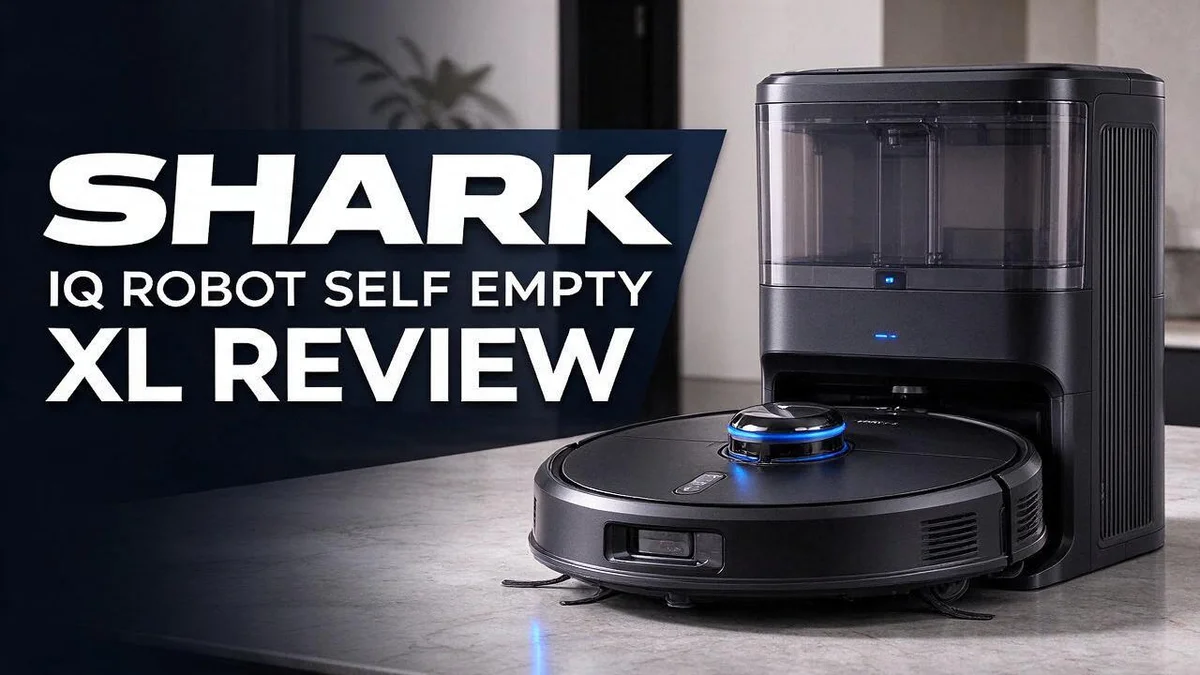
Shark IQ Robot Self-Empty XL Review: Live Up To The Hype?
Tired of pushing a vacuum across the same floors every week? A robot vacuum can do the hard work for you. The Shark IQ Robot Self Empty XL aims to make cleaning feel easy.
Many owners love how the base empties the bin for them. It pulls out a lot of hair and dust, so you do not have to dump it yourself.
On bare floors, this model picks up a large amount of debris. It also handles daily and weekly buildup on carpets and hard floors.
Still, it has limits. Mapping can feel frustrating for some users, and it may struggle with large debris. It works best on easy jobs rather than messy, complicated rooms.
This review covers features, strengths, and drawbacks. You will also see how it compares with other Shark models. Keep reading to see if this robot fits your home.
In a Nutshell
- Smart home features stand out. Wi Fi connects the robot to your network, so you can start cleaning from anywhere. It also works with Alexa and Google Assistant for hands free control.
- Mapping helps it learn your home. IQ navigation builds a home map as it runs. Some owners find the mapping frustrating, so expect a few hiccups along the way.
- Carpets get fair results. This model cleans carpets at an average level. It still moves well around furniture and tight corners.
- Big messes need extra help. The robot struggles with large debris like piles of leaves or bigger pieces. Clear these items before each run.
- Obstacle avoidance is basic. It suits simple rooms with few hazards. Homes with loose cords and lots of clutter may need closer supervision.
- The base leaves some dust behind. The self empty base removes most debris, but it can miss dust in the filter area. A quick check now and then keeps results strong.
Cleaning Power on Hard Floors and Carpets

- FORGET ABOUT EMPTYING FOR UP TO 45 DAYS: A bagless, self-emptying base holds up to 45 days of dirt...
- POWERFUL SUCTION: Deep-cleaning power to take on large debris, small debris, and pet hair on carpets...
Last update on 2026-11-22 / Affiliate links / Images from Amazon Product Advertising API
Hard floors need a different touch than carpets. The Shark IQ handles smooth surfaces like tile, laminate, and sealed wood with ease. Its path covers open rooms well, so kitchens and hallways get steady attention.
Hair is a common worry on hard floors. The self cleaning brushroll helps keep strands from wrapping tightly around the roller. Many owners spend less time untangling hair between runs.
Carpets need a different plan. Low pile rugs usually give the best results. Thick rugs can slow the robot down, so check rug height before each run.
Edges and corners deserve extra attention. The robot brushes along walls, but a thin line of dust may remain near baseboards. A quick hand pass in those spots keeps floors looking fresh.
Floor transitions can cause trouble. Thresholds between tile and carpet may need a quick check. Clear cords, socks, and small toys away from the floor before every run.
Room layout also shapes results. Open rooms with few chairs or table legs let the robot cover more ground. Crowded spaces may need a second look after each run, so you can spot missed patches.
Clutter matters more than most people expect. Pick up loose papers, bags, and fringed rug edges before starting. A tidy room lets the robot finish its route without stops.
A regular schedule keeps results steady. Running the robot every few days keeps fine dust from settling on hard floors. Busy homes may need daily runs in high traffic areas.
Pet owners will find this useful. Light shedding on tile responds well to frequent runs. Heavier shedding still calls for a brush check each week, since hair can build up fast.
Final tip: Empty the base on a set day each week. A clean bin helps the robot perform its best, so every run starts fresh.
Self-Empty Dock Performance
The dock does more than store the robot. It also helps keep floors ready between cleanings.
Think of the dock as a home base. It charges the robot and gives it a set spot to return to.
Placement matters more than many people expect.
Put the dock near a wall outlet. Leave open space on both sides.
The robot needs a clear path to find its way back.
Move cords, loose socks, and small toys before each run.
Clutter can block the route and cause missed returns.
Many robots head back to the dock when power runs low.
Let the robot finish its run first. Check the dock only after it settles in place.
Check the dock every few weeks. Look for tangled hair or clumps near the opening.
Hair can also wind around the brushroll.
Trim tangles from the brushroll once a week. This keeps the brush turning freely.
Regular runs keep debris from piling up in one place.
Busy weeks call for a little extra attention. Run the robot more often when the house gets messy.
Wipe the charging contacts with a dry cloth now and then.
Dirt on the contacts can interrupt charging.
A few minutes of upkeep goes a long way.
Compare the dock bin after a run to see how much debris the robot collected.
Some weeks show more hair, while others show more dust.
Watch those patterns to plan extra attention for certain rooms.
Adjust the schedule as your home changes.
The dock saves time and effort. You still stay in charge of the basics.
Little changes can make a big difference over time.
Overall, this setup suits busy homes that want less hands on work.
Simple habits keep the dock working well.
Mapping and Navigation
Mapping is the area where this robot needs the most patience. Some owners call the self mapping process terrible. Expect a few rough runs before the layout starts to feel right.
The movement often feels less planned than you might hope. It can bump into furniture, then turn in a new direction. This style works best in open, simple rooms.
Voice control adds a helpful shortcut. You can ask Alexa or Google Assistant to start a clean. This saves time when you want floors ready before guests arrive.
Furniture layout matters more than most people think. Open paths help the robot move from room to room. Narrow hallways and tight gaps can slow it down or leave spots uncleaned.
Before the first run, walk through each room. Pick up loose cables, small stools, and thin rugs. Clear routes give the robot fewer surprises.
Do not expect perfect edges every time. The robot may drift near walls or stop short of corners. Closed doors and simple barriers help you control where it goes.
Run a fresh mapping pass after big furniture moves. Changed layouts can confuse the robot. A new run lets it update its sense of the space.
Choose a quiet time for runs. Pets and people moving around can block paths and confuse navigation. Schedule runs when the home is calm.
Keep an eye on the first few weeks of use. Watch which rooms it handles well and which ones need help. Notes like these make it easier to decide where to add barriers or move small items.
Homes with several floors need separate runs. Carry the robot to each level and start fresh there. Think of navigation as a learning process, and give it time before judging the results.
Top 3 Alternatives
iRobot Roomba j7+

- CLEANS WHEN & WHERE YOU WANT– Only iRobot brings you Imprint Smart Mapping allowing you to control...
- DOESN'T GET HUNG UP; JUST GETS IT DONE; - A full suite of advanced sensors allow this robot to...
Last update on 2026-11-22 / Affiliate links / Images from Amazon Product Advertising API
The iRobot Roomba j7+ works well for busy homes. It spots pet waste and cords, so it steers around them. Clutter stays out of its way. Its docking station can empty the bin for you, so you do less cleanup. Many people like how it maps each room and learns the layout over time. You can also start a clean with your voice or a phone app.
Eufy RoboVac 30C

Last update on 2026-11-22 / Affiliate links / Images from Amazon Product Advertising API
The Eufy RoboVac 30C focuses on simple, strong cleaning. It offers solid suction for carpets and hard floors. Setup takes only a few minutes. Its slim body slides under low furniture, so corners and edges get attention too. It runs quietly, which helps if you clean while people are home. If you want reliable results with less fuss, this model is a good pick.
Roborock Q5 Pro

Last update on 2026-11-22 / Affiliate links / Images from Amazon Product Advertising API
The Roborock Q5 Pro brings smart navigation to your floors. It builds a map so it can cover every room in an orderly way. You can set no go zones in the app. Its suction handles dust, hair, and crumbs well. Scheduled runs let it clean while you are at work. This model suits people who want precise control over their cleaning routine.
Smart Home Connectivity
Connecting this robot to your home network opens up extra control. Most owners use the companion app on a phone or tablet. Setup takes only a few minutes once your network is ready.
Your router plays a big role here. Keep it within a short range of the dock. Many smart robots connect best on the 2.4 GHz band, so check your settings.
Check the app before you leave home. You can see whether the robot is docked, cleaning, or stuck. This helps you act quickly when something goes wrong.
Scheduling is another handy feature. Set a cleaning time in the app so the robot runs while you work or travel. Pick times when rooms are empty, since people moving around can block paths.
Notifications keep you informed. The app can alert you when the dock bin needs emptying or a run finishes. Turn these alerts on during setup so you never miss a message.
Sharing access helps families too. Add other household members to the account so everyone can start a clean. Keep login details private to protect your home data.
Software updates matter as well. Open the app now and then to check for new firmware. Updates can improve connection stability and fix small bugs.
If the connection drops, restart the robot first. Then restart your router. Most link problems fix themselves within a minute or two.
Walls, metal appliances, and thick floors can weaken the signal. Moving the router closer to the main living area often helps. A quick test is simple. Ask the robot to start a clean from the app while standing near the dock. If it responds, the link is strong.
Good connectivity makes daily use simpler. A stable link means fewer surprises and less guesswork. Your robot becomes a helpful part of your smart home routine.
Obstacle Handling and Job Limits
This robot handles obstacles in a basic way. It can sense many household items and steer around them. Still, it does not always judge them well.
The IQ line relies on simple avoidance rules. Those rules work well for chair legs, table bases, and open floor. Harder objects can still stop it.
Large debris is its weak spot. Bigger crumbs, pet food piles, and dropped snacks can overwhelm the brushroll. The robot may push them around instead of picking them up.
Think about job limits before each run. This model suits easy jobs well. Light daily dust and small crumbs fit its range. Heavy messes need a different tool.
Bare floors suit this model best. Hard surfaces let it clear a large amount of debris. Expect your strongest results on tile and hardwood.
Carpets deserve a closer look. Performance on carpet is fair, not outstanding. Thick rugs may slow the robot or leave some dirt behind.
Rugs with long tassels need special care. Tassels can catch in the brushroll and stop the run. Roll up or lift these edges before you start.
Maneuvering is decent in most rooms. Tight gaps under low sofas or beds can still trap it. Plan to clear those spots by hand.
Stairs and ledges are off limits. The robot needs a safe floor surface on one level. Close a door or place a gate to block stairs.
Watch for signs of a stuck robot. Check the app when a run takes longer than expected. A trapped robot often repeats the same movement over and over.
Set realistic expectations for this model. It works best as a daily tidy helper. It cannot replace a deep clean. Plan a manual session for spills or pet accidents.
Short and regular runs work better than one giant run. Keep the floor clear and the job simple. Your robot will perform more reliably that way.
Pros and Cons
Pros
- The base empties hair and dust from the robot for you.
- The dock removes most debris from the robot.
- It keeps daily and weekly buildup under control.
- The brushroll cleans itself, so you do less upkeep.
- Less hands on work means more time for other things.
Cons
- The dock misses some debris in the filter area.
- Hard cleaning jobs fall outside what it does well.
- It suits light, easy jobs best.
Who Should Buy It
This robot suits people with mostly hard floors. Think about a home with wood, tile, or vinyl in most rooms. Pet hair on these surfaces builds up fast, and this model keeps up with it.
First time robot owners often do well here. The setup feels simple, and the app guides you through the basics. You can start small and learn your daily habits over time.
Busy parents and pet owners also benefit. Fur on the floor is a constant chore for many families. A robot that handles light daily messes gives you back some free time.
Many people dislike the bin emptying chore. This setup changes that routine for them. Fewer trips with the dustpan feel like a small win every week.
Commuters and remote workers gain a lot from it, too. A morning run keeps floors fresh before the day starts. You come home to a tidier space without lifting a finger.
Small apartments can be a good match. Short trips across open rooms are easy for the robot. Keep a clear spot near a wall outlet for the dock, since it needs power to stay ready.
Some homes need a different tool. Cluttered floors and frequent heavy messes may ask too much from this model. Renters with busy living rooms should tidy up first.
Walk through your home before you decide. Note the open spaces and the furniture gaps. Clear paths make daily runs smoother and help the robot move with less trouble.
Ask yourself one simple question. Do you want a helper for light, regular upkeep? If yes, this model could be a good fit. If you need deep cleaning, consider a different machine.
Final Verdict
The short answer is yes for the right home. This robot does its main job well. It clears a good amount of debris from hard floors and keeps daily dust under control.
Think of it as a helper rather than a full replacement for your main vacuum. Deep cleaning still needs a human touch now and then. Plan a quick weekly check of corners and edges.
Mapping is the weak point to watch. One owner called the self mapping terrible, so read recent feedback before you commit. Test the app during setup and see how it handles your rooms.
The competitor lineup is worth a quick look. The VACMOP adds mopping, which suits people who want wet cleaning too. The RV2502AE and RV101AE models offer other options within the same family.
Choose this model if you value convenience over perfection. It works best when you accept its limits and plan around them. Clear loose items from the floor before each run, and the results will feel much better.
Your floor plan matters most of all. Measure the main rooms, check the furniture layout, and confirm the charging dock has space and a nearby outlet. A few minutes of planning can save you frustration later.
Final thought: This robot earns a spot on your shortlist if you want steady, low effort upkeep. It may not suit every home, but it makes everyday cleaning feel lighter. Trust your own floor plan and your own routine when you decide.
Frequently Asked Questions
Does this robot work with voice assistants?
Yes, it connects to your home network and works with Alexa and Google Assistant. You can ask it to start, pause, or return to its base. Voice control is handy when your hands are full.
Can I run it when nobody is home?
Yes, you can start a clean from the app or a voice command. Many owners run it while they are at work or out for the day. Clear the path before you leave so it does not get stuck.
Will it pick up large items like toys or cereal?
Not really. It struggles with large debris, so it works best on everyday dust and fine crumbs. Pick up toys, cords, and bigger messes first. Then let the robot handle the smaller particles.
What should I do before each run?
A quick tidy makes a big difference. Lift cords, socks, and loose papers off the floor. This simple habit prevents stuck robots and missed spots. You can also close doors to rooms you do not want cleaned.
Can it replace a deep clean?
No, it works best for light upkeep. Use it for quick touch ups between your deeper cleaning sessions. Save your main vacuum for heavy messes, edges, and detailed jobs. This mix keeps your floors looking fresh with less effort.

Hi, I’m Ivy! I’m a smart home enthusiast and self-proclaimed clean freak who loves testing the latest cleaning tech so you don’t have to waste your money on the wrong one. I started HomeTechClean to share honest reviews and practical advice for anyone who wants a cleaner home with less effort.