Samsung Jet Bot AI+ Review 2026: Should You Buy This?
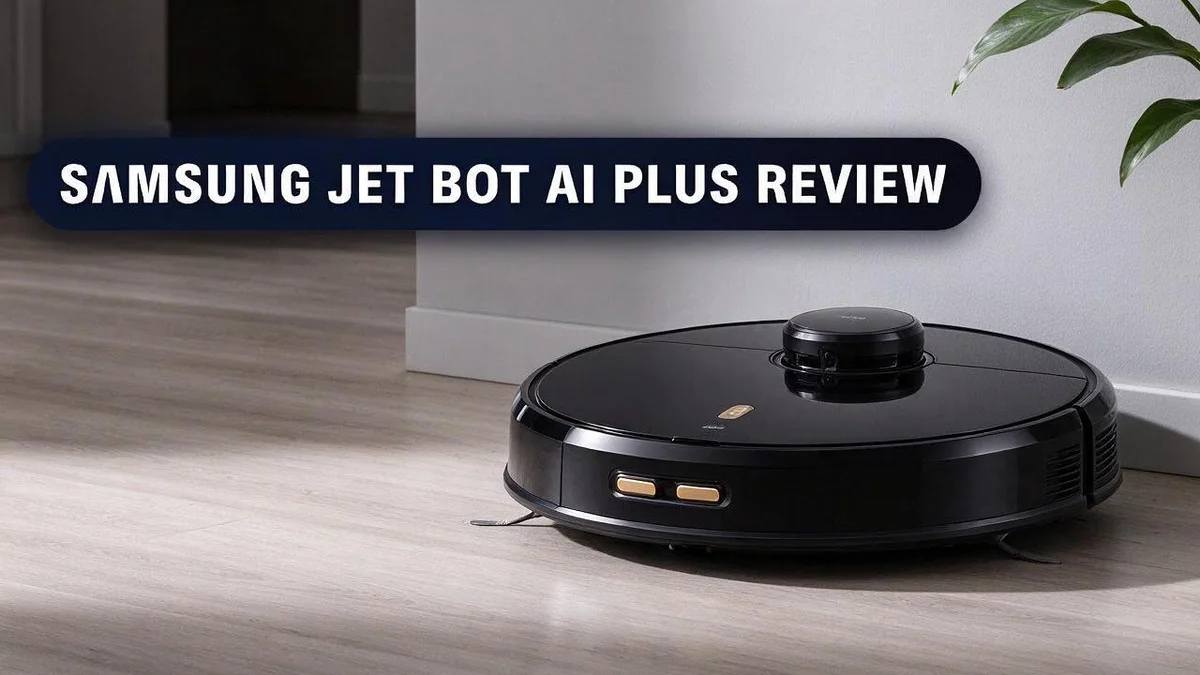
Tired of vacuuming every week? The Samsung Jet Bot AI+ aims to take that job off your hands.
It uses LiDAR navigation to map your home. This helps it move with purpose instead of bumping around.
A front camera helps it avoid obstacles. Its Intel AI chip also works to recognize objects on the floor.
The Clean Station does the messy part. It automatically empties the dustbin, so you spend less time on upkeep. A 5-layer filter keeps fine dust trapped inside.
Floors change from room to room, and this robot adjusts. Intelligent power control handles hardwood, carpet, and rugs.
Still, one user reported trouble with rugs that have black spots. Results may vary, so it helps to know what to expect.
Is this robot the right pick for your home? Let’s look at what it does well, where it falls short, and how it compares with other popular models.
In a Nutshell
-
Great for busy households. Many owners want clean floors without daily effort. This model fits that goal well, especially for people who work long hours or travel often.
-
Fine dust gets trapped. The filter has five layers that help capture tiny particles. Homes with allergy concerns may find this useful.
-
Obstacle skills look promising. Users praised strong detection on the related Bespoke Jet Bot Combo AI. Your results may vary, so test it in your own home.
-
Check your rugs first. One owner had trouble with rugs that have black spots. Ask yourself how much of your floor is covered by rugs before you decide.
-
Compare the competition. The Roborock S5 Max offers 4,000 Pa suction, which is strong for deep cleaning. Samsung earned better marks for obstacle avoidance in one comparison.
-
Newer options exist. The Samsung JetBot Steam Ultra adds a Qualcomm AI chipset and 10W suction. It may suit homes that want more cleaning power in one device.
Navigation and Obstacle Detection

- OBJECT RECOGNITION: No pick-up needed before vacuuming as Jet Bot’s powerful 3D camera and LiDAR...
- MONITOR YOUR HOME: Jet Bot AI plus 's Front camera can share real time video by streaming to your...
Last update on 2026-11-22 / Affiliate links / Images from Amazon Product Advertising API
Good navigation makes the whole job easier. A robot that knows where it is can cover each room without missing spots. It also avoids bumping into the same chair legs over and over.
Think about your daily life for a moment. Socks, cords, and pet toys often end up on the floor. A robot with a front camera can spot these items and steer around them. This matters most in homes with kids or pets.
Spotting an object is only half the job. The robot also needs to decide what to do next. Smart decisions mean it can slow down, turn, or go around instead of stopping dead.
Clear floors help the robot work well. Keep loose cables tucked away and move small items before each run. The robot still does the heavy lifting, but a quick tidy gives better results.
Mapping also helps with consistency. Once the robot learns the layout, it can repeat routes with less guessing. You can expect similar paths each run, which makes results easier to predict.
No sensor is perfect. Low light, shiny surfaces, or very dark objects can confuse any robot. Test the robot in your busiest room first. Watch how it handles tight corners and narrow gaps.
Tight spaces deserve extra attention. Under low sofas or between chair legs, the robot may need more time. Clearing these areas gives it room to move safely. A short test run tells you a lot about fit for your home.
Think about your home layout. Open rooms with wide paths suit the robot well. Homes with many doors, thresholds, or steps may need more care. Measure a few key gaps before you start.
Obstacle handling also affects your schedule. A robot that avoids clutter can finish more of the floor in one pass. Fewer stops mean less time waiting for help.
Floor and Rug Cleaning Performance
Floor cleaning is where most owners judge a robot. Daily crumbs, dust, and pet hair create constant work. A strong machine should handle these messes without much help from you.
Think about the flooring you have most. Hardwood, carpet, and rugs each need different care. Watch how the robot moves between them. A smooth transition makes daily runs easier.
Pet hair needs regular runs. Shedding pets leave fur on both hard floors and rugs. Short, frequent sessions can keep fur from piling up between deep cleans.
Edges and corners often collect the most grime. Robots may miss tight spots along walls. Clear space under sofas and beds so the machine reaches more of the floor.
Thresholds and transitions deserve a quick check. Tiny lips between rooms can slow a robot down. Move loose mats near doorways so the path stays open.
Rugs need a quick look before each run. Loose tassels, cords, and curled edges can snag the machine. Flatten or roll up those edges to keep it moving.
Your schedule shapes the results too. A run while nobody is home avoids foot traffic and kicked up dust. Many households set it for midday or after work.
Dust control depends on run frequency. Frequent runs stop debris from settling into floor seams. Sweep up big crumbs first so the robot can focus on fine dust.
Big messes still need a human touch. Spilled cereal or sticky snacks can overwhelm any robot. Pick those up by hand before you start a run.
Overall, floor results look promising for everyday messes. Your home layout and floor mix will shape the final outcome. A short trial week shows whether it suits your space.
Clean Station and Maintenance
The Clean Station takes over one of the most annoying chores. It empties the dustbin automatically after the robot docks. You never need to tip out fine dust by hand.
This keeps your hands clean and your living space dust free. Each emptying cycle happens without you lifting a finger.
The filter still needs attention. Even with auto emptying, the filter works best when you check it often. Tap it gently and follow the manual for any cleaning steps.
Brushes need a weekly check. Hair and thread can wrap around the roller. Long strands slow the robot down, so pull them free before each big run.
Sensors need a quick wipe. The LiDAR unit and front camera work best when they stay clean. Dust on these parts can confuse navigation. A soft dry cloth once a week keeps them clear.
Keep the dock area clear. The robot needs a clear path back to the station. Move cords, shoes, and small toys out of the way. A tidy dock helps every return trip go smoothly.
Watch for clogs near the dock. Debris can gather around the station opening over time. A quick look once a month helps you spot blockages early and keep airflow strong.
Some messes still need a human touch. The station cannot handle heavy debris like broken glass. Pick up large pieces by hand before the robot starts its run.
Build a simple upkeep routine. Check brushes on Sunday and wipe sensors on Wednesday. Look at the filter at the end of each month. Small habits prevent bigger problems later.
Keep spare parts handy. Replacement brushes and filters help you keep the robot working well. Check the official Samsung site for compatible parts before you order.
Top 3 Alternatives
Looking for a strong alternative to a smart robot vacuum? These three models offer solid cleaning and handy app features. Here is a simple review of each one.
iRobot Roomba j7+

- CLEANS WHEN & WHERE YOU WANT– Only iRobot brings you Imprint Smart Mapping allowing you to control...
- DOESN'T GET HUNG UP; JUST GETS IT DONE; - A full suite of advanced sensors allow this robot to...
Last update on 2026-11-22 / Affiliate links / Images from Amazon Product Advertising API
The iRobot Roomba j7+ is a clever pick for busy homes. It maps rooms and avoids pet waste, so pet owners can relax. Its auto-empty dock holds dirt for weeks. Many users like how it learns the layout over time.
Roborock Q7 Max

Last update on 2026-11-22 / Affiliate links / Images from Amazon Product Advertising API
The Roborock Q7 Max brings strong suction and smart navigation. It uses lidar to map the home quickly. You can set zones to block in the app. Its mop function is a nice bonus for hard floors. Many users notice how well it cleans corners and edges.
Eufy RoboVac X8

- ✅ Perfect Fit for Eufy X8: Our replacement parts are exclusively designed for Eufy RoboVac X8 and...
- 🌿 High-Efficiency Filtration: Made from premium materials, the X8 replacement filters effectively...
Last update on 2026-11-22 / Affiliate links / Images from Amazon Product Advertising API
The Eufy RoboVac X8 offers reliable cleaning with easy setup. It uses smart mapping and steady suction for carpets. It runs quietly, so it fits day or night cleaning. The app is simple to use, even for first-time owners.
Smart Home Integration and App Control
Smart home control turns the Samsung Jet Bot AI+ into a helpful part of your daily routine. You can manage the robot from your phone, even when you are away.
Setup starts with a strong internet connection. The robot needs a steady signal to link with your app. Check the signal near the charging dock before you finish setup.
The Samsung SmartThings app works as the main control hub. You can start a clean, pause a run, or check the status from one screen. Most people find this simple after a few minutes of practice.
Voice assistants add another layer of convenience. If your setup supports it, you can link the robot to a compatible voice assistant. Then you can give a short command while your hands are full of groceries.
Notifications keep you informed without constant checking. The app can alert you when a run finishes or when the robot needs help. These alerts also reduce guesswork when you are at work or out for the day.
Smart home routines bring everything together. You can connect the robot to other devices in your home. For example, a lighting change or a door event could trigger a cleaning run. Routines work best when they match your household habits.
Shared access helps busy households. You can give family members control on their own phones. Everyone can start a run when needed, so one person does not carry the whole job.
Firmware updates arrive through the app. Keep the robot current so new features and fixes reach your home. Check for updates once a month, or turn on automatic updates if the app offers them.
Privacy deserves attention too. Use a strong password for your account and review which devices connect to your network. This habit keeps your home data safer over time.
A short test run after setup shows whether the connection works well. Watch the app during the first run and note any delays or missed commands. This quick check saves frustration later and helps you trust the system.
Noise Level and Daily Use
Noise matters more than many people expect. A robot vacuum runs in your home often, so its sound becomes part of your routine. Think about how you feel when the machine starts up.
Floor type changes the sound. Hard floors can make the machine seem louder because sound bounces off surfaces. Carpet and rugs may soften the noise, but the robot may work harder on them.
Daytime runs suit most homes. Many people start the robot while they cook, work, or relax. Background sound blends into everyday noise, so it rarely feels disruptive.
Work from home needs a plan. Video calls and meetings get harder with extra sound. Start runs before calls begin or after your workday ends.
Night runs need more thought. A quiet bedroom matters more after dark. Schedule runs for times when nobody sleeps nearby, such as during a work shift or school day.
Pets react in their own way. Some dogs and cats bark at the robot or hide when it moves. Others ignore it after a few days. Give your pets time to adjust, and keep treats nearby to build calm habits.
Check the cleaning modes in your app. Many robots offer different cleaning levels. Compare them during a test run to see which sound level fits your home.
Open layouts carry sound further. Sound travels from one room to the next when doors stay open. Apartment walls can also pass noise to neighbors, so plan timing around quiet hours.
Kids and guests often stop to watch. Young children may follow the robot from room to room. Let everyone know when a run starts so surprises stay small and calm.
Test before you set a schedule. Start with one short run during a quiet moment. Walk through different rooms and listen closely. Adjust the timing based on what you hear.
Good timing makes daily use feel easy. A little planning helps the robot blend into your home life. Pick a time, watch how the robot sounds, and make small changes as needed. With a few tweaks, the noise fades into the background.
Pros and Cons
Pros
- LiDAR navigation helps the robot map your home and plan clean routes.
- A front camera lets it spot and avoid obstacles in its path.
- Power adjusts for hardwood floors, carpet, and rugs.
- The five layer filter adds extra steps to trap dirt.
- An Intel AI chip helps the robot recognize objects.
Cons
- Some users found it could not clean rugs with black spots.
- A few owners feel the AI claims are overstated.
- Strong obstacle detection reports come from a related model, the Bespoke Jet Bot Combo AI.
- Results can vary from one home to another.
Who Should Buy It
This robot suits people who want less hands-on cleaning. The auto-emptying dock handles the dustbin for you. Many owners dislike emptying a bin after every run, so this feature saves real time.
Busy professionals often fit well here. Long workdays leave little time for vacuuming. A robot that runs on its own schedule gives you back your evenings.
Families with toys on the floor can benefit too. The front camera and LiDAR mapping help the robot steer around small items. Still, a quick tidy before each run gives the best results.
Homes with mixed flooring are a good match. The power control shifts between hardwood, carpet, and rugs. That makes it a practical choice for a home with several floor types.
People with limited mobility or back pain often appreciate hands-free upkeep. Scheduled runs and automatic emptying cut down on trips to the robot. This can help older adults or anyone who wants less physical effort.
Renters in smaller spaces can also gain from it. A compact layout lets the robot cover each room without much setup. Less time spent on chores leaves more room for rest.
Who should look elsewhere? Buyers who want maximum suction for deep carpet cleaning may prefer another model. The Roborock S5 Max lists 4,000 Pa suction, so compare that number if power matters most.
Shoppers who want a simpler robot may like the iRobot Roomba j7+. One comparison named it the overall winner, which makes it a strong rival. Put it on your shortlist before you decide.
People who want a newer combo option can check the Samsung JetBot Steam Ultra. It uses a Qualcomm AI chipset and offers 10W suction. Compare both models side by side to see which one fits your home.
Every home is different. Results can vary based on layout, floor type, and daily habits. Test the robot in your own space and see how well it fits your routine.
Final Verdict
The Samsung Jet Bot AI+ makes a strong case for people who want a cleaner home with less effort. It mixes smart mapping, auto emptying, and floor sensing in one machine.
Think of it as a helper, not a replacement. It still needs a quick check now and then. Brushes, wheels, and sensors need light care to keep performance steady.
The biggest win is time. Most owners stop emptying bins by hand. That shift frees up weekends and quiet evenings for things they enjoy. Many owners also say the robot feels more reliable after the first month.
Setup takes only a short time. Let the robot map your home during the first few runs. Then set zones and schedules in the app to match your daily routine.
Rug owners should test first. The black spot report is a reminder that results differ. Run the robot in one room before you rely on it everywhere.
Buyers who want raw suction power may look at other options. A model with stronger suction may suit homes with thick carpet. This model focuses more on smart navigation and easy upkeep.
Our honest take: The AI claims sound bold, but day to day results matter most. Watch how it handles your own clutter, pets, and floor mix over a few weeks.
If you want a simple and steady cleaner, this model deserves a close look. Compare it with the iRobot Roomba j7+ if you want a simpler setup. Check the Samsung JetBot Steam Ultra if you want a newer combo design.
Final thought: The Samsung Jet Bot AI+ suits people who want less daily cleaning. It fits best when your floors are mixed and your schedule is full.
Overall, the model offers a balanced mix of convenience and smart features. It may not win every test, but it delivers steady results for most homes.
Frequently Asked Questions
Does the Clean Station empty the dustbin on its own?
Yes, the Clean Station empties the dustbin for you. After a run, the robot returns to its base and the dirt moves into the station. This saves you from emptying small bins by hand after every clean.
Should I clear the floor before each run?
Yes, a quick tidy helps a lot. Pick up loose cables, socks, and small toys before the robot starts. The robot can spot many objects, but clutter still slows it down and can leave some dirt behind.
What should I check after the first few weeks?
Give the robot a short check now and then. Look at the filters, wipe the sensors, and clear any tangled hair from the brush. These small habits keep the cleaner working well and help it map your home clearly.
How do I test it on rugs with black spots?
Start with a small corner of the rug and watch the first run closely. If the robot struggles, keep that rug out of its route. This simple test shows you how your home works before you rely on it for every clean.

Hi, I’m Ivy! I’m a smart home enthusiast and self-proclaimed clean freak who loves testing the latest cleaning tech so you don’t have to waste your money on the wrong one. I started HomeTechClean to share honest reviews and practical advice for anyone who wants a cleaner home with less effort.