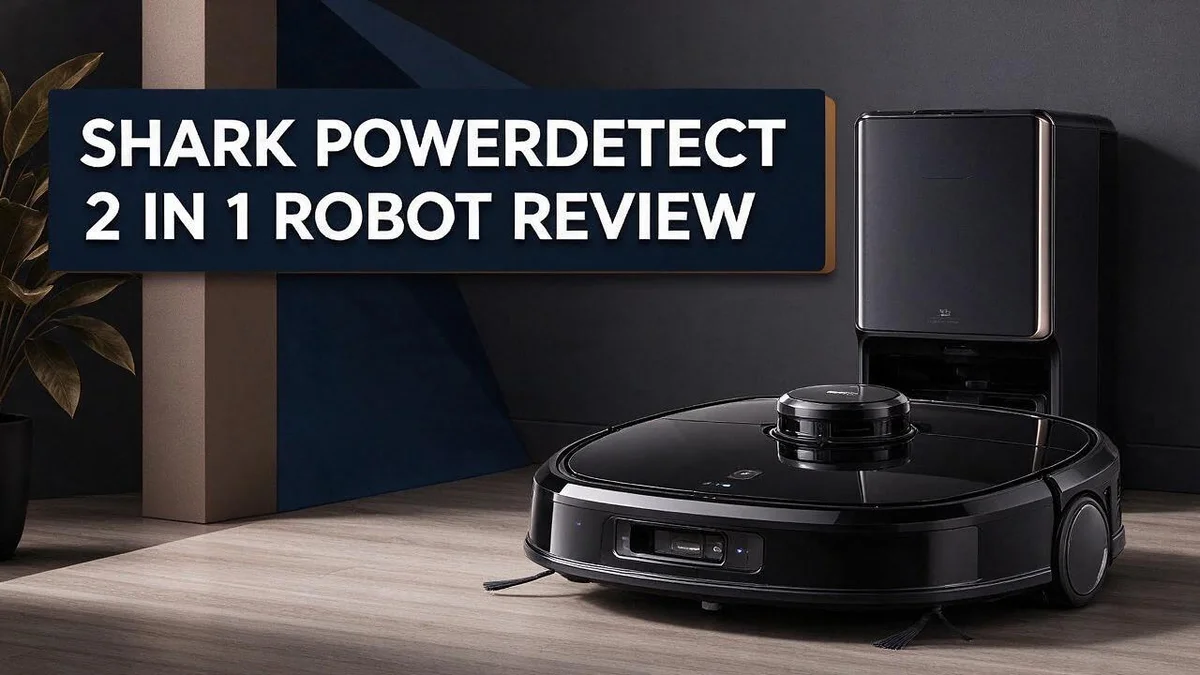
Shark PowerDetect 2-in-1 Robot Vacuum & Mop Review: Worth Your Money?
Pet hair, cat litter, and dust can take over a home fast. Your floors need help every single day.
The Shark PowerDetect 2 in 1 robot promises to handle both vacuuming and mopping. It also comes with a self cleaning NeverTouch Pro base. That means less hands on work for you.
Does it really deliver? Many owners report strong suction on carpet, rugs, and hard floors.
In Vacuum Wars testing, it picked up 86 percent of flattened pet hair on carpet. That score is above average.
Navigation is the catch. Some users say the robot often gets stuck when leaving certain rooms. Rivals like Roomba and Dyson also compete hard in this space.
Stick around to see if this smart helper fits your home.
In a Nutshell
-
The base does the messy work. The NeverTouch Pro base cleans and empties the robot for you. This means you rarely touch dirty parts or old debris. Many people value that hands free feeling after a long week.
-
Grout lines and litter get real attention. This model handles cat litter and grout lines with ease. Homes with pets often find that a big help for daily upkeep.
-
A UV Reveal version also exists. Buyers can choose this variant if they want a different feature set. Compare both models side by side before you decide.
-
Battery details remain unclear. Current research shows no runtime or battery figures. One user mentions a replaceable battery, but that may not apply here. Check the spec sheet before you buy.
-
Roomba leads on pet features. Roomba offers the Pet Promise and advanced tools. Shark stands out as a solid alternative for shoppers who want a different option.
-
Shark is missing from top rankings. A 2024 comparison named Ecovacs X2 OMNI, Narwal Freo X Ultra, and Roborock S8 MaxV as top scorers. Shark was not part of that list.
Cleaning Performance on Carpet and Hard Floors

- HEATED MOP-CLEANING NEVERTOUCH PRO BASE: Automatically washes the mop with 185°F water and dries it...
- UP TO A MONTH OF HANDS-FREE CLEANING AND MAINTENANCE: The robot automatically empties debris into...

Last update on 2026-11-24 / Affiliate links / Images from Amazon Product Advertising API
Carpet and hard floors need different care. Simple habits help this robot work its best on both.
Carpet asks for more power. Thick pile traps dirt deep in the fibers. Strong suction gives the robot a real chance to lift that debris.
Rugs add a different challenge. Fringe and tassels can catch the brush and slow the robot down. Clear loose edges before each run, so the machine can glide across smoothly.
Hard floors show quick results. Dust, crumbs, and loose fur sit on the surface. The robot can gather these bits fast, so the room looks clean soon after a run.
Mopping needs its own plan. Use mop mode only on hard floors. Keep wet pads away from carpet, since damp fibers can hold odor and stay soggy.
Doorways matter too. Thresholds between carpet and tile can make the robot pause or hesitate. Check that these edges are low, so the machine can climb them without trouble.
Pet owners will notice fur on carpet first. Look at the carpet after a run and check high traffic spots for leftover strands. Those zones may need an extra pass.
Corners where carpet meets the wall can stay dusty. Plan a quick hand pass after each run to catch these spots. This helps the whole room look finished.
Cords and small items cause the most trouble. Socks, cables, and toys can wrap around the brush. Pick them up before the robot starts, and the run goes much smoother.
Short daily runs work well. A quick clean after meals or pet shedding keeps floors fresh. Frequent runs often beat one long session each week.
Furniture clearance deserves a look too. Measure the gap under sofas and beds before you rely on the robot. A clear path helps the machine reach dirt that hides near the walls.
Overall, this robot handles both surfaces well. Carpet gets good suction, and hard floors get fast cleaning. A little prep makes the biggest difference in everyday homes.
Pet Hair, Litter, and Grout Line Results
Pet hair and litter need different checks. Fur clings to fabric and carpet fibers, while litter scatters across hard floors. Owners should look at both after each run.
Try a simple test at home. Place a dark towel near the sofa, sprinkle a little fine dust on it, and run the robot. Look for any leftover marks afterward.
Litter often lands just outside the box. Set the litter box on a hard floor if possible. This makes stray bits easier for the robot to find and clean.
Pet hair tends to wrap around the brush roll. Check the brush every few days and remove tangles. A clear brush helps the robot keep its cleaning power steady.
Grout lines need a closer look. Dust and litter dust hide in narrow gaps. The robot can reach many of these spots, but very thin lines may still need a quick pass with a small brush by hand.
Pet bowls, toys, and cords can block the path. Move them before each run. This habit gives the robot more room to finish the job.
Timing matters in pet homes. Run the robot while pets rest in another room. Fewer footsteps mean less fresh mess behind the robot. Many owners find this keeps floors cleaner for longer.
Keep a short notes list for two weeks. Write down where fur or litter collects most. Use that list to set cleaning zones or plan extra spot cleaning in busy areas.
Check corners and low furniture too. These spots often hold litter that the robot misses on the first pass. A second run over these areas can make a clear difference.
Pets with long fur shed more during seasonal changes. Expect more hair during those weeks. Adjust the schedule so the robot runs more often during heavy shedding.
Consistency gives the best results over time. A steady routine keeps pet hair, litter, and grout dust under control.
Navigation and Floor Coverage
Navigation is the area where this robot needs the most help. Users report that it often gets stuck when it leaves certain spaces. That can leave one room clean and the next one dusty. This is the main drawback to plan around.
Small changes can make a big difference. Clear the floor near room exits first. Move loose cords, socks, and light toys out of the way. Lift throw rugs that curl at the edges.
Floor transitions cause trouble. Where tile meets carpet, the robot may slow down or hesitate. Edges with raised thresholds can also stop it. Check these spots before a run and remove anything that makes the path uneven.
Keep an eye on the same stuck spots. If the robot returns to one corner again and again, look at what sits there. A chair leg, a rug fringe, or a bit of furniture can cause repeated stops.
Floor coverage also depends on layout. Open rooms with few obstacles usually give steadier results. Rooms full of furniture need more careful setup. Move a few light items for one run and compare the results.
Narrow hallways need extra space. Furniture on both sides can make turns tight. A clear walkway gives the robot room to turn and keep moving. Shift plant pots and shoe racks back from the wall.
Every home has its own layout. Note the rooms that cause the most stops. Then plan the next run around those rooms first.
Try a simple route test. Start the robot in one room and watch how it moves for ten minutes. Note where it slows, turns back, or pauses. Repeat the test after clearing the path. Then compare the two runs.
Patience helps too. Expect some manual checks in the first few weeks. Once the path is clear, many homes see steadier coverage. Good setup gives the robot a fair chance to work through every room. Simple habits lead to better results over time.
Top 3 Alternatives
iRobot Roomba j7+

- CLEANS WHEN & WHERE YOU WANT– Only iRobot brings you Imprint Smart Mapping allowing you to control...
- DOESN'T GET HUNG UP; JUST GETS IT DONE; - A full suite of advanced sensors allow this robot to...
Last update on 2026-11-24 / Affiliate links / Images from Amazon Product Advertising API
The iRobot Roomba j7+ is a smart pick for pet owners. It uses object recognition to avoid pet waste, cables, and socks. Its auto empty dock holds dirt for weeks, so you rarely touch the bin.
The app builds a map of your home. You can clean one room at a time or set a regular schedule. Voice control also works with popular assistants.
Roborock Q5 Pro

Last update on 2026-11-24 / Affiliate links / Images from Amazon Product Advertising API
The Roborock Q5 Pro suits busy homes with lots of dust. Its strong suction pulls dirt from carpets and hard floors alike. A live map in the app shows exactly where the robot travels.
You can also set keep out zones around fragile items. The robot moves in neat rows, so it covers floors quickly and thoroughly. Regular filter cleaning keeps the suction strong over time.
Eufy RoboVac 11S

- 🥇 Compatible Models: This Kit is for Eufy RoboVac 11S Slim / 11S Plus, RoboVac 30 / 30C, RoboVac...
- ...
Last update on 2026-11-24 / Affiliate links / Images from Amazon Product Advertising API
The Eufy RoboVac 11S is a great choice for small apartments. It runs quietly, so you can clean while you work or rest. Its slim body slides under low sofas and beds where dust often hides.
Setup takes only a few minutes. A single button starts a clean, which makes it ideal for beginners. Its compact size also makes it easy to store in a closet.
NeverTouch Pro Base and Daily Maintenance
The NeverTouch Pro base handles much of the mess. It collects debris from the robot. You rarely face a full bin by surprise.
Still, the base needs your help now and then. Check the dust bin each week and empty it when it looks full. Dirt left inside can slow the next clean.
Mop pads need steady care too. Rinse them after each run if you can. Let them dry fully before the next session.
Damp pads can hold odor. That smell can spread through the home.
Water levels matter as well. Refill the clean water tank before each mopping job. Empty the dirty water tank when the cycle ends.
Build a simple weekly routine. Pick one day for a quick check of the bin, the pads, and the tanks. Write it on your calendar so it becomes a habit.
Place the base in an open spot. Keep clear space on each side. Stay away from curtains, dark corners, and low furniture.
Watch for warning lights. A flashing light or app alert often signals a blocked filter, a full bin, or low water. Check the manual to learn what each signal means.
Keep pets away from the water tanks. Pets may knock over containers or lap up dirty water. A closed lid or a higher shelf helps.
Wipe the outside of the base with a dry cloth. Dust builds up on the surfaces over time. A light wipe keeps the base looking clean.
Good habits make the base last longer. Replace filters as the manual suggests. Store spare pads in a dry place.
These small steps keep the system running well. You spend less time on upkeep and more time enjoying clean floors.
Pros and Cons
Pros
– Strong suction lifts everyday dirt from floors.
– It works well on carpet, rugs, and hard floors.
– It picked up 86% of flattened pet hair in Vacuum Wars testing.
– The NeverTouch Pro base empties debris for you.
– It handles cat litter on floors with ease.
Cons
– Battery life and runtime figures are not published.
– Battery replacement is unclear for this model.
– It did not appear in a 2024 top scorer comparison.
– Roomba leads on Pet Promise and advanced features.
Who Should Buy It
Busy households that want one machine for vacuuming and mopping will find this model useful. It saves time on floors that need both jobs done.
Families with mixed floors often like this setup. Carpet and hard floors both get attention, so nobody needs to switch tools.
New robot owners may also find it a good fit. It handles two floor tasks in one machine, which keeps the learning curve short.
Owners of open floor plans are a strong match. Large clear spaces give the robot room to work with fewer stops along the way.
Pet owners who want help with daily floor messes may appreciate the extra support. The robot can run while the household is out.
Tight or cluttered rooms call for more caution. Furniture clusters can cause the robot to stall, so frustration may build over time.
Large homes need a closer look first. Runtime matters on big floors, so gather clear details before you commit.
Renters who move often may value a machine that handles several floor types. Busy professionals who work from home can also benefit. Scheduled sessions run during work hours, so floors stay fresh without extra effort.
Shoppers who want a brand they already know may compare it with Dyson. Dyson is an established name, so it gives a useful point of comparison.
People who find bending or pushing a vacuum tiring may appreciate a machine that moves on its own. That alone can make daily cleaning feel lighter.
Anyone who expects flawless results on every floor should set realistic goals. This model works well for many homes, yet no robot handles every corner perfectly.
Final thought: Review your floors, pets, and layout before deciding. A clear list of needs makes the choice much easier.
Final Verdict
The Shark PowerDetect 2 in 1 is a good pick for many homes. It cleans well across different floor types. Still, it is not a perfect match for every floor plan.
Navigation is the biggest concern for buyers. The robot often gets stuck when it leaves certain spaces. You may need to check on it more often than you would like during the first few weeks.
Your room layout matters a lot here. Clear floors, simple routes, and fewer doorways help the robot work with less trouble. Rooms full of cords, loose toys, or tight furniture gaps can slow it down.
Watch the first few cycles closely. Note where the robot pauses, turns back, or stops. This simple habit shows whether the machine suits your home before you rely on it every day.
Consider what you want from a robot. If you want one machine for vacuuming and mopping, this model deserves a close look. If you want smooth movement and advanced mapping, another robot may serve you better.
Compare the options side by side. Roomba leads in pet features and advanced tools. Dyson brings an established name. Shark stands out for combining two cleaning jobs in one setup.
Read the warranty and return policy first. Policies can differ by seller and region. Clear terms give you a safety net if the robot does not meet your needs.
Check recent owner feedback too. Look for comments about getting stuck, base upkeep, and floor performance. Patterns in real reviews often reveal more than a single rating.
Set realistic expectations from day one. A robot cannot replace every chore in the house. It works best as a helper that keeps floors fresh between deeper cleans. Pick up loose cables and small objects before each run.
The final answer depends on your home. Think about your floors, your pets, and your daily routine. Then choose the robot that fits those needs best. Shark earns a place on your list if your home matches its strengths.
Frequently Asked Questions
Will cords and loose items block the robot?
Cords, socks, and small toys can stop the robot fast. Clear the floor before each run. A quick tidy keeps the cleaning cycle smooth and helps the robot finish the job.
Can I mop every floor with this model?
Mopping works best on sealed hard floors. Avoid running a damp mop on carpet or rugs. Check the manual for the full list of approved floor types before you start.
How often should I clean the brush rolls?
Hair can wrap around brush rolls and wheels over time. Check and clear them weekly. This habit keeps suction steady and helps the robot move without slipping.
Can it replace a full cleaning session?
It works best as a daily helper. Use it to handle quick messes between deeper cleans. Plan a manual clean now and then for corners, baseboards, and under heavy furniture.
Is it easy to set up for a first timer?
Most people can get started by placing the base near an outlet and charging the robot. Follow the included guide step by step. Run a short test cycle first to see how the robot behaves in your home.

Hi, I’m Ivy! I’m a smart home enthusiast and self-proclaimed clean freak who loves testing the latest cleaning tech so you don’t have to waste your money on the wrong one. I started HomeTechClean to share honest reviews and practical advice for anyone who wants a cleaner home with less effort.