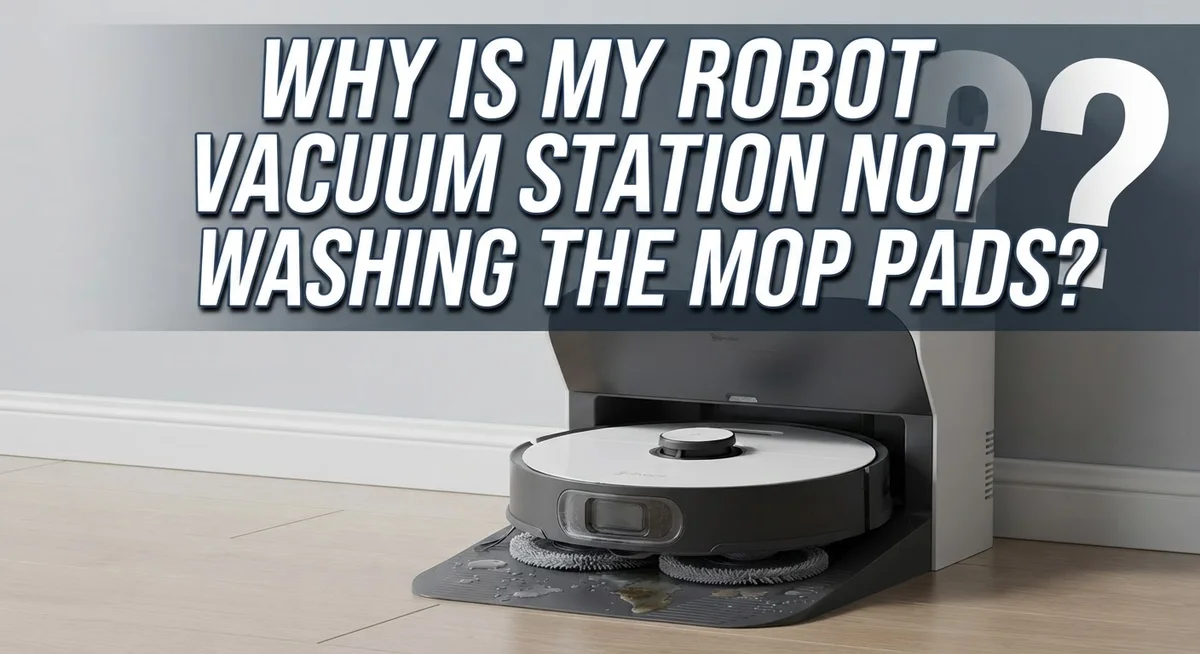
Why Is My Robot Vacuum Station Not Washing The Mop Pads?
Your robot vacuum comes home tired and dirty. It rolls onto its station, ready for a good wash. But nothing happens. The mop pads stay dirty, and you are left wondering what went wrong.
This is a common problem for many smart home owners. Robot vacuum stations are convenient, but they are not perfect. Small issues can stop the washing cycle from working properly.
The good news is that most causes are simple to fix. A blocked water outlet, a loose tank, or a dirty pad can all be the culprit. Sometimes, it is just a setting in your app that needs a quick change.
In this guide, we will explain why your station skips the wash cycle. You will learn how to check your water tank, clean seal plugs, and spot common installation mistakes.
In a Nutshell
- Check the water tank first. Make sure it sits in the correct spot. A loose tank stops water from reaching the mop pads.
- Look for blockages. Water outlets and internal pipes can get clogged with dirt. This blocks the wash cycle completely.
- Inspect your mop pads. Dirty or worn pads often fail to clean properly. Swap them out or give them a good rinse.
- Clear the seal plugs. Small objects or debris can block these plugs. This stops water from flowing where it should.
- Use approved cleaning fluids only. Third party liquids can damage your station’s internal parts. Stick to what the manufacturer suggests.
- Wipe the charging contacts. A dry cloth on the dock and robot contacts helps keep the connection strong. This small step often solves reattachment problems too.
How the Mop Washing System Works
Your robot vacuum station has a washing system designed to clean mop pads automatically. Understanding how it works helps you spot problems quickly.
The system starts when your robot returns to the dock. Water from the tank flows through internal pipes to spray nozzles. These nozzles direct water onto the mop pads while they sit in the washing area. The pads spin or vibrate to help remove dirt and debris during this process.
After the wash cycle completes, the station typically dries the pads using air circulation or heat. This prevents mold and keeps the pads fresh for the next cleaning session. The entire cycle usually takes several minutes, depending on your station model.
Water flows through a carefully designed path inside your dock. The tank connects to outlet ports that distribute water evenly. Internal piping carries water to the spray mechanism. If any part of this path gets blocked, water cannot reach the pads.
The mop pads themselves play an important role in the washing process. They must sit in the correct position on the dock for the nozzles to spray them effectively. Worn or damaged pads may not receive water properly because they don’t align correctly with the spray jets.
Your station also relies on proper sealing to function. Seal plugs and connection points prevent water from leaking during the wash cycle. When these areas have debris or dirt, water may not flow where it needs to go.
The system includes sensors that detect when pads are in place and ready for washing. These sensors tell your station when to start and stop the water flow. Dirty sensors can cause the washing cycle to skip entirely.
Regular maintenance keeps all these components working together smoothly. Cleaning filters, checking connections, and inspecting pipes prevents most washing problems before they start.
Common Causes of Washing Failures
Water blockages stop your washing cycle before it even starts. Your station pumps water through specific outlets to reach the mop pads. When dirt, dust, or mineral buildup clogs these pathways, water cannot flow properly.
Internal piping is the main culprit here. Over time, small particles accumulate inside the tubes that carry water. Hard water deposits also create stubborn clogs that block flow completely. You might notice water dripping slowly or not at all during the wash cycle.
Check the water outlet ports on your dock carefully. Look for visible debris or dried cleaning solution around the openings. These tiny holes need to stay clear for the system to function. A blocked outlet means water backs up instead of reaching your pads.
Mop pad positioning affects water delivery too. If pads sit at an angle or don’t align properly with the washing nozzles, water misses the target. The station cannot wash pads it cannot reach. Make sure pads click firmly into their designated slots before each cycle.
Your water tank installation directly impacts the entire process. A tank that sits even slightly loose prevents proper water pressure from building. The system needs consistent pressure to spray water across the pads effectively. Double check that your tank locks into place with a solid click sound.
Mineral deposits from tap water cause major problems. If you use unfiltered water, minerals accumulate inside pipes and nozzles over weeks. This buildup narrows the water pathways gradually. Your station struggles harder to push water through, and eventually stops trying.
Foreign objects sometimes get stuck in seal plugs or valve areas. Bits of dried cleaning solution, pet hair, or debris can jam these sensitive parts. The station cannot release water if seals remain blocked. Regular inspection of these areas prevents most blockage issues before they develop.
Step-by-Step Troubleshooting Process
Start by checking if your water tank is properly seated in its designated slot. The tank must click or lock into place completely. If it sits loosely, water won’t flow to the washing mechanism. Remove the tank, inspect the connection points, and reinstall it firmly.
Next, examine the water outlet ports on your dock. These small openings can trap dirt, dust, or mineral buildup. Use a soft brush or cloth to gently clean each port. Look inside the ports with a flashlight to spot any visible blockages. If you see stubborn debris, a small pipe cleaner works well for clearing narrow passages.
Check your mop pads for dirt accumulation or damage. Heavily soiled pads won’t make proper contact with the washing nozzles. Remove the pads and rinse them thoroughly under running water. If pads are worn thin or have visible damage, they may need replacement. Damaged pads prevent the system from functioning correctly.
Inspect the seal plugs around your dock station. These small components keep water contained during washing cycles. Debris or foreign objects can block these plugs and disrupt water flow. Carefully remove any visible particles you find near these areas.
Verify you’re using only manufacturer approved cleaning fluids. Third party solutions can create residue that clogs internal pipes. Check your product manual for the correct fluid type.
Wipe all charging contacts on both your dock and robot with a dry cloth. Dirty contacts prevent proper communication between devices. This can disable the washing cycle even if water is available.
Finally, check your dock and robot firmware. Outdated software sometimes prevents washing functions from activating. Visit your app settings and install any available updates. These steps address the most common reasons why your station stops washing mop pads effectively.
Checking and Cleaning Water Tanks, Outlets, and Piping
Water tanks and outlets are critical parts of your robot vacuum station’s washing system. When these components get blocked or dirty, your mop pads won’t receive water during the wash cycle.
Start by removing the water tank from your dock. Look at the tank’s connection point where it meets the station. Make sure the tank sits flush against the dock with no gaps. A tank that doesn’t fit snugly won’t create the proper seal needed for water flow.
Next, inspect the water outlet ports on your dock. These small openings spray water onto your mop pads during washing. Shine a light into each port and look for blockages. Debris, mineral buildup, or dried cleaning fluid can clog these outlets completely.
Check the internal piping carefully. Your dock has tubes that carry water from the tank to the washing nozzles. If you see discoloration or white crusty buildup inside the tank, this indicates mineral deposits. These deposits also accumulate in the pipes and restrict water flow.
Clean any visible blockages gently. Use a soft brush or cloth to wipe outlet ports. For mineral deposits, soak affected parts in a solution of equal parts white vinegar and distilled water for 30 minutes. Rinse everything thoroughly with distilled water afterward.
Inspect all connection points between the tank and dock. Look for cracks or damage that might prevent proper water delivery. Even tiny leaks can cause the system to fail.
Check that your water tank cap seals properly. A loose or damaged cap allows air to enter, which disrupts water pressure inside the system. Replace the cap if you notice cracks or wear.
Wipe the dock’s water inlet area with a dry cloth to remove any dust or debris. This small opening receives water from the tank and needs to stay clean for proper function. Regular cleaning of these components prevents most washing problems before they start.
Proper Mop Pad Installation and Maintenance
Your mop pads need proper installation to work with the washing station. Let’s go through what you need to do.
First, remove the mop pads from your robot vacuum. Check that they’re clean and free from dried cleaning solution or dirt buildup. Dried residue prevents pads from sitting flush against the washing nozzles. Rinse them under warm water and let them dry completely before reinstalling.
Next, inspect the attachment points on your robot. These areas must be clean and dry. Dust or moisture here stops pads from connecting properly. Wipe these spots with a dry cloth.
When you reattach the pads, push them firmly into place. You should hear or feel a click. The pads must align perfectly with the washing system. Misalignment is one of the most common reasons washing fails.
Check that your pad orientation is correct. Each pad has a specific side that faces the washing nozzles. Installing them backwards prevents water contact. Consult your manual for the correct orientation.
Inspect the pads themselves for damage. Worn edges or tears mean water won’t distribute evenly. Damaged pads need replacement to restore proper washing function.
Make sure you’re using compatible pads. Different models require specific pad types. Using non-compatible pads causes connection problems and washing failures.
After reinstalling, run a test cycle. Place the robot on the dock and initiate a manual wash through your app. Watch to see if water sprays onto the pads. If water still doesn’t appear, move to checking your water tank and outlet ports.
Regular pad inspection keeps your system running smoothly. Check pads weekly for dirt, damage, or wear. Replace them every few months depending on usage. Proper installation combined with routine maintenance prevents most washing problems before they start.
Mistakes That Prevent Effective Mop Washing
Many robot vacuum owners make simple mistakes that stop their mop washing stations from working properly. Understanding these errors helps you fix the problem quickly.
Using the wrong cleaning fluid is one of the biggest mistakes people make. Your dock station requires specific cleaning agents designed for the machine. Third party fluids can damage internal components or create buildup that blocks water flow. Always stick with manufacturer approved options.
Skipping routine maintenance causes washing failures over time. Your dock has filters and sensors that need regular cleaning. When you ignore these tasks, dust and debris accumulate inside the system. This buildup restricts water movement through pipes and nozzles. Set a weekly cleaning schedule for your dock to prevent this issue.
Firmware updates matter more than many users realize. Your robot vacuum’s software controls how the washing system operates. Outdated firmware can cause the dock to malfunction or skip wash cycles entirely. Check your app regularly for available updates and install them promptly.
Neglecting dock contact cleaning creates connection problems between your robot and station. Dirty charging contacts prevent proper communication. When the dock can’t communicate with your robot, wash cycles may not start. Wipe both the dock contacts and robot contacts with a dry cloth monthly.
Disabling auto wash features in your app settings can actually help if you’re experiencing reattachment issues. Sometimes the dock tries to wash pads while they’re still attached to the robot. This prevents proper washing action. Adjusting these settings in your app gives the system time to work correctly.
Ignoring small warning signs leads to bigger problems. If water stops dispensing or pads won’t reattach, address it immediately. These early indicators show something needs attention before complete system failure happens.
Ongoing Maintenance Tips for Reliable Performance
Your robot vacuum station needs regular care to keep the mop washing system working properly. Think of it like maintaining a car—small steps prevent big problems later.
Check your water tank weekly. Make sure it has enough cleaning solution inside. Empty tanks mean no water reaches your mop pads. Refill it with manufacturer approved cleaning agents only. Third party fluids can damage internal parts or clog the nozzles.
Inspect the dock contacts regularly. These small metal points connect your robot to the station. Dust and debris build up over time. Use a dry cloth to wipe them clean. Dirty contacts stop water from flowing to your pads.
Clean your mop pads every few days. Even with the washing station, pads collect dirt and hair. Rinse them under running water. Let them dry completely before reattaching. Wet pads can cause connection problems.
Monitor your dock for visible blockages. Look at the water outlet ports where liquid flows out. Sediment from cleaning solution can accumulate here. Gently clear any debris you see. Check that water flows freely when you run a test wash.
Update your robot’s firmware regularly. Software updates fix bugs in the washing system. Your app will notify you when updates are available. Install them promptly to avoid performance issues.
Keep your dock in a clean area. Dust and pet hair settle on the station over time. Wipe the exterior monthly. Store your robot in a spot away from direct sunlight and extreme temperatures.
Run test cycles weekly. Start a wash cycle without your robot attached. Listen for water sounds. Watch for water dispensing from the nozzles. This confirms everything works before washing your actual mop pads.
These simple steps keep your washing station reliable and extend its lifespan significantly.
Final Thoughts
Your robot vacuum station should keep your mop pads clean without extra effort. When it stops washing them, the fix is often simple.
Most problems come from small issues. A blocked outlet, a loose tank, or a dirty pad can stop the whole process. You do not need special tools to solve these problems.
Start with the basics every time. Check your water tank first. Make sure it sits in place correctly. Then look at the pads themselves.
Foreign objects often block seal plugs and outlets. A quick visual check can reveal debris you did not notice before. Clear it gently and test the system again.
Your cleaning fluid matters too. Stick to fluids your manufacturer approves. Other products can clog pipes or damage internal parts.
Software plays a bigger role than most people think. Firmware updates fix bugs that affect washing cycles. Keep your app and robot updated for best results.
If pads will not reattach, try disabling auto wash in your settings. This small change often solves reattachment problems fast.
Dock contacts need attention as well. Wipe them with a dry cloth regularly. Clean contacts help your robot communicate properly with the station.
Regular maintenance prevents most washing failures. Check your system weekly instead of waiting for problems to appear. This habit saves you time and frustration later.
Most washing issues have simple explanations. A blocked pipe, a dirty pad, or an old firmware version usually causes the trouble. Once you find the cause, the fix is usually quick.
Stay consistent with care and checks. Your washing station will keep working well when you give it regular attention. Small efforts now prevent bigger headaches later.
Your robot vacuum can serve you well for years. Simple, steady maintenance keeps the mop washing feature running smoothly every time you need it.
Frequently Asked Questions
Why is water not coming out of my washing station?
Water flow problems usually point to a few simple issues. First, check that your water tank sits firmly in place. A loose tank won’t dispense water properly. Next, look at the outlet ports where water should flow. Debris or dried cleaning solution can block these small openings. You can clean them gently with a soft brush or cloth.
Also inspect the internal piping inside your dock. Foreign objects sometimes get stuck inside and stop water from moving. If you see blockages, remove them carefully. Make sure you’re using the right cleaning fluid too. Some solutions can leave residue that clogs the system.
Why won’t my mop pads reattach to the robot after washing?
This happens when your dock’s auto wash feature activates at the wrong time. Try disabling the auto wash setting in your app. This gives your pads time to dry before the robot tries to pick them up.
Another reason involves wet charging contacts. Water on these metal points prevents proper connection. Wipe the dock contacts and your robot’s charging pins with a dry cloth. Let everything air dry completely before trying again.
What should I do if the mop pads look dirty even after washing?
Your pads might need manual cleaning too. The washing station helps, but heavily soiled pads sometimes need extra attention. Rinse them under warm water and scrub gently by hand. Remove hair and debris wrapped around the edges.
Also check if your pads are wearing out. Over time, pads lose their effectiveness. If they’re old or damaged, replacement pads work better than trying to revive worn ones.
Can using the wrong cleaning solution cause washing problems?
Yes. Non compatible fluids can damage your system or leave buildup. Always use manufacturer approved cleaning agents only. Wrong solutions may clog outlets or harm internal components. Stick with what your dock manual recommends. This simple step prevents most washing failures and keeps your system running smoothly.

Hi, I’m Ivy! I’m a smart home enthusiast and self-proclaimed clean freak who loves testing the latest cleaning tech so you don’t have to waste your money on the wrong one. I started HomeTechClean to share honest reviews and practical advice for anyone who wants a cleaner home with less effort.