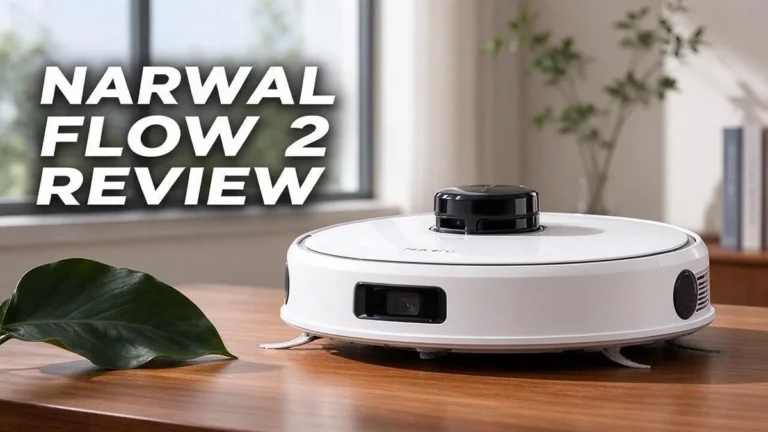

Ecovacs DEEBOT X9 PRO OMNI Review: Should You Buy This?
Are you tired of pushing a vacuum across your floors every single day? The Ecovacs DEEBOT X9 PRO OMNI promises a clean with little effort from you. It brings together vacuuming and mopping in one smart machine.
Many owners praise its extending roller mop. Users say it cleans better than older spinning pads. The machine also picks up dirt well on both carpet and hard floors.
Setup takes some patience at first. Mapping needs a little extra effort. Once it runs, though, many people find it works reliably.
In this guide, you will learn how it performs, what it does well, and where it falls short. Let’s find out if this robot deserves a spot in your home.
In a Nutshell
Here is a quick look at what matters most for busy homeowners who want a mop and vacuum in one robot.
- Strong pickup: Testers report that it collects dirt well on both carpet and hard floors. This makes it a good fit for homes with mixed surfaces.
- Smart mapping: The robot builds a map of your home, so it can move in an orderly way. Clear maps help it cover every room.
- Improved airflow: A redesigned vacuum system aims to boost airflow. This can help the robot handle fine dust.
- Steady performance: Owners say it keeps working well once it learns your layout.
- Main drawback: One user felt the cleaning pattern was a bit off. Checking the route after a few runs is a smart move.
- Close rivals: The DEEBOT X11 and DEEBOT T50 come from the same brand. The Roborock Saros 10R is another strong option to compare.
Overall, this model suits busy homes with mixed floors that need less manual cleaning.
Cleaning Performance on Carpet and Hard Floors

Last update on 2026-11-22 / Affiliate links / Images from Amazon Product Advertising API
Floor type matters a lot for any robot cleaner. This section looks at how the DEEBOT X9 PRO OMNI handles carpet and hard floors in everyday use.
Carpet needs a different approach. Water and fabric do not mix well. The robot should lift its mop before it moves onto soft rugs. Owners with mixed rugs and tile will value this behavior, since it keeps carpet fibers dry.
Rug edges and doorways are common trouble spots. Many robots slow down or stall when they climb over thresholds. Watch how the unit handles these spots during the first week.
Pet hair shows up fast on hard floors. Hair collects along baseboards and in corners. Pet owners should check for hair wrapped around the brushes after each run.
Edges and corners decide the final look. A clean center means little if dust sits along the walls. Most robot cleaners use side brushes for edges, so check how deep the edge cleaning reaches.
Thick rugs need extra care. Deep pile traps more grit than thin mats. Run a test pass in one room first. This shows how deeply the unit clears debris from the fibers.
Drying time affects hard floor comfort. Wet mopping leaves hardwood damp for a short period. Open a window or run a fan if you have sensitive wood floors.
Transitions between surfaces reveal real control. Moving from tile to carpet tests the sensors and the mop lift. Watch for a short pause at each change, since a smooth shift shows good control.
Quiet runs matter in shared spaces. A calmer machine fits better in rooms where people work or rest. Check the noise rating on the spec sheet if this matters in your home.
Set zones for cords and pet bowls. Mark areas where the robot should stay away from cables and food dishes. A quick look at the map after each run helps you adjust fast.
In short, the robot handles carpet and hard floors with a clear split between modes. Your home layout and pets will shape the best results.
Extending Roller Mop System
The extending roller mop reaches farther than most robot mops. It stretches out from the body to clean near walls and furniture legs. This extra reach helps the robot tackle spots that other models often skip.
The roller works differently from older spinning pads. It glides across the floor and spreads water in one steady motion. Many people find this style leaves a cleaner finish on tile and wood.
Edge cleaning gets a real boost. Dust and crumbs often hide under cabinet lips and along baseboards. The extended mop can push into these gaps more easily than a fixed pad.
Wide reach matters most in rooms with lots of corners. Hallways, kitchens, and home offices often have tight spaces. A longer mop helps cover them without extra passes by hand.
Sticky spots need extra attention. Kitchen floors near the fridge or dining chairs collect spills and grease. Run a second pass over these areas once in a while for a fresh look.
Regular care keeps the roller working well. Rinse the roller after every run to stop dirt from drying in the fibers. Empty and dry the water tank often to avoid bad smells.
Roller care takes only a few minutes. Pull the roller out after mopping and wipe away loose debris. Let it air dry before the next cycle so it stays fresh.
This feature suits busy households. Families with kids, pets, or open floor plans gain the most from wide reach. A small studio may not need this level of coverage.
Night cleaning fits this routine well. Homeowners who run the robot after dinner often wake up to dry floors. Less waiting means less hassle for the whole household.
Overall, the roller mop offers clear reach and steady results. It handles edges and everyday messes with ease. Keep the roller clean and the tank dry for the best outcome.
Mapping and Navigation Accuracy
Mapping is where the DEEBOT X9 Pro Omni asks for a little patience. The first run builds a floor plan, and that plan guides every later clean. Setup and mapping take extra effort, so set aside some time before you press start. Expect the first run to take longer than later cleans.
Give the first run full attention. Clear the floor of loose cables, socks, and small toys. Open doors to every room you want mapped. A clear path helps the robot record walls and furniture edges correctly.
Good maps depend on clear layouts. Open floor plans may show up as one large area. Rooms with closed doors may need separate labels so the app treats them as different zones.
Check the map after the first pass. Look for odd wall lines, missing corners, or rooms that merge together. Fixing these early saves frustration later.
Name each room in the app. Clear labels make scheduling easier. You can ask for the kitchen only or clean the bedroom before guests arrive. Named zones also make map problems easier to spot.
Watch the first week closely. Note any room that gets skipped or cleaned twice. Small fixes in the app often solve these issues without a full reset.
Furniture changes can confuse any mapping system. Moving a sofa or adding a bookshelf may shift how the robot reads a room. Running an updated map after big changes keeps results steady.
A current map also helps the roller mop. The robot needs to know where hard floors and rugs sit. This helps it place the mop on the right surfaces and steer clear of carpet.
A full reset should be the last step. Start with small edits before you rebuild the entire map. This keeps the work quick and avoids extra setup time.
Patience pays off over time. Once setup is done, the map usually holds up well for daily use. The effort upfront gives you a smoother routine with less hands on work. Patience is the main trade off here, but the payoff is worth it for busy homes.
Top 3 Alternatives
Looking for a different robot vacuum? These three options work well for busy homes. Each one cleans floors and mops with less effort from you.
Roborock Q7 Max

Last update on 2026-11-22 / Affiliate links / Images from Amazon Product Advertising API
The Roborock Q7 Max uses LiDAR mapping. It scans your rooms and plans clean routes. It finds its way quickly, even around furniture. Its strong suction picks up pet hair and crumbs from carpets and hard floors. The mop pads lift when the robot moves onto rugs, so your rugs stay dry. This model suits families who want reliable daily cleaning.
Eufy X10 Pro Omni

Last update on 2026-11-22 / Affiliate links / Images from Amazon Product Advertising API
The Eufy X10 Pro Omni pairs a powerful vacuum with a mop that washes itself. The base station empties the dustbin and refreshes the mop water. You spend less time on messy chores. Its smart mapping helps it clean in neat lines. It also handles thick carpets and tile floors with ease. This choice fits people who want a low effort cleaning routine.
Dreame L40 Ultra

- High-Powered 25,000Pa Suction Performance: Powerfully clean hard floors and carpets with 25,000Pa...
- Tackle Corner Messes with Ease: L40 Ultra Gen 2 extends its brush and mop to reach corners and under...

Last update on 2026-11-22 / Affiliate links / Images from Amazon Product Advertising API
The Dreame L40 Ultra comes with a base station that cleans its own mop. It then dries the mop with warm air. Dirt and odors stay out of your home. The robot also avoids obstacles like cables and socks. Its strong suction works well on pet hair. This option is a great pick for homes with pets and kids.
Setup, Configuration and Daily Upkeep
Start by unboxing the robot and the base station. Place the base on a flat spot against a wall with open space in front of it. Keep it away from thick rugs and direct sunlight so it stays stable. Charge the robot fully before the first run. A full battery helps the setup process move without interruptions.
Download the Ecovacs app next. Create an account and follow the on-screen steps. The app guides you through each part of the process, so you do not need to guess what comes next.
Connect the robot to your home network after that. Use a 2.4 GHz band because it gives the most reliable link. A weak signal can stop the setup, so move the router closer if the connection keeps dropping.
Fill the clean water tank before each mopping run. Empty the dirty water tank as soon as the job ends. Leaving dirty water inside invites odors and bacteria.
The base station needs regular attention too. Empty the dust bag when the indicator light tells you to. Busy homes with pets may need to check it every week.
Clean the filters every few weeks. Tap out loose dust and let the filter dry fully before you reinstall it. Wet filters can lose suction power and make the robot work harder.
Check the side brush for tangled hair once a week. Pull the hair free with your fingers. Look at the drive wheels as well, since small debris can jam them and slow the robot down.
Set a schedule that fits your routine. Pick times when nobody walks through the rooms. Early afternoon works well for many homes because the floors stay quiet and the robot can finish its work.
Keep the firmware updated through the app. Updates often improve movement and fix small bugs. Turn on automatic updates if the option appears on your screen.
Link the robot to a voice assistant if you already use one. You can then start a clean with a simple spoken command. This saves time on busy mornings when your hands are full.
Keep a short weekly checklist on your phone. Include the water tanks, the dust bag, the filters, and the wheels. A simple routine keeps the robot ready for daily use and helps it last longer.
Pros and Cons
Pros
-
- Roller mop cleans better than older spinning pads.
-
- Picks up dirt well on both carpet and hard floors.
-
- Runs reliably once it is set up.
-
- Handles mopping and vacuuming in one run.
-
- Works on mixed floors without swapping tools.
Cons
-
- Setup takes extra time before the first clean.
-
- The cleaning pattern can look a bit off in some homes.
-
- Some reviewers prefer the DEEBOT T50 instead.
-
- Rivals like the Roborock Saros 10R offer similar features.
Who Should Buy It
Busy people who want a low effort routine may enjoy this robot most. After the first setup, it can run with very little input from the owner.
Tech fans who like to fine tune settings will likely feel at home here. The app gives plenty of room to adjust how the robot behaves.
People who already use Ecovacs gear can build on what they know. Familiar app habits and care routines make the switch much easier.
Shoppers who enjoy comparing options should line up a few models side by side. The DEEBOT X11, the DEEBOT T50, and the Roborock Saros 10R are all worth a close look.
Anyone who expects a plug and play machine may feel let down at first. Patience helps during the early days of use.
Owners of very small homes may not use the full power of this model. A compact space gives the mapping and the roller mop less room to shine.
Renters who move often should think twice. Setting up the map and app again in each new place takes real time.
Families with busy schedules can gain free time each week. The robot handles the floors while everyone gets on with their day.
Anyone who likes a tidy home but has little spare time will notice a clear benefit. Regular cleaning keeps dust down between deeper cleans.
Shared homes with many people may see the most daily use. More foot traffic means more dirt, so a robot that runs often can help.
Buyers who plan to stay put for years get the most from this machine. The time spent on setup pays back over several years of use.
Think about your daily routine first. Look at your floors, your free time, and your comfort with apps. Then decide if this robot fits your home.
Final Verdict
The ECOVACS DEEBOT X9 PRO OMNI is a strong pick for floor care with little effort. Our final take is simple. It does the job well once you give it time to learn your home.
Think of this robot as a long term helper. Its value grows over weeks, not minutes. Early runs show the basics. Later runs show whether the map and schedule truly fit your life, and whether the robot keeps up with your pace.
Before you decide, run a two week test. Watch where the robot slows down or misses a corner. Note how often you need to step in. Those notes tell you more than any spec sheet.
Your shortlist matters too. Put this model next to the Roborock Saros 10R and the DEEBOT X11. Compare them by daily use, not by flashy claims. Skip the extras you never touch.
Our advice is clear for most households. If you want steady floors with less manual work, this machine deserves a close look. If you want instant results with zero setup, look at a simpler model first.
Make the decision based on your own routine. Write down your must haves before you shop. Ask yourself how much time you want back each week. Then pick the machine that gives you that time without extra stress.
Think about your furniture too. Low chairs and loose cords can slow a robot down. Clear those paths before each run so the machine moves with fewer stops.
A quick final checklist helps.
Map your home fully before the first full clean.
Test carpet edges and hard floor corners.
Review the app settings once a month.
Read recent owner reports for common issues.
In short, this model rewards patience. Give it a fair trial, learn its habits, and it can become a reliable part of daily life. Enjoy a cleaner home with less effort. Start your test today and see how it fits.
Frequently Asked Questions
Does this robot work well on area rugs?
Thick rugs can slow the robot down. Lay the rugs in a test area first. Watch how the robot handles the edges and the fringe. Pick up loose cords and small toys before each run.
Can I run it while I am out of the house?
Yes, you can start a clean from the app while you are away. Clear the doorways and tuck away anything fragile. Pets should stay in a separate room during the run. Check the results when you return.
Is this model helpful for people with limited mobility?
It can be. Less bending and kneeling makes daily floor care easier. The robot handles the floor work, so you only need to check the bin and tanks. Bulky furniture may still need a clear path so the robot can move freely.
What should I check during the first week?
Look at the same rooms each day. Notice if the robot repeats a path or skips a spot. Check the edges along walls and under low furniture. Small changes in the app can fix most issues in a few minutes.

Hi, I’m Ivy! I’m a smart home enthusiast and self-proclaimed clean freak who loves testing the latest cleaning tech so you don’t have to waste your money on the wrong one. I started HomeTechClean to share honest reviews and practical advice for anyone who wants a cleaner home with less effort.