Why Does My Vacuum Make A Loud Rattling Noise When Angled?
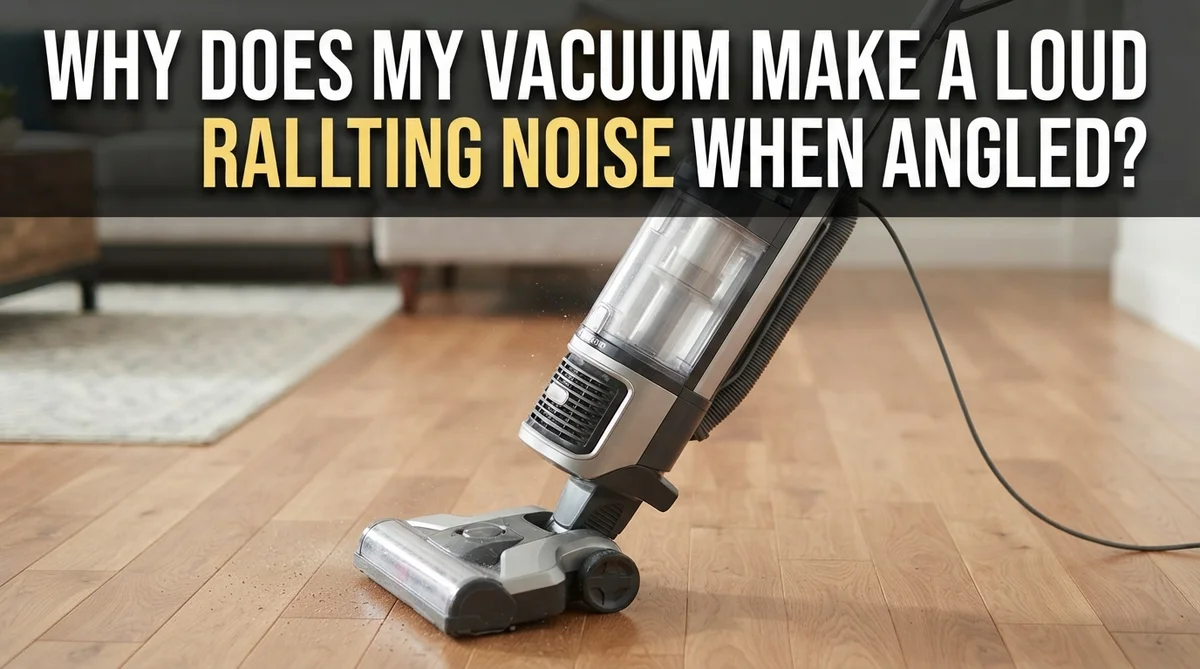
You tilt your vacuum to reach under the couch. Suddenly, it sounds like marbles are rolling around inside.
That rattling noise can feel alarming. But it usually points to a few common problems.
Most of the time, a clogged filter or a worn brush causes the racket. Dirt and debris build up in places you cannot see. When you angle the vacuum, loose parts shift and create that annoying sound.
This guide walks you through the real reasons your vacuum rattles when angled. You will learn how to spot blocked filters and misaligned brushes. We will also cover how to check for hidden clogs in your hose and floor nozzle.
In a Nutshell
- Clogged filters are the top cause. A blocked filter forces the motor to work harder, creating a rattling sound especially when you tilt the vacuum.
- Worn or loose brushes shift inside the housing. Even a tiny gap can cause noise once you change the angle.
- Motor bearing wear happens over time. This creates a rattle even if your filter looks clean.
- Airflow blockages in the hose or nozzle can trigger noise from the bypass valve. Check hidden spots, not just the visible ones.
- Loose parts vibrate when the vacuum tilts. Make sure every piece is snapped in and properly seated.
How Vacuum Angling Affects Airflow and Components
When you angle your vacuum, the internal airflow changes direction. This shift puts stress on components that normally sit still. The motor works harder to pull air through at an odd angle, and loose parts start to vibrate against the housing.
Your filter plays a huge role here. A clogged filter forces air to squeeze through tiny gaps. When you tilt the vacuum, that restricted airflow creates pressure changes inside the machine. The bypass valve may rattle as it tries to release excess pressure. This is your vacuum’s way of saying the filter needs cleaning.
The brush assembly also responds to angling. Even a millimeter of looseness in the brush housing becomes obvious when gravity shifts the weight around. The bristles and their mounting bracket can knock against the plastic or metal frame. You hear this as a distinctive rattling or clicking sound.
Motor bearings wear down gradually over time. When your vacuum tilts, worn bearings have more play in their movement. They shift slightly in their sockets, creating that annoying rattle. This type of noise persists even after the motor cools down, which signals bearing wear rather than a simple clog.
Airflow obstructions hidden in the hose or floor nozzle also matter. A blockage upstream forces the motor to compensate. Angling the vacuum changes how air moves around that obstruction, sometimes triggering the bypass valve to rattle or vibrate.
The key insight is this: angling exposes looseness that sits dormant when your vacuum stands upright. Gravity and vibration work together to reveal problems. A tight, clean vacuum stays quiet at any angle. A machine with worn parts or blockages becomes noisy the moment you tilt it. This is actually helpful information because it tells you exactly where to focus your troubleshooting efforts.
Clogged Filters: The Leading Cause of Rattling
A clogged filter is the most common reason your vacuum rattles when angled. Here’s why this happens and what you need to know.
Your filter traps dust, pet hair, and debris as air passes through. Over time, these particles build up and block airflow. When your vacuum motor tries to pull air through a blocked filter, it works much harder than normal. This extra strain causes vibration and rattling sounds, especially when you tilt the machine.
The angle matters because gravity shifts how air and particles move inside your vacuum. When you tilt the unit, loose debris in the filter can shift around. This movement creates vibrations that travel through the motor housing and other components. The rattling gets louder because the motor is already stressed from fighting the blockage.
Here’s the key point: a filter that looks clean might still be clogged. Dust particles pack tightly into the filter material. You might see some dirt on the surface but miss the deep buildup inside. This hidden blockage still forces your motor to overcompensate, triggering noise when angled.
The filter blockage also affects your bypass valve. This valve opens when airflow gets too restricted, and it can rattle against its housing. You might hear a distinct rattling or buzzing sound coming from deeper inside the machine.
Check your filter regularly, even if it doesn’t look dirty. Most filters need cleaning every one to three months, depending on how often you vacuum. If the rattling continues after you clean the filter thoroughly, the problem likely involves another component like the brush assembly or motor bearings. But start with the filter first, since it causes the majority of rattling issues.
Brush Roll Misalignment and Housing Looseness
When your vacuum is angled, the brush roll and housing experience different forces than when the unit stands upright. Even tiny gaps between the brush and its housing can create rattling sounds as gravity and vibration interact differently.
The brush roll sits inside a cylindrical chamber. When your vacuum tilts, the brush can shift slightly within that space. A gap of just a few millimeters causes the brush to tap against the housing walls. This tapping becomes a rattling noise that gets worse as the angle increases.
Brush misalignment often develops gradually. Dust buildup around the brush shaft creates small spaces. The brush bearings wear down over time. These changes are tiny, but they matter when your vacuum tilts. The brush moves more freely, and metal touches metal or plastic.
Housing looseness compounds the problem. The brush roll housing connects to the main vacuum body with bolts or clips. If these fasteners loosen even slightly, the entire housing can vibrate when angled. This vibration transfers through the vacuum frame, making the rattling louder and more noticeable.
You can check for this issue by tilting your vacuum and listening carefully. The noise often comes from the floor head or the area near the brush. Try gently pressing on the housing while the vacuum runs angled. If the noise changes or stops, you’ve found a loose connection.
Worn brush bristles also play a role. As bristles break down, the brush becomes unbalanced. An unbalanced brush wobbles inside the housing, especially when angled. The wobbling creates vibration that travels through loose connections.
The solution involves inspecting both the brush alignment and all housing connections. Check that the brush sits centered in its chamber. Verify that every bolt and clip holding the housing is tight. These simple checks often eliminate the rattling completely. Regular maintenance prevents the small gaps from developing in the first place.
Worn Motor Bearings and Internal Wear Signs
Motor bearings sit at the heart of your vacuum’s operation. These small metal components allow the motor shaft to spin smoothly. Over time, bearings wear down from constant use and vibration.
Worn bearings produce a distinctive rattling sound. This noise often gets worse when you angle your vacuum because gravity changes how the bearing sits inside its housing. The metal-to-metal contact increases, creating that grinding or rattling effect you hear.
You can identify bearing wear by listening carefully. The sound typically continues even after your vacuum cools down completely. This is different from noise caused by clogs or loose parts, which may improve as air pressure changes.
Internal wear signs go beyond just sound. Your motor may run hotter than usual. The vacuum could lose suction power gradually. You might notice the motor taking longer to reach full speed. These symptoms all point to bearing deterioration.
Bearing wear happens because dust and debris work their way into motor components despite your filter. Heat from friction also breaks down the lubricant that keeps bearings running smoothly. Once this lubrication fails, metal surfaces grind against each other directly.
The angle factor matters significantly here. When your vacuum tilts, the bearing experiences different pressure points. A worn bearing that stays relatively quiet when upright will rattle noticeably when tilted at various angles. This is why the problem seems to appear suddenly.
Checking for bearing wear requires attention to patterns. Does the noise happen only when angled? Does it persist after cooling? Does your motor sound strained? These questions help you pinpoint the issue.
Bearing replacement typically requires professional service since accessing the motor means disassembling major components. However, identifying this problem early prevents further damage to your vacuum’s motor and other internal systems.
Hidden Clogs and Airflow Obstructions in the Hose and Nozzle
Hidden clogs and airflow obstructions are sneaky culprits that cause rattling when you angle your vacuum. These blockages don’t always announce themselves loudly at first, but tilting your machine exposes the problem.
Your hose is a common hiding spot for debris. Dust, hair, and small objects accumulate inside the tube over time. When you angle your vacuum, gravity shifts these blockages slightly, causing them to vibrate against the hose walls. This creates that distinctive rattling sound you hear.
The floor nozzle also traps clogs easily. Pet hair wraps around the suction opening and builds up inside the nozzle head. You might not see the blockage from the outside. When angled, this obstruction causes air to bypass normally, forcing the motor to work harder and vibrate more intensely.
Check your hose first by holding it up to light and looking through it. You should see clear space from end to end. If light doesn’t pass through easily, a clog is hiding inside. You can use a broom handle or flexible rod to push debris out gently.
Your nozzle needs attention too. Detach it from the hose and inspect the suction opening. Remove any hair or debris wrapped around the edges. Look inside the nozzle chamber for packed dust that reduces airflow.
The key point is this: airflow obstructions force your vacuum motor to compensate. This overcompensation creates vibration and rattling, especially when gravity changes the pressure inside your machine.
Clean your hose and nozzle weekly if you have pets or shed-prone carpets. Monthly checks work fine for lighter use. Remove blockages before they cause lasting damage to your motor. This simple maintenance prevents most rattling issues related to hidden clogs.
Step-by-Step Troubleshooting Guide
Start your troubleshooting by turning off your vacuum completely. Let it cool for at least 30 minutes before you begin. A hot motor can mask or amplify sounds, making diagnosis harder.
Step 1: Inspect Your Filter Thoroughly
Remove your filter and hold it up to bright light. Look for dust buildup, pet hair, or debris blocking the mesh. A filter that looks “clean” may still have microscopic blockage. Tap it gently over a trash can. If dust clouds appear, your filter needs cleaning. Wash it with lukewarm water if your model allows this. Let it dry completely before reinstalling.
Step 2: Check All Loose Connections
Grab your vacuum and gently shake it while it’s off. Listen for rattling sounds that come from specific areas. Open access panels and inspect where components connect. Tighten any bolts or fasteners you find. Pay special attention to the motor housing and base plate connections. Even tiny gaps cause significant noise when your vacuum angles.
Step 3: Examine the Brush Roll Area
Locate your brush roll compartment and open it. Spin the brush by hand and watch for wobbling or tilting. The brush should rotate smoothly without side to side movement. Look for hair wrapped around the shaft. Remove any tangled debris carefully. Check that the brush sits evenly in both end caps.
Step 4: Listen While Angling Your Vacuum
Plug in your vacuum and turn it on. Tilt it to the angle where you hear the rattle most clearly. Does the noise come from the front, back, or sides? This pinpoints the problem area. Turn it off immediately if you notice burning smells or extreme heat.
Document which step reveals the issue. This information helps you decide whether you need professional service.
Common Mistakes That Make the Noise Worse
Many people accidentally make their vacuum’s rattling noise worse through everyday mistakes. Understanding these errors helps you avoid amplifying the problem.
Ignoring the noise and continuing to use your vacuum is mistake number one. When you hear rattling while angling, your instinct might be to keep vacuuming anyway. This causes additional stress on loose or damaged parts. The rattling gets louder over time as vibrations loosen components further.
Assuming your filter is clean because an indicator light says so leads many people astray. Filter indicator lights show when filters are very clogged, not when they need cleaning. A filter that looks okay to your eyes might still block enough airflow to cause motor strain. This strain creates more vibration and louder rattling sounds.
Pushing harder on your vacuum while it’s making noise is another common mistake. People think applying more pressure will help the vacuum work better. Actually, this increases vibration and makes the rattling worse. It also puts stress on the motor and housing connections.
Overlooking loose brush housing connections is a major oversight. Many people check if the brush itself is loose but forget about the housing that holds it. Even a slightly loose connection here causes significant rattling when you angle the machine.
Not clearing debris from your nozzle area quickly enough compounds the problem. Small clogs build up over time and force your motor to work harder. This extra effort creates vibrations that rattle against your housing.
Finally, waiting too long before addressing the noise allows damage to spread. What starts as a minor rattle can become a serious motor issue if ignored. Quick action on any of these mistakes prevents the noise from getting worse and protects your vacuum’s lifespan.
Final Thoughts
A rattling vacuum noise when angled is usually not a mystery. Clogged filters and worn brushes cause most of these problems. Simple checks can solve the issue quickly.
Your vacuum talks to you through sound. A rattle is its way of asking for help. Listening to this signal saves you time and money.
Start with the easy fixes first. Clean your filter and check your brush roll. These two steps solve the majority of rattling problems.
If basic cleaning does not work, look deeper. Check for hidden clogs in your hose and nozzle. Inspect your motor bearings for wear too.
Regular maintenance prevents most rattling issues before they start. Clean your filter every few weeks. Check your brush roll monthly for debris and looseness.
Do not ignore a rattling noise once you notice it. This sound often gets worse over time. Small problems can turn into expensive repairs if left unchecked.
Trust your own testing process. Angle your vacuum slowly while listening for changes in sound. This simple action helps you pinpoint the exact cause.
Remember that patience matters here. Rushing through troubleshooting steps can cause you to miss the real problem. Take your time with each check.
Most rattling issues are fixable at home. You do not need special tools or advanced skills. Basic cleaning and inspection solve most cases.
Keep a simple maintenance schedule going forward. This habit prevents new rattling noises from developing. Your vacuum will last longer and perform better.
A quiet vacuum means a healthy vacuum. When you fix that rattle, you protect your machine’s motor and components. This care extends your vacuum’s working life significantly.
Stay proactive about vacuum care. Small efforts now prevent bigger headaches later. Your home stays cleaner and your vacuum stays quieter.
Frequently Asked Questions
Why does my vacuum rattle specifically when I angle it?
Angling your vacuum changes how weight distributes inside the machine. This shift causes loose components to move against the housing. The floor nozzle, brush roll area, and internal parts all shift position. When angled, vibration increases and loose parts rattle against solid surfaces.
Motor bearings also respond differently to angle changes. Worn bearings produce more noise under new pressure angles. The airflow pattern shifts too, which can trigger rattling in the bypass valve or motor housing.
Can a clogged filter cause rattling when angled?
Yes, absolutely. A clogged filter forces your motor to work much harder. The motor vibrates more intensely to pull air through the blockage. When you angle the vacuum, this extra vibration transfers to loose parts around the motor.
The harder your motor runs, the more it shakes. Any millimeter of looseness becomes noticeable. Check your filter first by holding it to bright light. If light barely shows through, cleaning or replacement is needed.
Is the noise dangerous if I keep using my vacuum?
Continued use with rattling noise can cause real damage. Loose parts may break completely. Motor bearings wear faster under stress. Internal components can crack or separate from vibration.
Stop using your vacuum when rattling starts. Address the issue before more parts fail. Repairs become expensive when you ignore early warning signs.
What’s the quickest way to find the rattle source?
Turn on your vacuum and angle it slowly while listening carefully. Note exactly when the noise gets louder. Is it from the nozzle area, the motor housing, or the brush compartment? Gently shake different sections while the machine runs to narrow down the location. This simple test saves troubleshooting time.

Hi, I’m Ivy! I’m a smart home enthusiast and self-proclaimed clean freak who loves testing the latest cleaning tech so you don’t have to waste your money on the wrong one. I started HomeTechClean to share honest reviews and practical advice for anyone who wants a cleaner home with less effort.