
Why Is My Cordless Vacuum Running Out Of Juice In Max Mode?
Your cordless vacuum promises powerful suction. You switch to Max mode for that extra boost. Then, just seconds later, it dies on you.
This is a common frustration for many vacuum owners. Max mode is a power hungry setting. It pulls a lot of energy from your battery very fast.
So why does your vacuum shut off so quickly? The answer often comes down to battery voltage and heat protection.
In this guide, we will explain exactly why this happens. We will look at the real reasons behind sudden power loss.
By the end, you will know if your battery needs a rest, a clean, or a full replacement. Let’s get your vacuum back to full strength.
In a Nutshell
Max mode is a sprint. It uses high power for quick bursts. It is not built for long cleaning sessions.
Short runtime is normal. Most vacuums only last a few minutes in max mode. This protects the motor and battery.
Heat is often the real culprit. Your vacuum may stop to cool down. This is a safety feature, not a sign of failure.
Dirty contacts cause power loss. Check the metal contacts in the handle. Gently clean or bend them if they look dull or bent inward.
Test in normal mode first. If runtime is fine there but poor in max mode, your battery is likely just aging. This is expected with frequent max mode use.
Replacement may be needed. If normal mode runtime has also dropped, your battery might be near the end of its life. Most batteries come with a two year warranty, so check yours before buying a new one.
What Max Mode Actually Does to Your Vacuum’s Battery
Max mode forces your vacuum to work at peak power. This means the motor runs faster, the fan spins harder, and the suction increases significantly. Your battery delivers much more energy during this time compared to normal mode operation.
Think of battery power like water flowing through a pipe. Normal mode uses a steady stream. Max mode opens the valve all the way, and water rushes out fast. Your battery can only supply so much power before it runs dry.
Battery voltage drops quickly in max mode. When you demand maximum suction, your battery’s voltage decreases rapidly. Once the voltage falls below a safe level, your vacuum automatically shuts off. This is a protection feature, not a failure.
Your vacuum also generates heat during max mode use. The motor works overtime. The battery cells heat up from the high current draw. When internal temperature reaches a certain point, the vacuum stops running. This prevents damage to the battery and motor. The vacuum is not broken. It is protecting itself.
Max mode is designed for spot cleaning only. Manufacturers expect you to use it for a few minutes at a time, not continuously. If you run max mode for extended periods, your battery drains in minutes instead of hours.
The combination of high power demand and heat generation explains the short runtime. Your battery is working exactly as designed. It delivers powerful suction for quick jobs, then needs time to recover. Understanding this helps you use your vacuum correctly and keeps your battery healthy longer.
How Long Should Max Mode Really Last?
Max mode runtime depends on several factors. Most cordless vacuums last between 3 to 10 minutes in max mode, though some newer models may stretch closer to 15 minutes. This is not a defect. Manufacturers design max mode for short bursts, not continuous cleaning.
Your vacuum’s battery capacity matters most. A fresh battery with full charge will deliver longer max mode runtime than an older one. Battery age directly impacts how long max mode lasts. After two years of regular use, you might notice max mode duration drops by 20 to 30 percent.
The suction level you choose also affects runtime. Max mode demands the most power from your battery. When you switch to normal or eco mode, your vacuum runs significantly longer because it uses less energy per minute.
Temperature plays a hidden role too. A cold battery delivers power differently than a warm one. Room temperature affects how your battery performs. Extremely cold conditions can reduce max mode runtime by half or more.
Your vacuum’s filter condition impacts battery drain. A clogged filter forces your motor to work harder, which drains the battery faster even in max mode. Clean filters help your battery last longer during high power use.
Understanding these factors helps you set realistic expectations. If your vacuum runs 5 minutes in max mode, that is often normal behavior. Compare your runtime against your manual’s specifications. If your actual runtime falls well below what the manufacturer lists, your battery may need cleaning, charging, or replacement.
Track how long max mode lasts over time. Gradual decline is normal aging. Sudden drops suggest contact corrosion or battery problems worth investigating further.
Step-by-Step: Diagnosing Why Your Vacuum Cuts Out Early
Start by checking if your battery is fully charged. Connect the vacuum to its charger and wait for the indicator light to show complete charging. Many people assume their battery is dead when it simply needs more time on the charger.
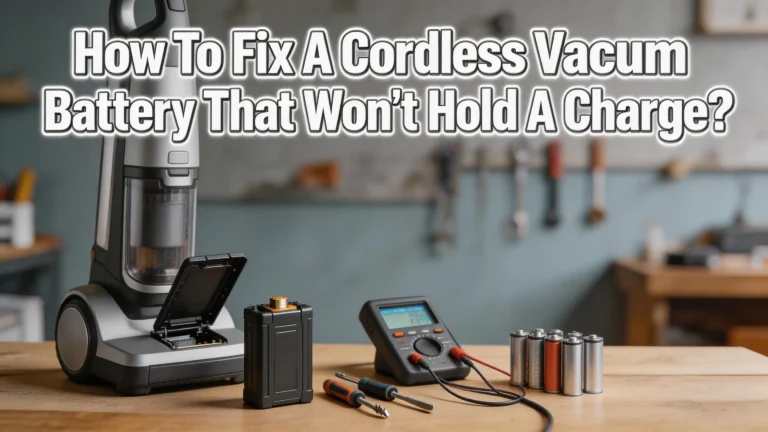
Next, inspect the metal contacts where the battery connects to the vacuum. These contacts can collect dust, debris, or corrosion over time. Dirty contacts prevent power from flowing properly to your motor. Gently wipe both the battery contacts and the vacuum’s contact points with a dry cloth. If you see visible corrosion (green or white buildup), use a small brush or cotton swab to clean it away.
Check if the mode button itself is working correctly. Press it several times to see if it clicks smoothly. Sometimes the button gets stuck or fails to engage max mode properly, which can confuse you into thinking it’s a battery problem.
Test your vacuum in normal mode first. If it runs for a reasonable amount of time on regular suction, your battery is likely fine. The issue is probably just how quickly max mode drains power. Max mode is meant for short bursts, not continuous cleaning.
If your vacuum cuts out in normal mode too, your battery may be aging. Most cordless vacuum batteries last about 2 years before they start losing capacity. You can try removing the battery and letting it rest for 30 minutes, then charging it again. Sometimes this helps temporarily.
Finally, check if the vacuum is overheating. Feel the motor area after use. If it’s very hot, your vacuum may be shutting down to protect itself, not because the battery is empty. Let it cool down completely before trying again.
Checking and Cleaning Battery Contacts for Better Power Delivery
Your battery contacts are like the bridge between power and performance. When they get dirty or corroded, power delivery suffers significantly. This is one of the easiest fixes you can do yourself.
Start by removing your battery from the vacuum handle. Look at the metal contacts on both the battery and inside the handle. You’ll see small metal pins or flat surfaces. These should shine brightly. If they look dull, dark, or have a white or green coating, that’s corrosion or dust buildup.
Take a dry cloth and gently rub each contact. Be thorough but gentle. You can also use a pencil eraser on stubborn spots. The goal is to remove any film or residue that blocks electrical flow. Wipe away any eraser particles with a clean cloth afterward.
Next, inspect the metal contacts for positioning. They should stick out slightly and make firm contact with the battery. If they look bent inward or flattened, they may not connect properly. You can carefully bend them outward a tiny bit using a plastic tool or your fingernail. Don’t force this. Small adjustments make a big difference.
Reinsert your battery and listen for a click. That click means good contact. Now test your vacuum in max mode.
Clean contacts often restore power delivery immediately. Many people skip this step, but it solves the problem in roughly half of battery drain complaints. Do this maintenance every few months to prevent future issues. Corrosion builds up over time, especially in humid environments. Regular cleaning keeps your battery running at peak efficiency and extends its overall lifespan.
Signs Your Battery Has Degraded and Needs Replacement
Your cordless vacuum battery degrades over time. Understanding the signs helps you know when replacement is necessary.
Runtime decline is the first warning sign. If your vacuum lasted 30 minutes in normal mode last year but now only runs 15 minutes, your battery is aging. Track your runtime in standard mode, not max mode, since max mode naturally drains faster. Consistent decline across multiple charges indicates chemical changes inside the battery cells.
The vacuum cuts out suddenly during use. Your battery may fail to deliver steady voltage. Instead of gradually losing power, it drops from functional to dead within seconds. This sudden cutoff differs from normal battery drain and suggests internal damage.
Max mode becomes almost useless. If max mode once lasted several minutes but now stops after 10 to 20 seconds, your battery cannot handle the power demand anymore. Healthy batteries maintain reasonable max mode runtime. Severely degraded batteries cannot sustain peak performance at all.
The battery feels warm or hot after short use. Degraded batteries work harder to deliver power, creating excess heat. Your vacuum may even activate thermal protection and shut down automatically. This overheating is a clear sign your battery is struggling.
Recharging takes longer than before. A failing battery may require extended charging time to reach full capacity. Some degraded batteries charge slowly but still hold less total power than they should.
The battery no longer holds a charge overnight. If your battery discharges significantly when sitting unused for several hours, internal cell damage is likely occurring. Fresh batteries maintain charge for weeks.
These signs point to battery replacement. Most cordless vacuum batteries last 2 to 3 years with normal use.
Common Mistakes That Drain Max Mode Faster
Using max mode continuously is the biggest mistake people make. Max mode exists for spot cleaning only, not for your entire home. Running it constantly drains your battery in minutes instead of hours.
Think of max mode like sprinting. You can’t sprint all day long. Your vacuum works the same way. The motor pulls extra power when you use max mode, which heats up the battery faster and reduces its lifespan.
Many users leave max mode on and wonder why the battery dies so quickly. The vacuum was never designed for this. Manufacturers expect you to use normal mode for regular cleaning and switch to max only when you encounter stubborn dirt or pet hair.
Dirty battery contacts make this problem worse. When contacts have dust or corrosion, power delivery drops. Your vacuum then works harder in max mode to compensate, draining the battery even faster. Clean contacts help the battery send power efficiently.
Ignoring overheating cutoffs also accelerates battery drain. Your vacuum automatically shuts down when it gets too hot. This protection feature prevents damage, but it means your battery stops working mid cycle. If you keep pushing max mode, the vacuum cuts out repeatedly, and you drain the battery without actually cleaning.
The solution is simple: use normal mode for regular cleaning. Switch to max mode only for tough spots that need extra power. Charge your battery fully between uses. Clean those metal contacts regularly with a dry cloth. These habits keep your max mode working when you truly need it instead of wasting battery power on routine tasks.
Troubleshooting Overheating and Voltage Cutoffs
Your cordless vacuum stops working in max mode because of two main protection systems: low voltage cutoff and thermal overheating protection. Both are built into your vacuum to prevent damage.
When you run max mode, your battery drains fast. The motor pulls heavy current to create that extra suction power. As voltage drops, your vacuum’s circuitry detects the power level falling below a safe threshold. The vacuum automatically shuts down to protect the battery from deep discharge, which causes permanent damage.
Overheating protection works similarly. Max mode makes your motor work harder than normal mode. This generates significant heat in both the motor and battery. Your vacuum has sensors that monitor temperature. When heat reaches a critical point, the system cuts power instantly to prevent fire risk or battery failure.
Here’s what happens in real situations: You start cleaning in max mode. After 30 seconds to 2 minutes, the vacuum stops abruptly. You think the battery is dead, but it’s actually the protection system doing its job.
To troubleshoot this issue, first charge your battery completely. Check that all metal contacts are clean and making good connection. Look for corrosion or dirt on the battery terminals and the vacuum handle contacts.
Next, test your vacuum in normal mode. If it runs fine on normal mode for several minutes, your battery is working. The cutoff in max mode is simply the protection system responding to rapid power drain.
If your vacuum cuts out in normal mode too, your battery may be aging and needs replacement. Degraded batteries cannot deliver steady voltage, triggering protection systems more often.
Best Practices to Extend Max Mode Runtime Over Time
Max mode battery drain happens fast because the vacuum demands peak power. You can extend your runtime by following simple daily habits that protect your battery health.
Clean your battery contacts regularly. Dust and corrosion build up on the metal terminals where your battery connects to the vacuum. This reduces power delivery immediately. Use a dry cloth to wipe the contacts on both the battery and the vacuum handle. If contacts look corroded, gently bend the metal tabs outward with a small tool. Better contact means stronger power flow.
Charge your battery fully before each use. A complete charge ensures maximum voltage delivery. Partial charges reduce the power your vacuum can access during max mode. Always charge overnight or until the indicator shows full capacity.
Use max mode strategically, not constantly. Max mode drains your battery in minutes, not hours. Reserve it for stubborn dirt, pet hair, or carpet edges. Switch to normal mode for regular floor cleaning. This habit alone extends your overall runtime significantly.
Allow your vacuum to cool between sessions. If max mode cuts out after seconds, thermal protection has kicked in. Let the motor rest for 15 to 20 minutes before using max mode again. Repeated overheating damages your battery faster.
Monitor runtime trends over weeks. Write down how long max mode lasts each week. A sudden drop signals battery degradation. Gradual decline is normal over 2 to 3 years.
Avoid leaving your battery uncharged for long periods. Batteries lose charge capacity when stored empty. Keep your battery charged during off seasons too.
These practices keep your max mode functional longer and maintain consistent cleaning power.
Final Thoughts
Your cordless vacuum runs out of juice in max mode because that setting demands peak power. This power draw drains the battery fast. It also causes heat buildup and voltage drops.
This is normal behavior, not a defect. Max mode was built for short bursts. It works best on stubborn dirt or thick carpet spots.
Regular cleaning should happen in normal mode. Save max mode for specific tasks that need extra suction. This habit protects your battery over time.
Simple fixes solve most problems. Clean the metal contacts in your battery and handle. Charge your battery fully before each cleaning session. These small steps often restore lost power.
If your vacuum still cuts out, test it in normal mode. Steady performance there means your battery works fine. Frequent cutouts in both modes suggest battery aging.
Battery replacement becomes necessary when runtime drops even during normal use. Most batteries carry a two year warranty. Check your warranty status before buying a new one.
Pay attention to how your vacuum behaves over weeks. Sudden changes often point to contact issues or overheating. Gradual decline points to natural battery wear.
Your cordless vacuum can serve you well for years. The key is using max mode wisely. Treat it like a sprint, not a marathon.
Good habits make a real difference. Keep contacts clean. Charge fully. Let your vacuum cool between sessions. Use max mode only when needed.
Follow these steps and your vacuum will perform better. You will also avoid early battery replacement costs. Smart use today means better runtime tomorrow.
Frequently Asked Questions
Why does my vacuum stop after just a few seconds in max mode?
Your vacuum stops because of two protection systems kicking in. Low voltage cutoff happens when the battery voltage drops too quickly. Thermal protection activates when the motor gets too hot. Max mode demands peak power, so these safeguards trigger faster than in normal mode.
This is normal behavior. Your vacuum is protecting itself from damage.
Is my battery dead if it dies in max mode but works in normal mode?
Not necessarily. Your battery may still have plenty of charge left. Max mode drains power so fast that voltage drops rapidly, triggering the cutoff. Test your vacuum in normal mode for a full cleaning session.
If your vacuum runs fine in normal mode, your battery is healthy. If it cuts out in normal mode too, then battery replacement is likely needed.
How can I make max mode last longer?
Clean your battery contacts first. Dust and corrosion block power delivery to your motor. Use a dry cloth to wipe the metal terminals where your battery connects to the handle.
Charge your battery completely before each use. A full charge ensures maximum voltage. Use max mode only for tough spots, not for entire cleaning sessions. Allow your vacuum to cool between uses so thermal protection doesn’t activate.
What’s the difference between a failing battery and normal max mode drain?
Normal max mode drain means your vacuum stops after a few minutes. A failing battery means runtime drops even in normal mode over weeks. Pay attention to trends.
If your vacuum cleans well in normal mode but dies quickly in max mode, that’s expected. If normal mode runtime shrinks noticeably, your battery is aging and needs replacement.

Hi, I’m Ivy! I’m a smart home enthusiast and self-proclaimed clean freak who loves testing the latest cleaning tech so you don’t have to waste your money on the wrong one. I started HomeTechClean to share honest reviews and practical advice for anyone who wants a cleaner home with less effort.