
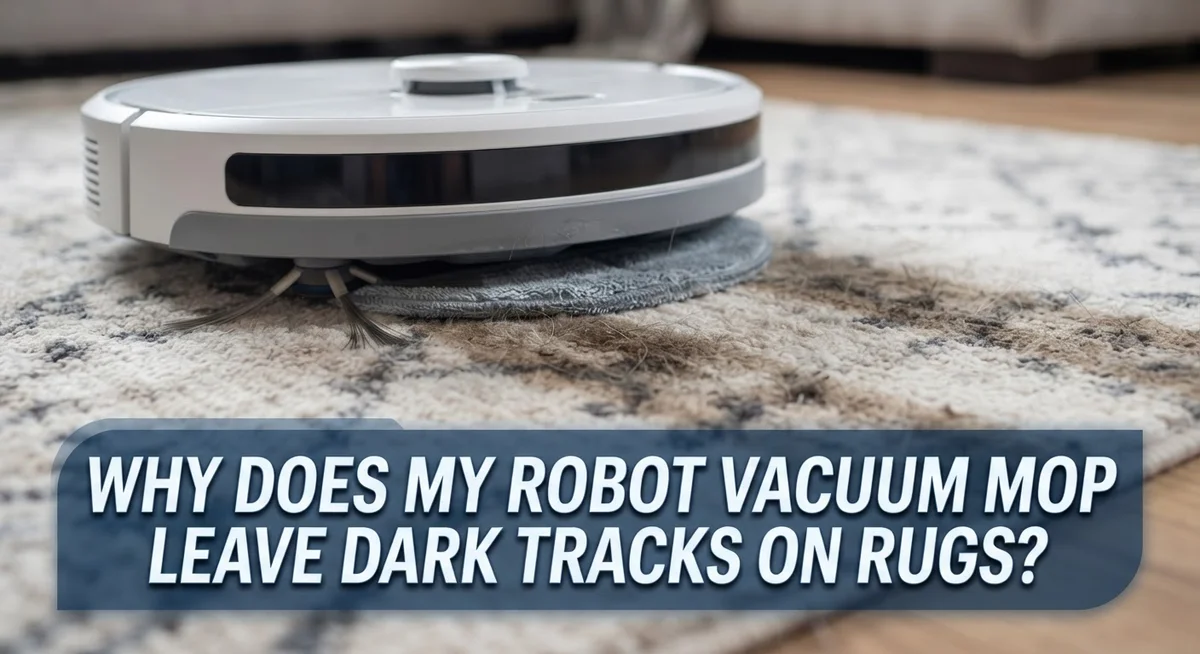
Why Does My Robot Vacuum Mop Leave Dark Tracks On Rugs?
Do you see dark streaks on your rug after your robot vacuum mop finishes cleaning? You are not alone.
Many robot owners notice these mystery marks right after a cleaning cycle. They often show up on light colored rugs in random patterns.
The good news is this problem has clear causes. Most dark tracks happen because of wet mop pads or misaligned mop attachments.
Cliff sensors also play a big role here. Your robot uses infrared sensors to detect drop offs like stairs.
Dark rugs can confuse these sensors. The robot might think it found a cliff, even though it is just a colored surface.
This guide explains exactly why these tracks appear on your rugs. You will learn about mop pad alignment and sensor confusion.
In a Nutshell
- Wet mop pads often cause dark streaks when they drag dirty water across rug fibers. This leaves visible tracks that look like stains.
- Cliff sensors can misread dark rugs as drop offs. This confuses your robot vacuum mop and makes it move in odd patterns.
- Misaligned mop pads create uneven pressure on the rug. This pressure leaves streaky marks that seem hard to explain.
- Always remove mop pads before your robot cleans a carpet. Dry pads prevent most tracking issues.
- Turn on raise mop mode when cleaning carpets. This keeps pads lifted so they never touch rug fibers.
- Check your pads for proper alignment every time you reinstall them. A crooked pad often causes new tracks.
How Cliff Sensors Misread Dark Rugs
Cliff sensors use infrared light to detect drop offs and prevent your robot vacuum from falling down stairs. These sensors work by sending out light beams and measuring how they bounce back. When the light returns quickly, the sensor knows the floor is solid. When light disappears into a gap, the sensor detects a cliff.
Dark rugs confuse these sensors because black surfaces absorb infrared light. Your vacuum interprets this light absorption the same way it reads a staircase edge. The sensor thinks your dark rug is actually a dangerous drop off. This causes your robot to avoid the rug entirely or move across it erratically.
Wet mop pads make this problem worse. When pads are damp, they create dark wet streaks on the rug surface. The combination of moisture and the rug’s existing darkness triggers the cliff sensors even more. Your vacuum may hesitate, stop suddenly, or make sharp turns across the rug. These sudden movements leave visible marks behind.
Misaligned pads add another layer to this issue. If your mop pads are stretched unevenly or twisted, they apply uneven pressure to the rug. One side of the pad may drag harder than the other. This creates darker streaks in one direction across your rug fibers.
The fix starts with understanding your vacuum’s settings. Most robot vacuums have a “raise mop pads” mode specifically for carpets. This mode lifts the mop completely off the rug surface. Your vacuum can then navigate the dark rug without triggering false cliff detection.
Before each cleaning session, check that your mop pads are dry and properly aligned. Remove and reinstall them if they look twisted or bunched up. Keep dark throw rugs away from your robot during the initial mapping phase. These simple steps prevent your vacuum from misreading your rugs and leaving unwanted tracks behind.
The Role of Mop Pads in Streaking and Tracking
Mop pads are the direct contact point between your robot vacuum and your rugs. When these pads are not in good condition, they leave dark tracks behind. Understanding how pads work helps you prevent this issue.
Wet mop pads cause the most visible streaking. When your robot mop operates on carpets with damp pads, dirty water transfers directly onto rug fibers. This creates dark lines that look like tracks or smudges. The moisture also pushes the pad harder against the rug surface, making marks worse.
Misalignment is another major culprit. Mop pads sit in holders under your robot vacuum. If these pads shift or stretch unevenly, one side presses harder than the other. Uneven pressure creates dark streaks in a pattern across your rug.
Proper pad alignment matters more than you think. When you reinstall mop pads after cleaning, stretch them evenly across their holders. Make sure both edges sit flush with the pad frame. Loose or bunched pads will drag and skip, leaving visible marks.
The material of your mop pads also plays a role. Some pads absorb more water than others. Pads that stay too wet for too long transfer more dirt and moisture onto your rug. Always remove mop pads and let them dry completely before the next cleaning session.
Check your pads regularly for wear and damage. Torn or frayed edges catch on rug fibers and create dark spots. Replace worn pads to keep your robot vacuum working smoothly.
The solution is simple: keep pads dry, aligned, and in good shape. Before each cleaning, inspect your mop pads. Make sure they are stretched evenly and completely dry. This one step prevents most dark track problems on your rugs.
Step-by-Step: Realigning and Drying Mop Pads
Start by removing your mop pads from the robot vacuum after each cleaning session. Let them air dry completely on a flat surface away from direct sunlight. Damp pads are the main culprit behind dark tracks on your rugs.
Once your pads are fully dry, inspect them for wrinkles or bunching. Gently stretch each pad by hand to ensure it lies flat and even. Look for any areas where the material has folded or creased during storage.
Reinstall the pads by carefully aligning them with the mounting points on your robot vacuum. Press down firmly across the entire surface to secure them. Make sure both pads sit at the same height and tension level.
Test the alignment by running your finger across each pad. They should feel smooth and uniform without any raised edges or gaps. Uneven pads cause your robot to apply pressure unevenly on carpet fibers, which creates those dark streaks.
Before cleaning carpets, activate the “raise mop pads” mode in your vacuum’s settings. This feature lifts the pads above the carpet surface so they don’t make contact. Your vacuum will still clean the floor without leaving marks.
If your pads won’t stay aligned, check the mounting clips for damage or debris. Clean these areas with a dry cloth to remove dust and lint. Dirty clips prevent pads from sitting flush against the vacuum.
Schedule a pad inspection every two weeks if you use your robot frequently. Replace worn pads that show signs of fraying or thinning. New pads make a real difference in preventing dark tracks and ensuring even cleaning.
The key is consistency. Dry your pads, align them carefully, and use carpet mode on rugs. These simple steps eliminate most tracking problems before they start.
Configuring Carpet Detection and Mop Lift Settings
Your robot vacuum’s settings hold the key to preventing dark tracks on rugs. Most modern vacuums include a carpet detection feature and a mop lift mode. These tools work together to keep your mop pads off carpeted surfaces entirely.
Carpet detection uses sensors to identify when your vacuum enters a carpeted area. Once detected, the vacuum can automatically raise the mop pads above the rug. This prevents any contact between wet or dirty pads and your carpet fibers. Check your vacuum’s app or control panel to enable this feature.
The mop lift setting is equally important. This mode raises your mop pads by a few millimeters when the vacuum detects carpet. You want to activate this setting before cleaning any area with rugs or carpets. Without it, your pads will drag across dark rugs and leave streaks.
Configure these settings properly by following these steps. Open your vacuum’s app and look for carpet detection or rug detection options. Enable this feature if it’s not already turned on. Next, find the mop lift mode setting and select it for all cleaning runs.
Test your settings on a small dark rug first. Run your vacuum in a confined area and watch how it behaves. The pads should lift noticeably when the vacuum crosses onto the carpet. If the pads stay down, return to your settings and adjust them.
Some vacuums let you create custom cleaning maps. You can mark specific areas as “carpet only” or “hard floor only.” This gives you more control over when mop pads activate. Use this feature to protect your favorite rugs from moisture and streaking.
Update your vacuum’s firmware regularly. Manufacturers often improve carpet detection algorithms through software updates. A newer firmware version might solve dark track problems you’re currently experiencing.
Preparing Your Rugs and Floors Before Cleaning Cycles
Your robot vacuum mop leaves dark tracks on rugs because of how you prepare your floors before cleaning cycles begin. The setup phase matters more than most people realize.
Start by removing dark throw rugs from your home during the initial mapping phase. Your vacuum uses infrared sensors to detect drop-offs and obstacles. Dark or black rugs confuse these sensors. The vacuum thinks it’s looking at a cliff, so it either avoids the area or moves across it unevenly. This confusion leads to streaking and uneven mop pad contact.
Next, clear your floors of reflective surfaces and mirrors at ground level. Floor-level mirrors bounce light around and confuse your vacuum’s sensors. This causes the mop pads to shift during cleaning, creating those dark tracks you see.
Before you start any cleaning cycle, inspect your mop pads for moisture. Wet pads are the main cause of dark streaking on rugs. Let your pads dry completely after the previous cleaning session. Damp pads drag dirty water across carpet fibers and leave visible marks.
Check that your pads are stretched evenly and aligned with the mounting points. Wrinkled or bunched pads create uneven pressure. Some areas get more water contact than others, causing dark lines to appear.
Activate the “raise mop pads” mode in your vacuum’s settings before cleaning carpeted areas. This lifts the mop pads completely off the rug surface. Your vacuum can still vacuum the carpet, but the mop pads won’t make contact and won’t leave tracks.
Test your settings on a small dark rug first. This helps you see how your vacuum behaves before you run it on larger carpeted areas. Proper preparation takes just a few minutes but prevents hours of frustration with dark tracks on your rugs.
Common Mistakes That Cause Dark Tracks
Dark tracks appear on your rugs because of specific mistakes you’re making during operation. Understanding these errors helps you fix the problem quickly.
Running your mop on dark rugs without raising the pads is the biggest culprit. Your vacuum’s infrared sensors read dark surfaces as cliffs or drop-offs. The vacuum then moves slower or hesitates, which causes the wet mop pad to sit longer in one spot. This creates dark streaks and marks on your rug.
Using wet mop pads on carpeted areas compounds this issue. Wet pads leave moisture that darkens the rug fibers. The weight of the water also presses the pad harder against the surface. This increases the chance of staining and streaking.
Misaligned mop pads cause uneven pressure across your rug. When pads aren’t stretched flat or mounted correctly, some areas touch the rug more than others. This creates darker marks where the pad presses down harder. You might notice the tracks follow a pattern or appear in lines.
Not removing your mop pads regularly leads to wrinkles and bunching. Wrinkled pads don’t distribute moisture evenly. They create concentrated wet spots that show up as dark tracks on your rug.
Running cleaning cycles without activating carpet detection is another common mistake. Your vacuum doesn’t know when it enters a carpeted area. It treats rugs the same as hard floors, which means the mop stays down the entire time.
Finally, many people skip the initial setup steps. They don’t remove dark throw rugs during the mapping phase. They don’t clear ground level mirrors or reflective surfaces. These oversights confuse your vacuum’s sensors and cause tracking problems.
The solution is simple. Raise your mop pads on carpets, keep pads dry and aligned, and configure your vacuum’s carpet detection settings properly. These changes eliminate most dark track issues immediately.
Troubleshooting Persistent Marks and Sensor Errors
Dark tracks on rugs often stem from sensor errors and misaligned mop pads. Your vacuum’s infrared cliff detection sensors struggle with dark surfaces. These sensors read black or very dark rugs as drop offs, causing your vacuum to behave unpredictably and leave marks.
The first step is checking your mop pads for alignment issues. Remove the pads completely and inspect them for wrinkles, bunching, or uneven stretching. Pads that don’t sit flat create pressure points that leave dark streaks across your rug.
Reinstall your pads by stretching them evenly across the mounting points. Make sure they’re centered and not twisted. Even slight misalignment causes one side of the pad to drag harder than the other.
Moisture in your mop pads is another major culprit. Wet or damp pads don’t glide smoothly across fabric surfaces. They stick and skip, leaving visible dark marks. Always allow pads to dry completely before reattaching them to your vacuum.
Test your vacuum on a small dark rug in a corner first. Run it in mop mode with your pads properly aligned. Watch how it moves across the fabric. If tracks still appear, the issue likely involves your sensor calibration.
Check your vacuum’s sensor settings in the app or control panel. Some models let you adjust cliff detection sensitivity. Lowering this sensitivity prevents your vacuum from misreading dark rugs as obstacles.
If sensor errors persist, clean the infrared sensors on the bottom of your vacuum. Dust and debris block the sensors’ ability to read surfaces correctly. Use a soft cloth to gently wipe the sensor windows.
Persistent dark tracks after these steps suggest a hardware issue. Your vacuum’s sensors may need professional recalibration, or the mop pad mounting system could be damaged. Contact the manufacturer’s support team for guidance on next steps.
Final Thoughts
Dark tracks on rugs happen for simple reasons. Your vacuum’s sensors misread dark surfaces. Wet or misaligned mop pads make the problem worse.
The good news is that you can fix this easily. Small changes in setup and maintenance solve most tracking issues. You don’t need special tools or skills.
Start with your mop pads every time. Dry, aligned pads prevent most streaking problems. This single habit stops many issues before they start.
Pay attention to your vacuum’s settings too. The carpet detection feature exists for a reason. Turning it on saves your rugs from unwanted moisture.
Think about your home’s layout as well. Dark rugs and floor level mirrors confuse robot vacuums. Removing these items during mapping helps your device learn your space correctly.
Regular checks make a big difference over time. Look at your pads before each cleaning cycle. Catching problems early saves you cleanup time later.
Your vacuum works hard to clean your home. Give it the right conditions to succeed. Clean sensors and proper settings go a long way.
Remember that patience helps here too. New vacuums need time to map your space accurately. The tracking issues often disappear after a few cleaning cycles.
If problems continue after trying these fixes, don’t ignore them. Persistent tracks might point to a bigger issue. Checking with your vacuum’s manual or support team can help you understand what’s happening.
Most rug tracking problems come from simple, fixable causes. A little effort in setup and maintenance keeps your rugs looking clean. Your robot vacuum can work well with rugs when you set it up right.
Take these steps seriously, and you’ll see real results. Clean rugs and a well functioning vacuum are absolutely possible together.
Frequently Asked Questions
Why does my robot vacuum avoid dark rugs completely?
Your vacuum uses infrared sensors on its underside to detect drop-offs and cliffs. Dark or black rugs confuse these sensors because they reflect very little light. The vacuum interprets the dark surface as a dangerous edge, so it steers away from your rug entirely.
This is a safety feature, but it means your dark rugs won’t get cleaned. You can work around this by removing dark throw rugs during the initial mapping phase. This teaches your vacuum which areas are safe to clean.
Can I use the mop function on dark carpets?
Yes, but only if you activate the “raise mop pads” mode first. This setting lifts your mop pads above the carpet surface so they don’t make contact. Your vacuum can still navigate the area without leaving wet marks.
Always check your vacuum’s app or control panel for a carpet detection setting. Enable this before you start any cleaning cycle on dark rugs. This prevents the mop from engaging on carpeted floors.
What causes those dark streaks on my light colored rugs?
Misaligned or wet mop pads are the main culprits. When pads sit unevenly, they apply uneven pressure and leave dark tracks. Wet pads make this problem worse because moisture transfers to your rug.
Remove your mop pads and inspect them for wrinkles or bunching. Stretch them evenly across the mounting points before reinstalling. Make sure your pads are completely dry before any carpet cleaning.
How do I stop dark tracks from appearing?
Keep your mop pads dry and properly aligned at all times. Remove them regularly and check for wrinkles. Always use the “raise mop pads” mode when your vacuum enters carpeted areas.
During setup, remove dark throw rugs from your home’s layout. This prevents sensor confusion and mapping errors. Test your vacuum on a small corner first before full cleaning cycles.

Hi, I’m Ivy! I’m a smart home enthusiast and self-proclaimed clean freak who loves testing the latest cleaning tech so you don’t have to waste your money on the wrong one. I started HomeTechClean to share honest reviews and practical advice for anyone who wants a cleaner home with less effort.