How To Store A Cordless Vacuum Without Damaging The Battery?
You just spent good money on a cordless vacuum. It cleans beautifully and makes your life easier. But one day, you pull it out of storage and the battery is dead. It barely holds a charge. The runtime has dropped from 40 minutes to 10. Sound familiar?
Battery damage from improper storage is one of the most common reasons cordless vacuums lose power long before they should. Most cordless vacuums use lithium ion batteries, and these batteries are surprisingly sensitive to how and where you store them. The wrong temperature, the wrong charge level, or even the wrong position can silently destroy your battery over weeks and months.
The good news? Preventing this damage is straightforward once you know the rules. This guide covers everything you need to know about storing your cordless vacuum the right way. You will learn the ideal charge level for storage, the best temperature range, where to place your vacuum, and what mistakes to avoid.
Key Takeaways
- Store your cordless vacuum at 40% to 60% charge if you plan to leave it unused for more than a few weeks. A full charge or a completely drained battery both cause stress on the lithium ion cells and accelerate degradation over time.
- Keep the vacuum in a cool, dry place between 50°F and 77°F (10°C to 25°C). Extreme heat is the number one enemy of lithium ion batteries. Garages, attics, and spots near radiators or windows with direct sunlight can cause permanent capacity loss.
- Do not leave the vacuum on the charger indefinitely unless the manufacturer confirms it has a smart charging system that stops drawing power at full charge. Continuous trickle charging generates heat and wears down battery cells.
- Let the vacuum cool down after use before plugging it back into the charger. Running the motor generates heat inside the battery. Charging a hot battery compounds the thermal stress and speeds up chemical degradation inside the cells.
- If you store the vacuum for several months, check the battery charge every 4 to 6 weeks and top it up to the 40% to 60% range if it drops too low. Lithium ion batteries self discharge slowly, and letting them reach 0% during storage can cause irreversible damage.
- Always store the vacuum upright or mounted on a wall dock to prevent physical damage to the battery housing, motor, and internal wiring. Laying it flat in a cluttered closet increases the risk of impact damage and blocked air vents.
Why Battery Storage Matters for Cordless Vacuums
Most cordless vacuums rely on lithium ion battery packs to deliver powerful, portable suction. These batteries are lightweight and efficient, but they are also chemically active even when the vacuum sits idle. Internal reactions continue inside the cells whether you use the vacuum or not.
Poor storage conditions speed up these reactions. Heat causes the electrolyte inside the cells to break down faster. A full charge puts constant voltage stress on the electrodes. A completely drained battery can drop below the safe voltage threshold, which may render the cells unable to recharge at all.
The result is reduced runtime, longer charging times, and eventually a battery that needs full replacement. Replacement batteries for popular cordless vacuum brands often cost $50 to $100 or more. Proper storage habits can add years of useful life to your battery and save you from these unnecessary costs. Think of battery storage care as free insurance for your vacuum investment.
Understanding Lithium Ion Battery Basics
Lithium ion batteries power almost every cordless vacuum on the market today. They work by moving lithium ions between two electrodes through a liquid electrolyte. This chemical process generates the electrical energy that runs your vacuum’s motor.
These batteries have several advantages. They hold a lot of energy for their size. They have no memory effect, which means you can charge them at any level without reducing their total capacity. They also charge relatively fast compared to older battery types like nickel cadmium.
However, lithium ion batteries have specific vulnerabilities. They degrade faster at high temperatures. They suffer stress at very high and very low charge states. They can become permanently damaged if the voltage drops below a certain threshold. Understanding these characteristics helps you make smarter storage decisions.
Every charge cycle causes a small amount of wear on the battery. But storage conditions play an equally important role. A battery stored in a hot garage at full charge will lose capacity much faster than one stored at half charge in a climate controlled room. The chemistry inside the cells responds directly to temperature and voltage, so controlling these two factors is the key to long battery life.
The Ideal Charge Level for Storage
Charge level is one of the most important factors for battery storage. Battery experts and manufacturers consistently recommend storing lithium ion batteries at 40% to 60% charge for any period longer than two weeks.
At full charge (100%), the battery cells sit at their maximum voltage. This high voltage state causes the electrolyte to slowly decompose, which builds up a resistive layer on the electrodes. Over time, this layer reduces the battery’s ability to hold and deliver charge. Storing a fully charged battery for months can cause noticeable capacity loss.
At the other extreme, storing a completely dead battery is even worse. Lithium ion cells self discharge at a rate of about 1% to 2% per month. If the battery is already at 0%, it can dip below the minimum safe voltage during extended storage. Once this happens, the battery management system may refuse to charge it. The battery becomes permanently unusable.
The 40% to 60% range provides a safe middle ground. The voltage is low enough to minimize electrode stress but high enough to prevent dangerous over discharge during months of inactivity. If your vacuum has a battery indicator with LED lights, aim for two out of four lights before putting it away.
Choosing the Right Storage Temperature
Temperature control is just as critical as charge level. Lithium ion batteries perform best and last longest when stored at moderate temperatures between 50°F and 77°F (10°C to 25°C). The ideal storage temperature is around 59°F (15°C).
Heat is the biggest threat to battery health. High temperatures accelerate the chemical reactions inside the cells that cause permanent degradation. A battery stored at 104°F (40°C) will lose capacity roughly twice as fast as one stored at room temperature. Attics, garages, and utility closets near water heaters or furnaces are common problem spots.
Cold temperatures present a different concern. While cold slows down degradation (which is good for long term storage), extremely cold environments below 32°F (0°C) can cause problems if you try to charge or use the vacuum. Charging a lithium ion battery in freezing conditions can cause metallic lithium to form inside the cells. This creates a permanent short circuit risk and reduces capacity.
The practical solution is simple. Store your cordless vacuum in a climate controlled area of your home. A bedroom closet, a hallway cabinet, or a pantry shelf all work well. Avoid the garage in summer, the unheated porch in winter, and any spot that receives direct sunlight through a window.
Should You Leave the Vacuum on the Charger?
This is one of the most common questions vacuum owners ask. The answer depends on your specific model and how its charging system works.
Many modern cordless vacuums include smart charging circuits that automatically stop charging once the battery reaches 100%. These systems then disconnect the charger from the battery, so leaving the vacuum docked does not cause continuous overcharging. For these models, keeping the vacuum on the dock between uses is perfectly safe.
However, not all vacuums have this feature. Older models or budget options may use simple chargers that continue to push a small trickle current into the battery even after it reaches full charge. This constant trickle generates heat and keeps the battery at maximum voltage indefinitely. Both of these conditions accelerate degradation.
Check your vacuum’s user manual to find out if the charger has automatic shutoff. If it does, you can leave it docked for daily convenience. If it does not, unplug the vacuum once it finishes charging. For long term storage of any vacuum, the safest approach is to remove it from the charger, bring the charge to about 50%, and store it separately in a cool room.
Best Physical Storage Positions
How you physically position your cordless vacuum in storage affects both the battery and the overall machine. Most cordless stick vacuums are designed to be stored in one of two ways: wall mounted on a charging dock or standing upright on a flat surface.
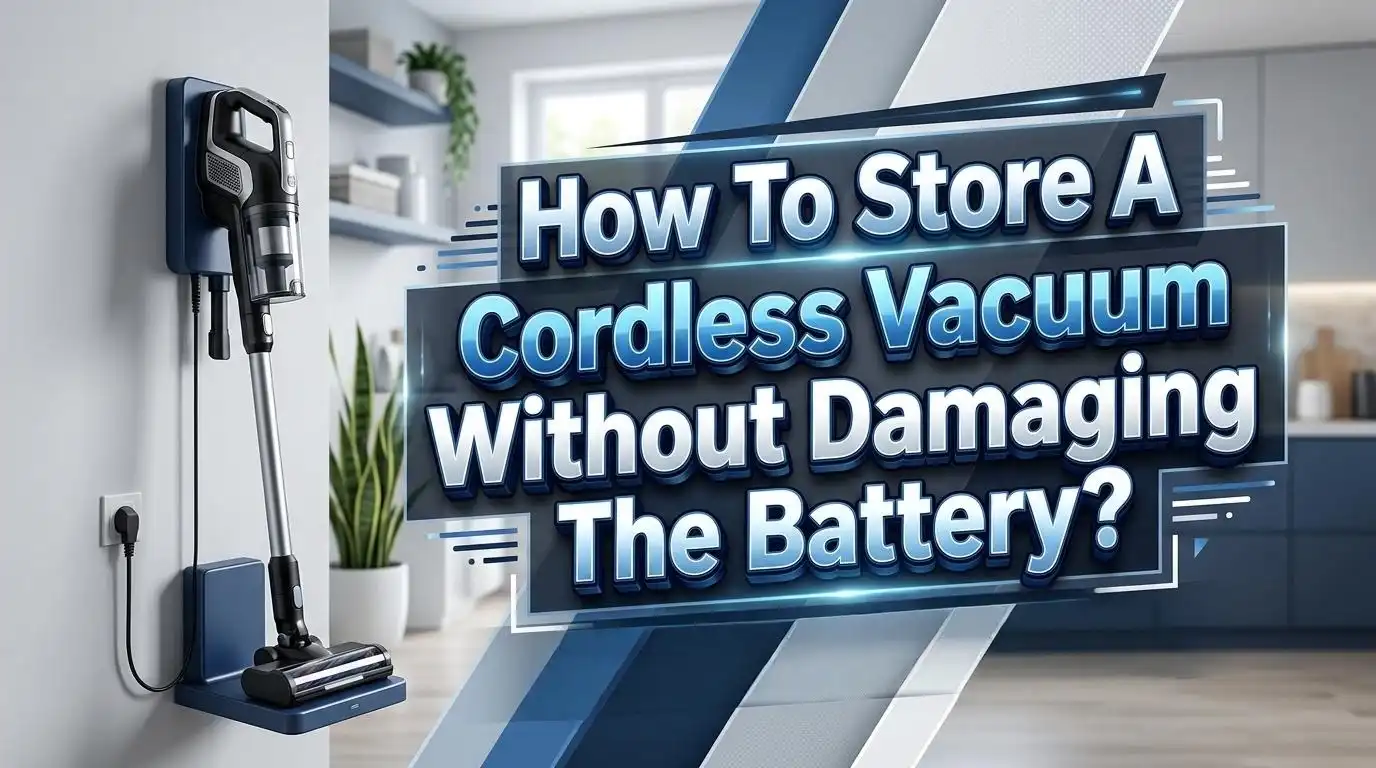
Wall mounting is the preferred option for daily storage. It keeps the vacuum off the floor, saves space, and prevents accidental knocks or falls. Many manufacturers include a wall mount bracket with the vacuum for exactly this purpose. The vacuum hangs securely and stays accessible for quick cleaning sessions.
If wall mounting is not possible, store the vacuum upright. Use a corner of a closet where it can lean against two walls for stability. Avoid laying the vacuum flat on the ground, especially under other items. This puts pressure on the battery housing and can bend the main tube or damage the trigger mechanism.
Never store the vacuum in a position where the battery pack sits against a heat source, such as a radiator pipe or a heating vent on the floor. Even indirect radiant heat can raise the battery temperature above safe levels over time. Also make sure air vents on the vacuum body are not blocked. Some vacuums have passive cooling systems that rely on airflow around the battery.
Avoiding Humidity and Moisture Damage
Moisture is a silent battery killer. Lithium ion batteries contain sensitive electronic components, including the battery management system (BMS) that controls charging, discharging, and temperature monitoring. Moisture can corrode these circuits and cause short circuits inside the battery pack.
Store your cordless vacuum in a dry environment with relative humidity below 60%. Bathrooms, laundry rooms, and damp basements are poor choices. Even if the vacuum itself looks fine on the outside, condensation can form inside the battery housing when temperatures fluctuate in humid spaces.
If you live in a high humidity area, consider using a dehumidifier in your storage space. You can also place moisture absorbing packets near the storage area as an extra precaution. Never store a wet vacuum. If you clean up spills or use a wet dry attachment, make sure every part of the vacuum is completely dry before putting it away.
Water intrusion into the battery compartment is especially dangerous. It can cause the cells to short circuit, swell, or in rare cases, pose a fire risk. If your vacuum gets wet accidentally, remove the battery if possible, dry all components thoroughly, and let everything air out for at least 24 hours before attempting to charge or use the vacuum again.
Long Term Storage Tips for Seasonal Use
Some people only use their cordless vacuum during certain seasons or keep it as a secondary cleaning tool. If you plan to store your vacuum for more than a month, follow these additional steps to protect the battery.
First, charge the battery to approximately 50%. Do not store it fully charged or fully drained. This mid range charge level minimizes chemical stress during the idle period.
Second, clean the vacuum thoroughly before storing it. Empty the dust bin, wash or replace the filter, and remove any hair or debris wrapped around the brush roll. A clean machine prevents mold, odors, and corrosion from developing in storage.
Third, set a reminder to check the battery every 4 to 6 weeks. Lithium ion batteries self discharge slowly. If the charge drops below 20% during storage, top it up to 50% and put it back. This simple check prevents the battery from reaching the dangerous deep discharge zone.
Fourth, if your vacuum has a removable battery, consider removing it and storing it separately in a cool, dry place. This eliminates any phantom power drain from the vacuum’s electronics and gives you more control over storage conditions. Wrap the battery in a soft cloth and keep it away from metal objects that could cause a short circuit.
Common Storage Mistakes That Kill Batteries
Several widespread habits cause premature battery failure. Knowing what to avoid is just as important as knowing what to do.
Leaving the vacuum on the charger for weeks or months without using it is one of the top mistakes. Even with smart chargers, keeping the battery at 100% for extended periods causes slow but steady capacity loss.
Storing the vacuum in a hot garage or car trunk is another common error. Summer temperatures inside a closed garage can easily exceed 100°F (38°C). At these temperatures, battery degradation accelerates dramatically. Even a few weeks of heat exposure can cause measurable capacity loss.
Running the battery completely dead and then putting the vacuum away is a recipe for a dead battery. If the cells self discharge further during storage, they may drop below the minimum voltage threshold and become unrecoverable.
Using the vacuum on high power mode constantly and then immediately plugging it in stresses the battery with heat from both directions. The motor generates heat during heavy use, and the charging process adds more thermal energy. Always let the vacuum cool for at least 10 to 15 minutes after heavy use before connecting the charger.
Ignoring the manufacturer’s instructions about charging and storage is the most preventable mistake. Your vacuum’s user manual contains specific guidance for your model’s battery type and charging system. Read it before you establish your storage routine.
How to Tell If Your Battery Is Already Damaged
Recognizing the signs of battery damage early allows you to take action before the problem gets worse. Here are the main indicators that your cordless vacuum battery has suffered storage related damage.
Reduced runtime is the most obvious sign. If your vacuum used to run for 30 minutes on a full charge and now dies after 15 minutes in the same cleaning mode, the battery has lost capacity. Some degradation over years is normal, but a sharp drop in runtime suggests improper storage or charging habits.
The vacuum shuts off shortly after starting, even with a full charge indicator. This happens when the battery’s internal resistance has increased to the point where it cannot deliver enough current to run the motor under load. The battery reads as charged but cannot sustain power output.
The battery takes much longer to charge than it used to. Increased charging time often indicates that the cells have degraded and the charging circuit is working harder to bring them up to voltage.
Physical swelling of the battery pack is a serious warning sign. If the battery housing looks puffy, warped, or does not fit properly in the vacuum, stop using it immediately. Swollen lithium ion batteries are a safety hazard. Do not charge, use, or puncture a swollen battery. Dispose of it at a certified battery recycling facility.
Unusual heat during charging, clicking sounds, or a burning smell are all urgent warning signs. Remove the battery from the charger, place it in a safe area away from flammable materials, and contact the manufacturer for guidance.
Extending Battery Life Beyond Storage
Good storage is only one part of the equation. Your day to day usage habits also affect how long the battery lasts. Combine smart storage with smart usage for the best results.
Use normal or eco mode for everyday cleaning. High power and boost modes drain the battery faster and generate more heat. Reserve these modes for stubborn spots or deep cleaning sessions. Using boost mode constantly can cut your battery’s lifespan significantly.
Keep the filters and dust bin clean. A clogged filter forces the motor to work harder, which draws more current from the battery and creates more heat. Regular filter cleaning every two to four weeks reduces unnecessary strain on the battery.
Avoid draining the battery to 0% during regular use. Most modern vacuums will shut off automatically before the battery reaches the danger zone, but repeatedly running the battery very low still causes extra wear. Try to recharge when the battery indicator shows one bar remaining.
Use only the original charger or a manufacturer approved replacement. Third party chargers may deliver incorrect voltage or current, which can damage the battery cells or bypass the battery management system’s safety features. The small savings on a cheap charger is not worth the risk of a ruined battery.
Charge the battery at room temperature. Do not plug in the vacuum right after bringing it in from a cold garage or a hot car. Let it adjust to indoor temperature for 20 to 30 minutes first.
When to Replace the Battery
Even with perfect storage and usage habits, all lithium ion batteries have a limited lifespan. Most cordless vacuum batteries are rated for 300 to 500 full charge cycles. After this point, the battery retains only about 70% to 80% of its original capacity.
In practical terms, this means a battery that originally provided 40 minutes of runtime might deliver only 28 to 32 minutes after reaching the end of its rated cycle life. This gradual decline is normal and does not indicate a defect.
Consider replacing the battery when runtime drops below 50% of the original specification or when the vacuum can no longer complete a full cleaning session on a single charge. Most manufacturers sell replacement batteries directly, and installation is usually straightforward with just a few screws.
When you buy a replacement, purchase from the manufacturer or an authorized dealer. Genuine batteries include the proper battery management system, correct cell ratings, and safety certifications. Generic or counterfeit batteries may lack these protections and can pose safety risks including overheating and fire.
Recycle your old battery responsibly. Lithium ion batteries should never go in the regular trash. Most electronics retailers, recycling centers, and municipal waste facilities accept lithium ion batteries for proper recycling. Many vacuum manufacturers also offer take back programs for spent batteries.
Quick Reference Storage Checklist
Use this checklist every time you put your cordless vacuum into storage for more than a couple of weeks.
Charge the battery to 40% to 60%. Do not store it at full charge or completely drained. This single step prevents the two most common causes of storage related battery damage.
Clean the vacuum before storing it. Empty the dust bin, wash the filter, and remove debris from the brush roll. A clean machine prevents mold growth and keeps air pathways clear.
Choose a cool, dry, indoor location. The ideal temperature range is 50°F to 77°F (10°C to 25°C). Avoid garages, attics, basements, and spots near heat sources.
Store the vacuum upright or wall mounted. Prevent physical damage by keeping it secure and off the floor. Make sure air vents are not blocked.
Remove the battery if possible for storage longer than 3 months. Store the battery separately in a cool, dry place wrapped in a soft cloth. Check the charge level monthly and top up to 50% if needed.
Do not leave the vacuum on the charger during extended storage. Even smart chargers work best during active use cycles, not months of idle docking. Unplug the charger and store the vacuum with a partial charge instead.
By following these steps, you give your cordless vacuum battery the best chance at a long, productive life. A few minutes of preparation before storage can save you the cost and hassle of a premature battery replacement.
Frequently Asked Questions
Can I store my cordless vacuum in the garage?
Garages are generally poor storage locations for cordless vacuums. Temperature fluctuations in garages can be extreme, with summer heat exceeding 100°F and winter cold dropping below freezing. Both extremes damage lithium ion batteries. If your garage is climate controlled and stays between 50°F and 77°F year round, it can work. Otherwise, store the vacuum inside your home in a closet, pantry, or cabinet where temperatures remain stable and moderate.
Is it okay to leave my cordless vacuum on the charger all the time?
It depends on your vacuum model. Many newer cordless vacuums have smart charging systems that stop charging once the battery is full. For these models, leaving the vacuum on the dock is fine for daily use. However, for long term storage beyond a few weeks, remove the vacuum from the charger, bring the charge to about 50%, and store it separately. Check your user manual to confirm whether your charger has automatic shutoff.
How often should I check the battery during long term storage?
Check the battery charge level every 4 to 6 weeks during extended storage. Lithium ion batteries lose a small amount of charge over time, even when not in use. If the charge drops below 20%, top it up to approximately 50% and return it to storage. This prevents the battery from reaching dangerously low voltage levels that can cause permanent damage.
What should I do if my cordless vacuum battery is swollen?
Stop using the vacuum immediately. Do not attempt to charge a swollen battery. Swelling indicates that gases have built up inside the cells due to chemical breakdown, and the battery is no longer safe. Remove the battery carefully, place it in a fireproof container or on a non flammable surface, and take it to a certified battery recycling facility. Contact the vacuum manufacturer for a replacement battery.
Does storing the vacuum upside down damage the battery?
Storing a cordless vacuum upside down is not recommended. While it may not directly damage the battery cells, it can put stress on the trigger mechanism, the dust bin seal, and internal wiring connections. Dust and debris can also shift into the motor housing or battery compartment. Always store the vacuum upright or on a wall mount as the manufacturer intended.
How long does a cordless vacuum battery last with proper storage?
With proper storage and careful usage habits, most cordless vacuum lithium ion batteries last 3 to 5 years or 300 to 500 full charge cycles. Good storage practices can push your battery toward the higher end of this range. Poor storage, such as leaving the battery in a hot environment at full charge for months, can reduce the lifespan to 1 to 2 years or less.

Hi, I’m Ivy! I’m a smart home enthusiast and self-proclaimed clean freak who loves testing the latest cleaning tech so you don’t have to waste your money on the wrong one. I started HomeTechClean to share honest reviews and practical advice for anyone who wants a cleaner home with less effort.