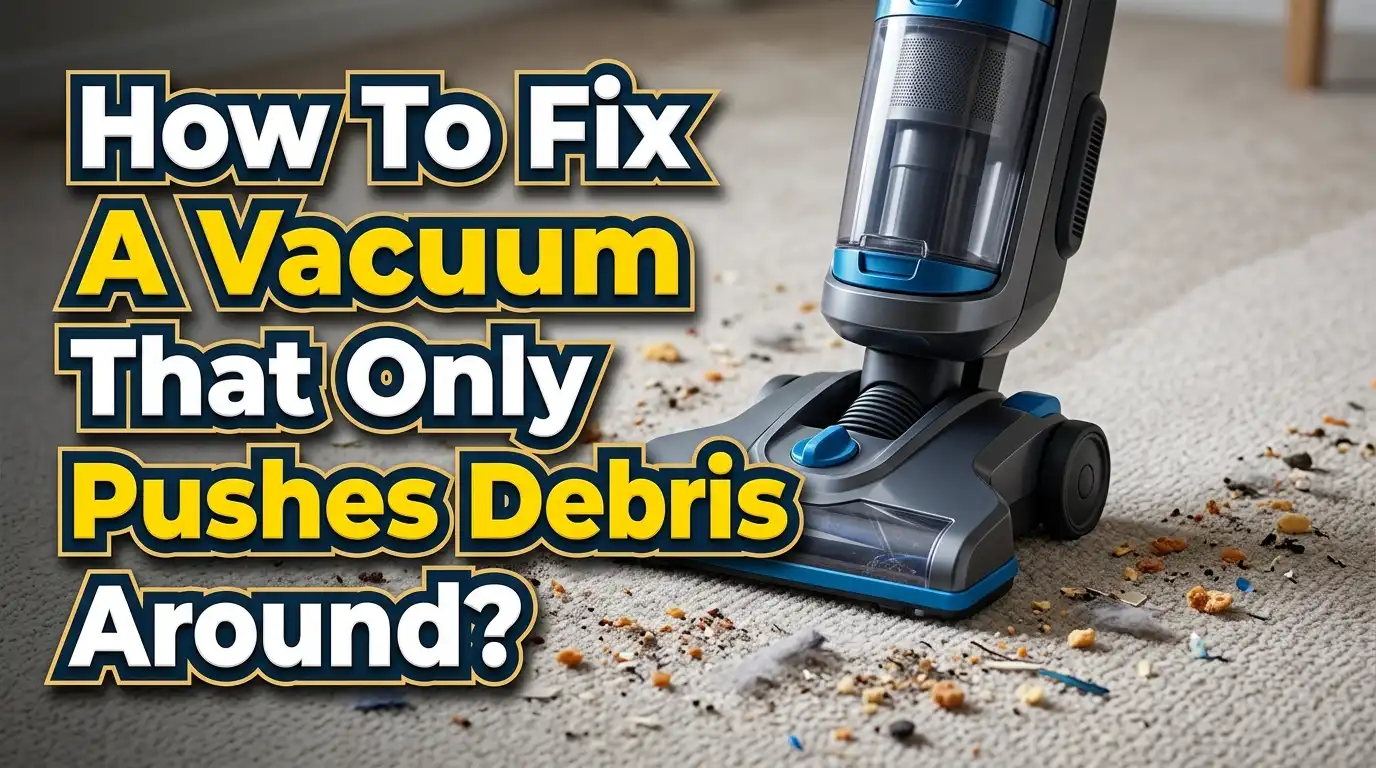
How To Fix A Vacuum That Only Pushes Debris Around?
A vacuum that pushes crumbs, dust, or pet hair around the floor can make a quick cleanup feel annoying fast. You expect the machine to pull dirt in. Instead, it shoves debris forward, leaves a line behind, or sprays bits to the side.
The good news is that this problem is often simple to fix. In many cases, the cause is a clog, a dirty filter, a jammed brush roll, the wrong floor setting, or a full bin. Brand support pages and consumer repair guides point to these same trouble spots again and again.
This guide gives you a clear fix plan you can follow at home. You do not need special tools for most steps. You just need a few minutes, good light, and a little patience. If your vacuum has been acting weak, loud, or messy, this is the checklist that helps you get real pickup back.
Key Takeaways
- A vacuum that pushes debris usually has an airflow or floor head problem. The most common causes are a clog in the hose or nozzle, a dirty filter, a full dust bin, or a brush roll that cannot spin well. Start with the simple checks first because they solve the issue more often than people expect.
- Hard floors and carpets need different settings. On tile, wood, vinyl, or laminate, the wrong brush action can scatter crumbs instead of lifting them. On carpet, the wrong height can reduce pickup or make the vacuum hard to move. A small setting change can make a big difference.
- The floor head does most of the visible work. If hair, thread, string, or dust wraps around the brush roll, the vacuum can stop feeding debris into the suction path. A clean brush roll often gives the fastest improvement.
- Filters matter more than many people think. A packed filter slows airflow. Low airflow means weak pickup. Some filters need washing. Others need replacement. Check your manual before rinsing anything.
- Slow cleaning works better than fast cleaning. Smooth, steady passes help the vacuum lift debris. Fast jerky motion can scatter crumbs, especially on hard floors. If pieces are large, pick them up first by hand.
- Some vacuums are worth repairing and some are not. If the belt is worn, a seal is leaking, or the motor is weak, the fix may cost more than it should. Simple maintenance is worth trying first. After that, age and repair cost should guide your next step.
What This Problem Usually Means
When a vacuum only pushes debris around, the machine is telling you that pickup is weak where it matters most. The trouble often sits at the floor head, not deep inside the motor. Airflow may be reduced. The brush roll may be jammed. The nozzle may be too high. The hard floor setting may be off.
Think of the vacuum as a system with three jobs. It must create airflow, guide dirt into the nozzle, and move that dirt through a clear path. If one job fails, the debris stays on the floor. That is why the machine can still sound normal while cleaning badly.
This issue shows up in a few common ways. The vacuum may push cereal or cat litter forward. It may leave a thin line of dust behind. It may spit debris out at the sides. It may work on carpet but fail on wood or tile. Each pattern points to a likely cause.
Pros of starting with diagnosis first: you save time, avoid random repairs, and find the real fault faster. Cons: it takes a little patience, and you may need to check more than one part before the cause becomes clear.
A simple rule helps here. If the vacuum struggles with fine dust and large crumbs, think airflow. If it struggles most with hair and visible pieces, think brush roll or nozzle. If it works on one floor type but not another, think settings. This simple logic keeps the repair process calm and clear.
Start With The Fastest Five Minute Check
Before you open anything, do a quick reset check. Turn the vacuum off and unplug it. If it is cordless, remove the battery if the design allows it. Then place the vacuum where you can see the floor head clearly.
First, look for large debris trapped at the front opening. Paper, toy stuffing, leaves, and clumps of hair can block the entry point. Remove anything you can see. Next, check whether the bin or bag is already full. A vacuum can still run with a packed bin, but pickup drops fast.
Now test the wheels and head movement. If the nozzle drags, sticks, or tilts oddly, debris may not flow into the intake. Then inspect the brush roll window or base plate. If the roller looks wrapped in hair, that is a strong clue.
After that, smell and listen. A hot smell can point to a clog or overworked motor. A high pitched change in sound can point to a blockage. A quiet brush area may mean the roller is not spinning as it should.
Pros of this quick check: it is fast, safe, and often finds the problem without tools. Cons: it only catches obvious issues, so deeper clogs may still remain.
This step matters because it prevents wasted work. Many people clean filters first, then later find a wad of string stuck right at the nozzle opening. Start simple. Then go deeper only if you need to.
Empty The Dust Bin Or Replace The Bag
A full dust bin or bag is one of the easiest causes to miss. Many people wait until the container looks packed. But pickup often starts dropping before it looks fully loaded. Fine dust builds around the screen and blocks airflow early.
Remove the dust bin and empty it fully into a trash bag. Tap out compacted dirt if your manual allows it. Wipe the bin walls with a dry cloth if dust clings to them. If your vacuum uses a bag, replace it instead of trying to stretch one more cleaning session from it.
Check the inlet where dirt enters the bin. Small clumps often sit there and reduce flow. Also inspect the shroud or inner screen if your model has one. Fine lint can cover that surface and slow suction.
Pros of this method: it is easy, quick, and costs nothing if your machine is bagless. It also improves airflow right away. Cons: it may not solve the issue if the real problem is a clog farther down the path. Bagged models also require replacement bags.
Do not pack debris down with your hand to make room. That makes airflow worse. It also puts more dust in the air.
After emptying or replacing the bag, test the vacuum on a small patch of floor with rice or dry crumbs. If pickup improves, you found at least part of the problem. If the vacuum still pushes debris, move on to the next airflow check. This step is simple, but it fixes more weak pickup cases than many people expect.
Clean Or Replace The Filters The Right Way
Filters trap fine dust before it reaches the motor or leaves the exhaust. When the filter loads up, airflow drops. A vacuum with low airflow may still move, spin, and sound normal, but it stops lifting debris well. That is why dirty filters are such a common cause of poor pickup.
Most vacuums have at least one filter. Many have a pre motor filter and a post motor or exhaust filter. Check your manual for the location and care method. Some filters are washable. Some are not. Washing a non washable filter can ruin it.
If the filter is washable, rinse it with water only unless the manual says otherwise. Then let it dry fully. This can take a full day or longer. Reinstalling a damp filter can damage the vacuum or create odor. If the filter is not washable, replace it.
Pros of cleaning filters: low cost, strong airflow improvement, and better dust control. Cons: drying time can delay use, and old filters sometimes need replacement anyway.
Do not judge a filter only by the front surface. Fine dust hides deep in the material. If the filter looks gray, smells musty, or feels packed, it is time to clean or replace it.
This method works well when the vacuum seems weak across all floor types. If the machine pushes debris on tile and carpet alike, airflow loss from a loaded filter is a strong suspect.
Once the filter is fresh, test again. You may notice better pickup, a steadier sound, and less debris left behind on the first pass.
Check The Floor Head For Hidden Blockages
The floor head is where pickup starts and where trouble loves to hide. Even when the hose is clear, the nozzle can trap debris at the bend, under the base plate, or behind the brush chamber. That trapped material forces the vacuum to push mess forward instead of pulling it in.
Turn the vacuum over and inspect the underside. Remove the base plate if your model allows it. Look for clumps of lint, shredded paper, hair, string, and sticky dust packed into corners. Pay close attention to the air channel just behind the brush roll. That narrow space catches dirt often.
Use your fingers, a dry cloth, or a blunt tool to remove the blockage. Do not jab hard into plastic parts. If a clump is tight, loosen it gently in small pieces. Then check the neck where the head meets the wand or main body. This bend collects blockages often.
Pros of cleaning the floor head: it targets the area most tied to visible pickup problems and often gives fast results. Cons: some models need a screwdriver, and packed debris can be messy to remove.
This is one of the best steps for a vacuum that pushes larger crumbs around. Small airflow loss at the nozzle matters a lot because that is the exact point where debris must enter.
Once clean, run the vacuum slowly over hard floor debris. If it now lifts the pieces instead of snowplowing them, the blockage was likely the main cause. Keep this area clean often, especially if you vacuum hair, litter, or food crumbs.
Cut Hair And String Off The Brush Roll
A brush roll helps guide debris into the suction path. On carpet, it also lifts dirt from fibers. But when hair and string wrap around the roller, the brush cannot spin freely. Dyson and other support guides flag this as a frequent cause of poor cleaning, especially in homes with pets or long hair.
Turn the vacuum over and inspect the full length of the roller. If you see hair, thread, or string wound around it, cut through the wrap carefully with scissors or a seam ripper. Avoid cutting the bristles. Pull the debris away in small sections until the roller is clear.
If your model allows brush roll removal, take it out for a better clean. Wipe the ends and check whether the roller spins freely by hand. If it feels stiff, noisy, or uneven, debris may be trapped in the ends or the part may be worn.
Pros of this method: it often restores pickup fast and improves brush action right away. Cons: it can take time if the wrap is thick, and some brush rolls are awkward to remove.
A wrapped brush roll can make the vacuum look active while doing very little useful work. The machine moves, the lights work, and the head glides, but debris keeps sliding away because the roller cannot feed it inward.
If you clean the roller often, you prevent bigger issues later. Hair wrap can strain the belt, slow the motor load, and reduce cleaning on both carpet and hard floors. This is a simple fix with a big payoff.
Clear The Hose And Air Path Without Damaging It
If the bin is empty and the floor head is clean, the next suspect is a clog in the hose or internal air path. Support pages from major brands often point to blockages as a leading reason a vacuum blows or scatters debris. Air still moves, but not enough to lift dirt properly.
Disconnect the hose if your model allows it. Look through it from one end to the other. If light does not pass through clearly, something is stuck inside. A broom handle, blunt stick, or similar tool can help push the clog out gently. Do not use a sharp object.
Also check the wand, elbow joints, and the short internal passage between the head and body. Small toys, paper, and compact lint balls often hide there. If your vacuum has a removable stretch hose, inspect both ends. Clogs often sit near the entry or exit point.
Pros of this method: it restores airflow at the source and fixes many severe pickup issues. Cons: it can take more disassembly, and forcing a clog can tear a soft hose.
Work slowly here. If the clog will not move, change direction and try from the other side. Do not ram harder and harder. That can split the hose or wedge the blockage tighter.
Once clear, reconnect everything carefully and test pickup. A successful hose clean often brings back a deeper sound, stronger pull at the nozzle, and cleaner first passes. If the vacuum still pushes debris after this, the next likely issue is the floor setting or height.
Set The Right Height And Floor Mode
A vacuum can fail simply because it is set for the wrong surface. Consumer repair advice often notes that the height setting affects both movement and pickup. If the nozzle sits too high, it loses contact with debris. If it sits too low on carpet, the machine may drag and clean poorly.
On carpet, adjust the height based on pile. Thick carpet usually needs a higher setting. Low pile usually needs a lower setting. On hard floors, use the hard floor mode if your vacuum has one. Some models also let you turn the brush roll off. That can stop crumbs from scattering.
If your vacuum has variable suction, try a medium or lower level on light hard floor debris. Very strong airflow at the wrong angle can flick pieces forward instead of drawing them in. Then move the machine in slow, even strokes.
Pros of adjusting settings: free, fast, and often very effective. Cons: some vacuums make the controls hard to find, and the best setting may need a little trial and error.
This fix is especially useful when the vacuum works on carpet but fails on tile or wood. In that case, the machine may be healthy. It may just be using the wrong cleaning mode.
Do a quick test after each change. Use a small area with crumbs or dry rice. Try one pass. Then look closely. The right setting should reduce scatter, improve first pass pickup, and help the head glide more smoothly without kicking debris ahead.
Use Better Technique On Hard Floors
Sometimes the vacuum is fine, but the cleaning method causes the scatter. Hard floors give debris nowhere to sink. That means crumbs, grit, and litter move easily when the nozzle hits them too fast. Guides for hard floor cleaning often recommend smooth strokes and gentle control for this reason.
Move the vacuum slowly. Let the front edge approach debris instead of slamming into it. On larger crumbs, angle the nozzle slightly and approach from the side if the front lip tends to push pieces forward. For edges and corners, use the crevice tool instead of forcing the full head into a tight spot.
Pick up very large pieces by hand before vacuuming. Items like cereal clusters, dry leaves, or craft scraps can clog the floor head or bounce away. If you are cleaning fine dust and heavier crumbs together, do one slow pass for the larger pieces first.
Pros of this method: free, safe, and useful even with a healthy vacuum. Cons: it requires more patience, and it will not fix a real clog or worn part.

Hi, I’m Ivy! I’m a smart home enthusiast and self-proclaimed clean freak who loves testing the latest cleaning tech so you don’t have to waste your money on the wrong one. I started HomeTechClean to share honest reviews and practical advice for anyone who wants a cleaner home with less effort.