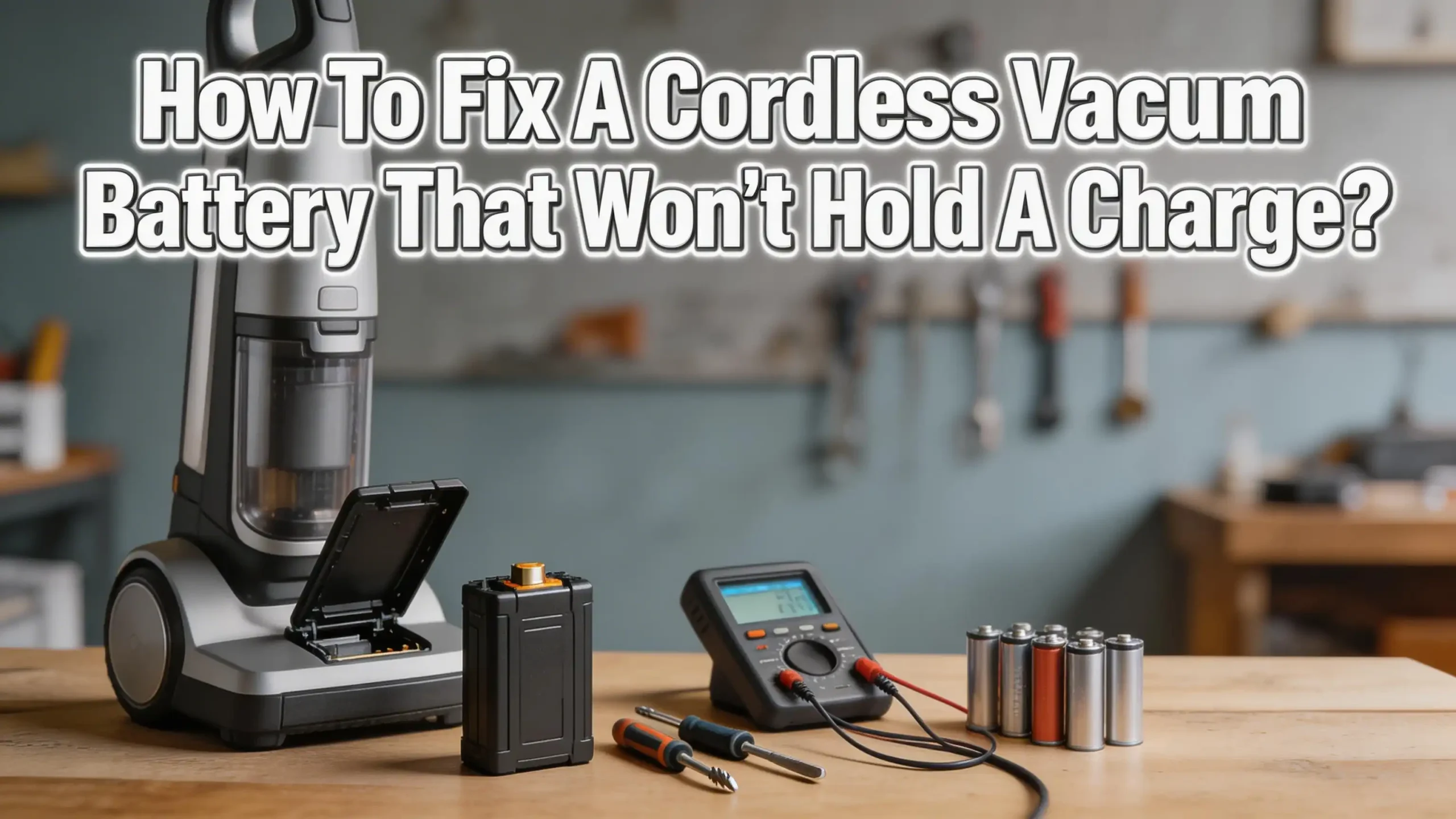
How To Fix A Cordless Vacuum Battery That Won’t Hold A Charge?
Is your cordless vacuum dying within minutes of a full charge? You are not alone. Thousands of people deal with this exact frustration every day.
A cordless vacuum that won’t hold a charge turns a quick cleaning session into a stressful chore. The good news? Most battery problems can be fixed at home without spending a fortune on a replacement.
This guide walks you through 12 practical solutions to diagnose and fix your cordless vacuum battery. Read on to find the exact cause of your battery problem and the step by step fix for it.
In a Nutshell
- Dirty battery contacts are one of the most common and overlooked causes of charging failure. A simple wipe with rubbing alcohol and a cotton swab can restore full charging ability in minutes.
- Battery recalibration fixes inaccurate charge readings. Run the vacuum until it dies completely, then charge it to 100% without interruption. This resets the battery management system and often restores lost runtime.
- Overheating triggers a safety shutoff in most cordless vacuums. If your battery feels hot after use, let it cool for at least 30 minutes before charging. Charging a hot battery damages cells and reduces lifespan.
- Clogged filters and blocked airways force the motor to work harder, which drains the battery faster. Clean your filters every two weeks to reduce unnecessary battery strain.
- A faulty charger can mimic a dead battery. Test your charger with a multimeter or try a different compatible charger before assuming the battery is the problem.
- Battery replacement becomes necessary after 300 to 500 charge cycles for lithium ion batteries. If your vacuum is more than two to three years old and none of the fixes work, a new battery is likely the answer.
Understand Why Your Cordless Vacuum Battery Loses Charge
Every cordless vacuum battery has a limited number of charge cycles. A charge cycle happens each time you drain and recharge the battery. Lithium ion batteries typically last 300 to 500 full cycles before they start to degrade.
Several factors speed up this degradation. Storing your vacuum in a hot garage or cold basement damages the battery cells. Leaving the vacuum plugged into the charger 24/7 can cause overcharging on older models. Using the vacuum on max power constantly puts extra strain on the cells.
Chemical reactions inside the battery also slow down over time. The lithium ions that carry the charge between the anode and cathode become less efficient. This process is called capacity fade, and it happens to every rechargeable battery eventually.
Understanding these causes helps you pick the right fix. A battery that dies in two minutes has a different problem than one that loses 10 minutes of runtime. Age, usage patterns, and storage conditions all play a role in how fast your battery declines.
The battery management system (BMS) inside your vacuum also affects performance. This circuit board monitors voltage, temperature, and charge levels. A glitch in the BMS can make a perfectly good battery appear dead. That is why a reset or recalibration often works when nothing else does.
Check the Charger and Power Outlet First
Before you blame the battery, test the charger and the power outlet. A faulty charger is one of the most common reasons a cordless vacuum won’t hold a charge, and it is the easiest to rule out.
Start by plugging a different device into the same outlet. If that device works, the outlet is fine. Next, inspect the charger cable for visible damage. Look for frayed wires, bent prongs, or a cracked adapter housing. Any physical damage can interrupt the power flow.
Check if the charging light on your vacuum turns on when you connect it. No light usually means the charger is not delivering power. Some chargers have a small LED indicator that shows charging status. If that LED does not light up, the charger may be dead.
Try using a multimeter to test the charger output. Set the multimeter to DC voltage and touch the probes to the charger terminals. The reading should match the voltage listed on the charger label. A reading significantly lower than the listed voltage confirms a bad charger.
Pros of checking the charger first: It takes less than five minutes, costs nothing, and saves you from unnecessary battery replacements. Cons: You may need a multimeter, which not everyone has at home. Also, some charger failures are intermittent and hard to catch with a single test.
If the charger is the problem, contact the manufacturer for a replacement. Using a third party charger with the wrong voltage can damage your battery permanently.
Clean the Battery Contacts Thoroughly
Dirty or corroded battery contacts prevent proper electrical connection between the battery and the vacuum. This is a surprisingly common problem that many people overlook.
Remove the battery from your vacuum. Look at the metal contacts on both the battery and the vacuum body. You may see dust, grime, or a white or green crusty buildup. That buildup is corrosion, and it blocks the flow of electricity.
Use a cotton swab dipped in rubbing alcohol (isopropyl alcohol) to clean the contacts. Gently rub each contact until the metal is shiny and clean. For heavier corrosion, make a paste of baking soda and water. Apply it to the contacts with an old toothbrush and scrub gently.
A pencil eraser also works well for light oxidation. The mild abrasive surface removes the thin layer of tarnish without damaging the metal. After cleaning, wipe the contacts dry with a clean cloth.
Pros of this method: It is free, fast, and fixes the problem immediately in many cases. Cons: Heavy corrosion may have already damaged the contacts beyond cleaning. If the metal is pitted or worn thin, cleaning alone won’t fix the issue.
Reinsert the battery firmly after cleaning. Make sure it clicks into place. A loose connection causes the same symptoms as a dirty contact. Check these contacts every month as part of your regular vacuum maintenance to prevent future problems.
Recalibrate the Battery for Accurate Charge Readings
Sometimes the battery has charge left but the vacuum thinks it is empty. This happens when the battery management system loses its calibration. Recalibration fixes this mismatch and often restores several minutes of lost runtime.
The process is simple. First, use the vacuum until it shuts off on its own from a dead battery. Do not turn it off manually. Let the battery drain completely. Then, place the vacuum on the charger and charge it to 100% without interruption.
Do not use the vacuum or unplug it during the charging process. A full, uninterrupted charge cycle teaches the BMS the true capacity of the battery. The system updates its reference points for “empty” and “full.”
Some manufacturers recommend doing this once every month. Dyson, for example, suggests letting the battery run down to empty at least once a month to help maintain accurate readings and prolong battery life.
Pros of recalibration: It costs nothing and takes minimal effort. It can recover significant runtime on batteries that still have good cells. Cons: It does not fix a battery with physically degraded cells. If the battery is truly worn out, recalibration will show little or no improvement.
After recalibration, test the vacuum on its lowest power setting. Time how long it runs. If the runtime is close to the original specification, the recalibration worked. If it still dies in a few minutes, the battery cells themselves may need replacement.
Reset the Battery Management System
The battery management system (BMS) is a small circuit board inside the battery pack. It monitors voltage, current, and temperature. A BMS glitch can lock the battery into a protection mode that prevents charging or discharging.
To reset the BMS on most cordless vacuums, follow these steps. Unplug the charger from the wall outlet. Remove the battery from the vacuum if it is removable. Wait 30 seconds. Press and hold the vacuum’s power trigger for 20 seconds. This drains any residual charge from the system.
Reinsert the battery and plug the charger back in. The BMS should restart and begin charging normally. This method works on many popular brands including Dyson, Shark, and Tineco models.
Some vacuums have a dedicated reset button on the battery or the main body. Check your owner’s manual for model specific instructions. If your vacuum has an app, there may also be a software reset option available.
Pros of a BMS reset: It can bring a completely unresponsive battery back to life. It is quick and requires no tools. Cons: If the BMS circuit itself is damaged, a reset will not help. You may need professional repair or a full battery replacement in that case.
A locked BMS is especially common after the battery overheats or fully discharges and sits unused for weeks. The protection circuit activates to prevent damage, but sometimes it does not release on its own. The manual reset forces it to reevaluate the battery condition.
Avoid Overheating Your Battery
Heat is the number one enemy of lithium ion batteries. Running your vacuum on maximum power for extended periods generates excess heat in both the motor and the battery. This heat accelerates chemical degradation inside the cells.
If your battery feels hot to the touch after vacuuming, let it cool down completely before charging. Charging a hot battery forces lithium ions into already stressed cells. This creates internal resistance and permanently reduces capacity.
Store your cordless vacuum in a cool, dry location. The ideal storage temperature for lithium ion batteries is between 18°C and 28°C (64°F to 82°F). Avoid leaving your vacuum in a hot car, an unheated garage in winter, or near a heat source like a radiator.
Use the vacuum’s lower power settings for everyday cleaning. Reserve the max or boost mode for tough messes like ground in dirt or pet hair on thick carpet. This simple habit can extend your battery life by months.
Pros of heat management: It is completely free and dramatically extends battery lifespan. Cons: Cleaning on lower power settings takes more passes to get the same result. You may need to be more patient during tough cleaning tasks.
If your vacuum shuts off during use with a flashing light, that is the thermal protection system activating. Do not try to override it. Wait 20 to 30 minutes for the unit to cool down before resuming use. Repeated thermal shutoffs indicate a deeper issue like a clogged filter or failing motor bearing.
Clean Filters and Clear Blockages Regularly
A clogged filter or blocked airway forces the vacuum motor to work much harder than normal. This extra effort drains the battery two to three times faster than clean operation. Many people blame the battery when the real problem is a dirty filter.
Remove and inspect all filters in your vacuum. Most cordless vacuums have a pre motor filter and a post motor filter. Tap them gently over a trash can to remove loose dust. If the filters are washable, rinse them under lukewarm water until the water runs clear.
Let the filters dry completely before reinstalling them. Putting a wet filter back into the vacuum can damage the motor. Allow at least 24 hours of air drying time. Some manufacturers recommend 48 hours.
Also check the brush roll, the dust bin connection point, and the wand tube for clogs. Hair tangles around the brush roll and reduces efficiency. Debris stuck in the tube restricts airflow and makes the motor strain harder.
Pros of regular filter cleaning: It improves suction power, extends battery runtime, and prevents motor damage. Cons: Washable filters eventually wear out and need replacement, usually every 6 to 12 months. Forgetting to dry the filter fully can cause mold growth.
Set a reminder to clean your filters every two weeks if you vacuum daily. Monthly cleaning is fine for lighter use. This single maintenance habit solves more battery complaints than any other fix on this list.
Replace Individual Battery Cells Instead of the Whole Pack
If your battery pack uses standard 18650 or 21700 lithium ion cells, you can replace just the bad cells instead of buying a complete new battery. This approach can save you 50% to 70% of the replacement cost.
Open the battery housing by removing the screws on the casing. Inside, you will find several cylindrical cells connected in series or parallel. Use a multimeter to test the voltage of each cell individually. A healthy 18650 cell reads between 3.0V and 4.2V. Any cell reading below 2.5V is likely dead.
Purchase replacement cells that match the exact specifications of the original cells. The voltage, capacity (measured in mAh), and discharge rate must match. Do not mix old and new cells in the same pack as this creates voltage imbalances that damage the BMS.
You will need a soldering iron or a spot welder to connect the new cells. Spot welding is safer and creates a more reliable connection. If you are not comfortable with soldering, take the battery to a local electronics repair shop.
Pros of cell replacement: It is much cheaper than a new battery pack. It extends the life of the original housing and BMS. Cons: It requires technical skill and tools. Improper cell replacement can create a fire hazard. It may void your warranty.
This method works best for people who are comfortable with basic electronics. Always wear safety glasses and work in a well ventilated area when handling lithium ion cells. Damaged cells can release toxic fumes.
Buy a Replacement Battery the Right Way
Sometimes no amount of troubleshooting can save an old battery. After 300 to 500 charge cycles, the cells lose too much capacity to be useful. If your vacuum is more than two to three years old and runs for less than five minutes on a full charge, replacement is likely the best option.
Find the correct battery model number for your vacuum. This number is usually printed on the battery itself or listed in the owner’s manual. You can also find it on the manufacturer’s website by entering your vacuum’s serial number.
Buy the replacement directly from the manufacturer whenever possible. OEM (Original Equipment Manufacturer) batteries are built to match your vacuum’s exact voltage and current requirements. They also include a properly calibrated BMS.
Third party batteries are available at lower prices. Some of them work well, but quality varies widely. A poorly made replacement battery can damage your vacuum’s motor or create a fire risk. Read user reviews carefully and choose sellers with strong return policies.
Pros of full battery replacement: It restores the vacuum to like new runtime. OEM batteries come with a warranty. Cons: It can be expensive, ranging from $30 to $100 or more depending on the brand. Availability of OEM batteries for older models can be limited.
After installing the new battery, charge it fully before first use. Then run it down completely and charge it again. This initial calibration cycle helps the BMS learn the new battery’s true capacity from the start.
Adopt Smart Charging Habits for Long Battery Life
How you charge your cordless vacuum has a major impact on battery longevity. Bad charging habits can cut your battery’s lifespan in half. Good habits can extend it well beyond the expected cycle count.
Avoid leaving your vacuum on the charger all the time. Once the battery reaches 100%, unplug it. Most modern chargers have overcharge protection, but trickle charging still generates a small amount of heat that degrades cells over time.
Charge the battery when it drops to around 20%. Lithium ion batteries perform best when kept between 20% and 80% charge. Deep discharges (running to 0% every time) and constant full charges (always at 100%) both stress the cells.
If you will not use the vacuum for several weeks, store the battery at approximately 50% charge. A fully charged or fully drained battery left sitting for months will lose capacity faster than one stored at a mid level charge.
Pros of smart charging: It is free, easy to implement, and can add months or even years to your battery’s life. Cons: It requires a change in habits and attention to charge levels. Not all vacuums display their current charge percentage.
Use a timer or smart plug to automatically cut power to the charger after the expected charge time. Most cordless vacuum batteries fully charge in three to five hours. Setting a timer prevents accidental overnight charging sessions.
Use a Multimeter to Diagnose Battery Health
A multimeter is the single most useful tool for diagnosing cordless vacuum battery problems. It tells you exactly what is happening with your battery’s voltage and helps you determine if the battery, charger, or vacuum itself is the issue.
Set the multimeter to DC voltage. Touch the red probe to the battery’s positive terminal and the black probe to the negative terminal. Compare the reading to your battery’s rated voltage. A fully charged 21.6V battery should read close to 21.6V. A reading significantly below the rated voltage after a full charge indicates degraded cells.
You can also test the charger output. Plug in the charger and touch the probes to the charger terminals. The output voltage should match the number printed on the charger label. A lower reading means the charger is failing.
For more advanced diagnosis, measure the voltage under load. Turn on the vacuum and watch the multimeter reading. A healthy battery maintains relatively stable voltage under load. A sharp voltage drop when the motor starts indicates one or more bad cells inside the pack.
Pros of using a multimeter: It provides precise data instead of guesswork. It costs between $10 and $30 and is useful for many household repairs. Cons: It requires basic knowledge of electrical testing. Improper use around battery terminals can cause a short circuit if the probes touch each other.
You can find simple multimeter tutorials online. The skill takes less than 10 minutes to learn and will serve you well for years. Label your battery with the date and voltage reading each time you test it. This helps you track degradation over time.
Know When to Call a Professional
Not every battery problem has a DIY solution. Some issues require professional tools and expertise that go beyond what most people can do at home. Knowing when to stop and seek help can save you from making things worse.
Call a professional if you notice the battery swelling. A swollen battery is a serious safety hazard. The cells are producing gas internally, which can lead to a fire or explosion. Do not attempt to charge, use, or open a swollen battery. Place it in a fireproof container and take it to an electronics recycling center or a certified repair shop.
Seek professional help if the vacuum shuts off instantly after pressing the power button, even after a full charge and all the fixes above. The problem may be a damaged motor, a broken power switch, or a fried circuit board rather than the battery.
A repair technician can also re cell your battery pack with matched, high quality cells using professional spot welding equipment. This option costs less than a new battery and produces better results than a DIY cell swap for most people.
Pros of professional repair: It is safer, more reliable, and often comes with a short warranty. Technicians can diagnose problems you might miss. Cons: Labor costs add up. Some repair shops charge $40 to $80 for battery work, which may approach the cost of a new battery.
Check if your vacuum is still under warranty before paying for any repair. Many manufacturers offer a two year warranty on batteries. A warranty claim gets you a free replacement with no hassle.
Prevent Future Battery Problems with Routine Maintenance
Prevention is always cheaper and easier than repair. A few simple habits can keep your cordless vacuum battery healthy for years and help you avoid the frustration of a dead battery during cleaning day.
Charge the battery after every use, but unplug it once fully charged. Clean the battery contacts with a dry cloth once a month. Remove the battery from the vacuum if you will not use it for more than two weeks. Store it at room temperature in a dry location.
Run the battery down completely once a month, then charge it back to 100% in one uninterrupted session. This monthly recalibration keeps the BMS accurate and prevents false low charge readings.
Keep your vacuum’s filters, brush roll, and airways clean. A well maintained vacuum runs more efficiently, which puts less strain on the battery. Replace worn filters and brush rolls on the manufacturer’s recommended schedule.
Avoid using your vacuum on boost or max mode unless you truly need it. Standard mode handles most everyday messes and draws significantly less power from the battery. Save the high power modes for deep cleaning sessions on carpet or stubborn debris.
Pros of routine maintenance: It costs nothing beyond a few minutes of your time each month. It extends battery life, improves cleaning performance, and reduces the likelihood of sudden failures. Cons: It requires consistency. Skipping maintenance for a few months can undo the benefits.
Write a simple maintenance checklist and stick it near your vacuum’s storage area. Include monthly contact cleaning, filter rinsing, and a full discharge/charge cycle. This small effort pays off with years of reliable battery performance.
Frequently Asked Questions
How long should a cordless vacuum battery last on a full charge?
Most cordless vacuum batteries last between 20 and 60 minutes on a full charge, depending on the model and power setting. Budget models tend to offer 15 to 25 minutes on standard mode. Premium models with larger battery packs can deliver 40 to 60 minutes. Using boost or max mode cuts runtime significantly, often by half. If your vacuum runs for less than half its original rated time, the battery is likely degrading and needs attention.
Can I use a third party battery in my cordless vacuum?
Yes, but you should exercise caution. Third party batteries are available for most popular vacuum brands at lower prices. The risk is quality inconsistency. A good third party battery works fine, but a cheap, poorly made one can damage your vacuum or pose a fire hazard. Always check that the voltage, capacity, and connector type match your original battery exactly. Look for third party batteries that include their own BMS and carry safety certifications.
Why does my cordless vacuum die after one minute even with a full charge?
A vacuum that dies after just one minute almost always has a deeply degraded battery or a BMS lockout issue. Try the BMS reset method described above. If that does not work, the battery cells have likely lost nearly all their capacity and need replacement. In some cases, a clogged filter or motor issue causes the battery protection circuit to cut power immediately to prevent damage.
Is it worth replacing the battery or should I buy a new vacuum?
It depends on the cost comparison. If a replacement battery costs less than 40% of a new vacuum’s price, replacement is usually the better deal. A new battery restores the vacuum to original performance. However, if the vacuum also has motor issues, broken parts, or weak suction unrelated to the battery, a full replacement may be more practical.
How do I dispose of an old cordless vacuum battery safely?
Never throw lithium ion batteries in the regular trash. They can cause fires in garbage trucks and landfills. Take old batteries to a designated battery recycling drop off location. Many electronics stores, hardware stores, and municipal recycling centers accept rechargeable batteries for free. Some vacuum manufacturers also offer mail back recycling programs. Always tape the battery terminals with electrical tape before transporting them to prevent accidental short circuits.
Does leaving my vacuum on the charger all the time damage the battery?
Most modern cordless vacuums have overcharge protection circuits that stop charging once the battery is full. However, the charger still generates a small amount of heat, and this constant low level heat exposure can degrade battery cells faster over time. For the longest possible battery life, unplug the charger once the battery reaches a full charge. This simple habit adds measurable lifespan to your battery.

Hi, I’m Ivy! I’m a smart home enthusiast and self-proclaimed clean freak who loves testing the latest cleaning tech so you don’t have to waste your money on the wrong one. I started HomeTechClean to share honest reviews and practical advice for anyone who wants a cleaner home with less effort.