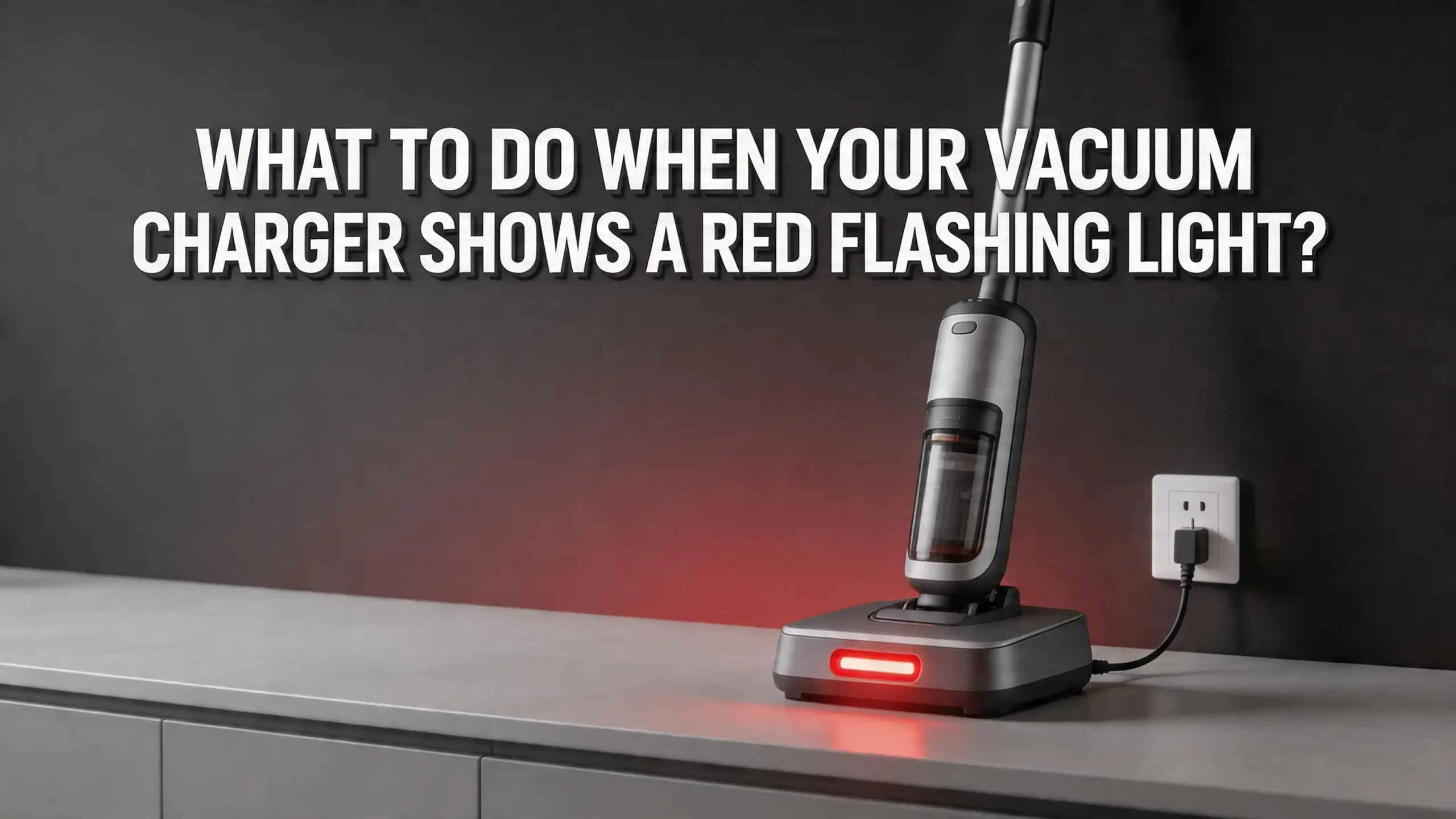
What To Do When Your Vacuum Charger Shows A Red Flashing Light?
You plug your cordless vacuum into its charger, expecting the familiar steady glow of a healthy charge cycle. Instead, a red light starts blinking at you. Your vacuum refuses to charge, and you’re left wondering if your trusty cleaning companion has given up for good.
A red flashing light on your vacuum charger is one of the most common problems cordless vacuum owners face. It signals that something has gone wrong with the charging process. The good news?
In many cases, you can fix this issue yourself at home without spending a penny. The cause can be as simple as a dirty contact point or as serious as a failing battery. The key is knowing how to diagnose the problem and take the right steps.
This guide walks you through every possible cause of a red flashing light on your vacuum charger. You will learn how to identify the root issue, apply quick fixes, reset your battery, and decide if a replacement is needed.
Key Takeaways
- A red flashing light almost always indicates a charging fault. The most common causes include a degraded battery, dirty charging contacts, a faulty charger, overheating, or extremely low battery voltage. Start your troubleshooting with the simplest fixes before assuming the worst.
- Cleaning the charging contacts solves the problem more often than you’d expect. Dust, debris, and light corrosion on the metal contact points can block the electrical connection between the charger and the vacuum. A quick wipe with a dry cloth or a lightly dampened melamine sponge can restore a solid connection.
- A battery reset can bring a “dead” vacuum back to life. Many cordless vacuums allow you to reset the battery management system by holding the power trigger for 20 seconds while the unit is plugged in. This clears error codes and can restart the charging cycle.
- Overheating triggers a red light as a safety measure. If your vacuum has been running hard or sitting in a warm environment, the battery’s built in protection system may pause charging until the temperature drops. Let the unit cool down for 30 minutes before trying again.
- Battery degradation is the leading cause in vacuums older than two to four years. Lithium ion batteries lose capacity over time. If your vacuum’s runtime has been shrinking and a red light now appears, the battery likely needs a full replacement.
- Always check the charger and power outlet as part of your troubleshooting process. A damaged charger cable, a loose wall outlet, or a tripped circuit breaker can all cause a red flashing light that has nothing to do with the vacuum itself.
What Does A Red Flashing Light On Your Vacuum Charger Mean
A red flashing light is a built in alert system. Your vacuum uses it to tell you that normal charging cannot proceed. The specific meaning depends on your vacuum’s brand and model, but the core message is the same: the charger has detected a fault.
On most cordless stick vacuums like the Dyson V6, V7, V8, and V10 series, a flashing red light points directly to a battery issue. Dyson’s official support states that a red flash means the battery is either too depleted or has reached the end of its lifespan. Shark vacuums display a similar pattern, with flashing red indicating battery temperature problems or charging errors.
Robot vacuums from brands like Roomba and Ecovacs use red lights to signal low battery, charging dock connection failures, or sensor blockages. The flash pattern can also carry extra information. Some Dyson models use the number of red flashes to indicate specific error codes. For example, 12 or fewer flashes on a Dyson V6 may point to a main body fault rather than a battery issue.
Your first step should be to check your vacuum’s user manual or the manufacturer’s support website. They often provide a chart that maps flash patterns to specific problems. This information narrows down your troubleshooting and saves time.
Check Your Power Outlet And Charger First
Before you worry about your vacuum’s battery, rule out the simplest possible causes. A faulty power outlet or a damaged charger can produce a red flashing light that has nothing to do with your vacuum’s internal components.
Start by unplugging the charger and plugging it into a different wall outlet. Choose an outlet you know works well, perhaps one that powers a lamp or phone charger. If the red flashing light stops after switching outlets, your original outlet may have a loose connection or a tripped breaker. Check your home’s circuit breaker panel and reset any tripped switches.
Next, inspect the charger itself. Look at the cable for visible damage such as fraying, kinks, or exposed wires. Examine the adapter brick for signs of swelling, discoloration, or a burning smell. Any of these signs mean you should stop using that charger immediately. A damaged charger can deliver inconsistent voltage, which triggers the vacuum’s error light.
If you have access to a multimeter, you can test whether the charger outputs the correct voltage. Most cordless vacuum chargers deliver between 20V and 30V. Compare the reading to the specifications printed on the charger label. A charger that reads zero or far below the rated voltage needs to be replaced.
Pros of checking the outlet and charger first: This step costs nothing, takes under five minutes, and eliminates the most basic causes. Cons: It only solves the problem if the issue is external to the vacuum itself.
Clean The Charging Contacts On Your Vacuum And Charger
Dirty or corroded charging contacts rank among the most overlooked causes of a red flashing light. The metal contact points on your vacuum and on the charger or docking station must make a clean electrical connection for charging to work.
Over time, dust, pet hair, and kitchen grime settle on these contacts. Even a thin layer of residue can block enough current to trigger a charging error. You may not see the buildup with the naked eye, but it can still cause problems.
To clean the contacts, start by unplugging the charger from the wall. Use a dry, lint free cloth to wipe down the metal contact plates on both the vacuum and the charger. If you see visible grime or a slight greenish tint indicating oxidation, use a lightly dampened melamine foam sponge (commonly called a Magic Eraser). Wipe gently and avoid using abrasive materials or steel wool, as these can scratch the contact surfaces and make the problem worse.
For stubborn residue, a cotton swab dipped in isopropyl alcohol works well. Let the contacts dry completely before reconnecting. Some repair specialists also recommend using a clean pencil eraser to rub away light oxidation from the contacts. This simple trick has fixed charging problems for many vacuum owners.
Pros of cleaning the contacts: It is free, quick, and solves the issue in a surprising number of cases. Cons: It does not fix deeper electrical faults or a genuinely degraded battery. You may also need to repeat this cleaning every few months in dusty homes.
Let Your Vacuum Cool Down Before Charging
Lithium ion batteries are sensitive to temperature. If your vacuum’s battery is too hot or too cold, the battery management system (BMS) will block charging and display a red light. This is a safety feature built into every modern cordless vacuum.
This issue commonly occurs after extended vacuuming sessions, especially on high power mode. The motor generates heat, which transfers to the battery compartment. If you immediately plug the vacuum in after heavy use, the BMS may detect temperatures above its safe threshold and flash red.
The fix is simple: wait 30 to 60 minutes before plugging your vacuum into the charger. Place the vacuum in a well ventilated area at room temperature. Avoid leaving it in direct sunlight, near a heater, or in a cold garage during winter. Extreme cold can also prevent charging, as most lithium ion batteries will not accept a charge below 0°C (32°F).
Shark’s official troubleshooting documentation confirms this behavior. When both the top and bottom LED lights flash simultaneously on a Shark vacuum, it means the battery temperature is outside the safe range. The unit will resume charging automatically once the temperature normalizes, so leaving it plugged in is usually fine as long as the environment is moderate.
Pros of this approach: It requires zero effort and zero cost. The vacuum fixes itself once temperatures normalize. Cons: It only works if overheating is the actual cause. If the red light persists after cooling, you need to look deeper.
Perform A Battery Reset On Your Vacuum
A battery reset can clear stored error codes in your vacuum’s battery management system. This method has brought many “dead” vacuums back to life, especially after a deep discharge event where the battery voltage dropped extremely low.
Here is the reset process that works on many cordless vacuums, including popular Dyson models. First, unplug the charger from the wall outlet. Then plug the charger back in and connect it to the vacuum. Now pull and hold the vacuum’s power trigger for a full 20 seconds. Release the trigger after 20 seconds and leave the vacuum connected to the charger.
On some models, you may need to remove the battery entirely, press and hold the power button for 15 seconds with no battery installed, and then reinsert the battery and try charging again. This process drains any residual charge from the vacuum’s circuits and forces the BMS to reset.
Many users on repair forums have reported success with this method, particularly on the Dyson V6, V7, V8, and V10 models. The key is to perform the steps in the exact order described. Rushing through or skipping the 20 second hold often results in the reset failing.
Pros of a battery reset: It is free, takes under two minutes, and has a genuine success rate for clearing minor BMS faults. Cons: It does not work if the battery cells themselves have physically degraded. It also does not address charger faults or dirty contacts.
Try A Different Charger To Isolate The Problem
If the red light persists after cleaning contacts and performing a reset, the charger itself may be the problem. Testing with a different charger is one of the fastest ways to determine whether the fault lies with the charger or the vacuum’s battery.
Borrow a compatible charger from a friend or family member who owns the same vacuum model. If the vacuum charges normally with the borrowed charger, your original charger is faulty and needs to be replaced. This information saves you from unnecessarily buying a new battery.
You should only use chargers made for your specific vacuum model. Using a charger with the wrong voltage or amperage can damage the battery’s protection circuitry and void your warranty. Never use a generic charger unless it matches the exact specifications listed on your vacuum’s original charger.
If you cannot borrow a charger, contact your vacuum manufacturer’s customer service. Many brands offer replacement chargers at a reasonable cost, especially if the vacuum is still under warranty. Some manufacturers will ship a new charger free of charge after basic troubleshooting over the phone.
Pros of testing with another charger: It definitively isolates the problem to either the charger or the battery, preventing wasted money on the wrong fix. Cons: You need access to a second compatible charger, which is not always practical. Purchasing a new charger purely for testing can be an unwanted expense if the charger turns out to be fine.
Inspect The Battery For Physical Damage
When software resets and contact cleaning fail to resolve the red flashing light, it is time to physically inspect the battery. A visually damaged battery should never be used or charged, as lithium ion cells can become hazardous if compromised.
Remove the battery from your vacuum. On most models, this involves pressing a release button or sliding the battery pack out of its compartment. Once removed, examine the battery casing carefully. Look for cracks, bulging, swelling, leaking fluid, or any deformation in the plastic housing. A swollen battery indicates that the internal cells have begun to fail and release gas. This is a serious safety concern.
Check the battery’s metal terminals for dark discoloration, burn marks, or melted plastic around the connectors. These signs point to short circuits or excessive current flow. If you observe any of these conditions, stop troubleshooting and dispose of the battery safely through a local battery recycling program or an electronics recycling drop off.
Even without visible damage, age alone can cause battery failure. Most vacuum lithium ion battery packs last between two and four years under normal use. If your vacuum is in that age range and shows a persistent red flashing light, battery degradation is the most probable cause.
Pros of a physical inspection: It catches dangerous conditions like swelling or leaking before they cause harm. Cons: You need to remove the battery, which can be tricky on some models. This step also does not confirm degradation that occurs at the cell level without visible symptoms.
Understand Battery Degradation And When To Replace
Lithium ion batteries do not last forever. Every charge cycle reduces the battery’s maximum capacity by a small amount. After hundreds of cycles, the battery can no longer hold enough charge to power your vacuum or even accept a charge at all.
Several signs indicate that your vacuum battery has reached the end of its useful life. The most obvious is a steadily decreasing runtime. If your vacuum once ran for 30 minutes on a full charge and now dies after 5 to 10 minutes, the cells have significantly degraded. Another sign is the battery taking much longer to reach full charge than it did when new.
A red flashing light that appears after you have ruled out charger issues, dirty contacts, overheating, and performed a reset strongly suggests the battery needs replacement. This is especially true for vacuums that are more than two years old and have been used regularly.
Replacement batteries are available through the vacuum manufacturer’s official website and through authorized parts retailers. Always buy a battery that matches your specific vacuum model number. Third party batteries are available at lower prices, but they may lack the same quality control and safety certifications as the original. Some users report good experiences with third party options, while others have encountered premature failure.
Pros of battery replacement: It fully restores your vacuum’s performance and is much cheaper than buying a new vacuum. Cons: Original manufacturer batteries can be expensive, sometimes costing 30% to 50% of the vacuum’s original price. Third party batteries carry more risk.
Dealing With A Deeply Discharged Battery
Sometimes a vacuum’s red flashing light appears because the battery voltage has dropped below the minimum threshold the charger can recognize. This is called a deep discharge, and it commonly happens when a vacuum sits unused for several months.
Lithium ion batteries slowly lose charge even when the vacuum is off. If the voltage drops below a critical point, the charger’s safety system may refuse to charge the battery. The charger essentially sees the battery as “dead” and signals a fault with a red flashing light.
A deeply discharged battery is not always permanently damaged. Some chargers have a trickle charge or recovery mode that slowly brings the voltage back up. Leave the vacuum connected to the charger for 4 to 6 hours, even if the red light continues to flash. In some cases, the charger will eventually detect enough voltage to start a normal charge cycle.
If your charger does not have a recovery feature, some advanced users have reported success with a technique called “jump starting” the battery. This involves briefly connecting the depleted battery pack to a compatible power source to raise the voltage just enough for the charger to recognize it. However, this technique carries real risks, including damage to the battery or personal injury. It should only be attempted by someone with experience handling lithium ion batteries and proper safety equipment.
Pros of addressing deep discharge: It can save a battery that seems completely dead. Cons: The process is slow and uncertain. Jump starting is risky without proper knowledge and tools.
Check Your Vacuum’s Firmware And Software Updates
Modern cordless and robot vacuums contain software that manages charging, motor power, and error reporting. Outdated firmware can sometimes cause false error readings, including a red flashing light during charging.
Many robot vacuums from brands like Roomba, Ecovacs, and Roborock receive firmware updates through their companion smartphone apps. Check your app for any pending updates and install them. After the update, restart the vacuum and attempt charging again. Some users have found that a firmware update resolved persistent charging error lights that no other fix could address.
For cordless stick vacuums, firmware updates are less common but not unheard of. Dyson’s newer models with LCD screens, such as the V15 Detect, can receive updates. Check the manufacturer’s website or contact support to find out whether your model supports updates and how to apply them.
If your vacuum has a screen that displays error codes alongside the red light, note down those codes. They are extremely useful when calling customer support or searching online forums. A specific error code often leads to a targeted solution much faster than general troubleshooting.
Pros of checking for updates: It can resolve software bugs that cause false charging errors. Cons: Not all vacuums support firmware updates. The process requires a stable internet connection and a compatible smartphone for robot vacuums.
Know When To Contact Customer Support Or Use Your Warranty
If you have worked through every troubleshooting step and the red flashing light persists, professional help is the logical next move. Contacting the manufacturer’s customer support team can save you time and money, especially if your vacuum is still covered by warranty.
Most major vacuum brands offer a two year warranty on the vacuum body and a one to two year warranty on the battery. Some brands like Dyson have extended their battery warranties on newer models. If your vacuum falls within the warranty period, a replacement battery or charger may cost you nothing.
Before you call, gather the following information: your vacuum’s model number, serial number, purchase date, and a description of the red light pattern (how many flashes, steady or blinking, and any error codes on the screen). Having these details ready speeds up the support process significantly.
If your warranty has expired, many independent vacuum repair shops can diagnose and fix charging issues at a lower cost than buying a new vacuum. Battery replacement services are common and typically cost less than purchasing the parts separately. Ask for a quote before committing to any repair.
Pros of using customer support and warranty: You may get free parts or a replacement unit. Professional diagnosis is accurate. Cons: Wait times for support can be long. Out of warranty repairs may still cost a noticeable amount. Shipping the vacuum for service adds downtime.
Prevent Red Flashing Light Issues In The Future
Prevention is always easier than troubleshooting. A few simple habits can extend your vacuum battery’s lifespan and reduce the chances of seeing that red flashing light again.
Do not leave your vacuum on the charger permanently. While most modern vacuums have overcharge protection, keeping the battery at 100% for weeks or months at a time can accelerate capacity loss. Charge the vacuum when needed and remove it from the charger once full.
Run the battery down to empty at least once a month. This practice helps calibrate the battery management system and can improve the accuracy of remaining charge indicators. Dyson specifically recommends this step in their official battery care guidelines.
Store your vacuum in a cool, dry location away from direct sunlight and extreme temperatures. A temperature range of 10°C to 25°C (50°F to 77°F) is ideal for lithium ion battery storage. If you plan to store the vacuum for an extended period, charge the battery to about 50% before putting it away. A fully charged or fully depleted battery degrades faster in storage.
Clean the charging contacts every one to two months using a dry cloth or a lightly dampened melamine sponge. Regular cleaning prevents the gradual buildup of dust and oxidation that causes connection problems over time.
Pros of preventive maintenance: It costs nothing and can add years to your battery’s lifespan. Cons: It requires forming new habits that are easy to forget. These practices reduce risk but cannot guarantee you will never encounter a charging fault.
Common Mistakes To Avoid During Troubleshooting
Troubleshooting a red flashing light can lead to accidental damage if you take the wrong approach. Knowing what to avoid is just as important as knowing what to do.
Do not use a charger from a different vacuum model. Even if the plug fits, the voltage and amperage may differ. Using the wrong charger can permanently damage the battery management system or create a fire hazard. Always match the charger to the model.
Avoid opening the battery pack to access individual cells. Lithium ion cells can release toxic fumes, catch fire, or explode if mishandled. Unless you have professional training and the proper equipment, leave internal battery repair to qualified technicians.
Do not repeatedly plug and unplug the charger in rapid succession hoping to “kick start” the charging process. This can confuse the battery management system and may cause it to lock out charging entirely. Instead, unplug the charger, wait 30 seconds, and reconnect once.
Never ignore a swollen or leaking battery. A red flashing light combined with a battery that looks puffy, feels unusually warm, or has a strange chemical smell requires immediate action. Remove the battery from the vacuum, place it in a fire safe location away from flammable materials, and take it to a battery recycling facility as soon as possible.
Pros of avoiding these mistakes: You protect yourself from injury and prevent further damage to your vacuum. Cons: Some of these precautions may feel overly cautious, but lithium ion battery safety should never be taken lightly.
FAQs
Why is my vacuum charger blinking red even with a new battery?
A red flashing light with a new battery usually means the battery is not seated correctly or the contacts are not aligned. Remove the battery and reinsert it firmly until you hear or feel a click. Also confirm that the new battery is compatible with your exact vacuum model number. An incorrect model match can trigger an error light even though the battery is brand new and fully functional.
Can I still use my vacuum if the charger shows a red flashing light?
If the vacuum still holds some charge, you may be able to use it briefly. However, a red flashing light indicates an underlying fault. Continued use without addressing the issue can further deplete the battery to the point where it becomes unrecoverable. It is best to troubleshoot the red light before using the vacuum again.
How long do cordless vacuum batteries typically last?
Most lithium ion vacuum batteries last between two and four years with regular use. This translates to roughly 500 to 1,200 charge cycles depending on the battery’s quality and capacity. Factors like charging habits, operating temperature, and usage intensity all affect lifespan. If your battery is within this age range and shows a red flashing light, replacement is likely the best solution.
Does a red flashing light always mean the battery is dead?
No, a red flashing light does not always mean the battery has failed. It can also indicate dirty contacts, a faulty charger, overheating, extremely low voltage from disuse, or a software error. Work through the troubleshooting steps in this guide before concluding that the battery needs replacement. In many cases, a simpler fix resolves the issue.
Is it safe to leave my vacuum plugged in overnight?
Most modern cordless vacuums have overcharge protection that stops the charging process once the battery is full. Leaving the vacuum plugged in overnight is generally safe for occasional use. However, making it a daily habit can contribute to gradual battery degradation over time. For the longest battery life, unplug the vacuum once it reaches a full charge.
Should I buy an original or third party replacement battery?
Original manufacturer batteries offer guaranteed compatibility, consistent quality, and warranty coverage. Third party batteries are often more affordable but vary in quality. Some third party options perform well and last just as long, while others fail prematurely or lack proper safety certifications. If safety and reliability are your top priority, the original battery is the safer choice.

Hi, I’m Ivy! I’m a smart home enthusiast and self-proclaimed clean freak who loves testing the latest cleaning tech so you don’t have to waste your money on the wrong one. I started HomeTechClean to share honest reviews and practical advice for anyone who wants a cleaner home with less effort.